







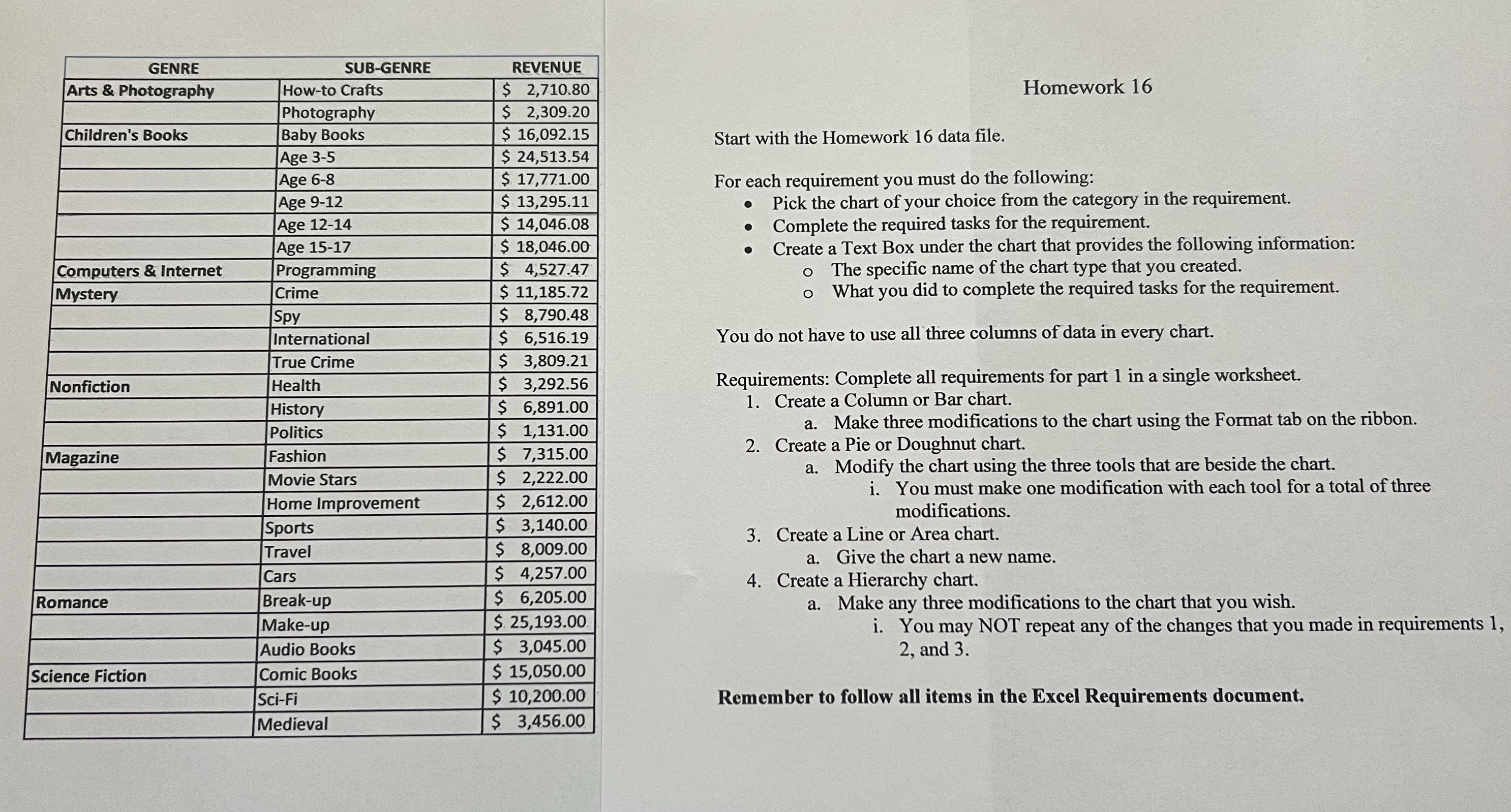
Question: Start with the Homework 1 6 data file. For each requirement you must do the following: Pick the chart of your choice from the category
Start with the Homework data file.
For each requirement you must do the following:
Pick the chart of your choice from the category in the requirement.
Complete the required tasks for the requirement.
Create a Text Box under the chart that provides the following information:
The specific name of the chart type that you created.
What you did to complete the required tasks for the requirement.
You do not have to use all three columns of data in every chart.
Requirements: Complete all requirements for part in a single worksheet.
Create a Column or Bar chart.
a Make three modifications to the chart using the Format tab on the ribbon.
Create a Pie or Doughnut chart.
a Modify the chart using the three tools that are beside the chart.
i You must make one modification with each tool for a total of three modifications.
Create a Line or Area chart.
a Give the chart a new name.
Create a Hierarchy chart.
a Make any three modifications to the chart that you wish.
i You may NOT repeat any of the changes that you made in requirements and
tableGENRESUBGENRE,REVENUEArts & Photography,Howto Crafts,$ Photography,$ Childrens Books,Baby Books,$ Age $ Age $ Age $ Age $ Age $ Computers & Internet,Programming,$ MysteryCrime,$ Spy$ International$
Step by Step Solution
There are 3 Steps involved in it
1 Expert Approved Answer
Step: 1 Unlock

Question Has Been Solved by an Expert!
Get step-by-step solutions from verified subject matter experts
Step: 2 Unlock
Step: 3 Unlock
 Study Help