







Question: STATUS 1 8. Modify the customer_report view to display also customers who do not have any orders. 9. Using the customer_report view, show customer number
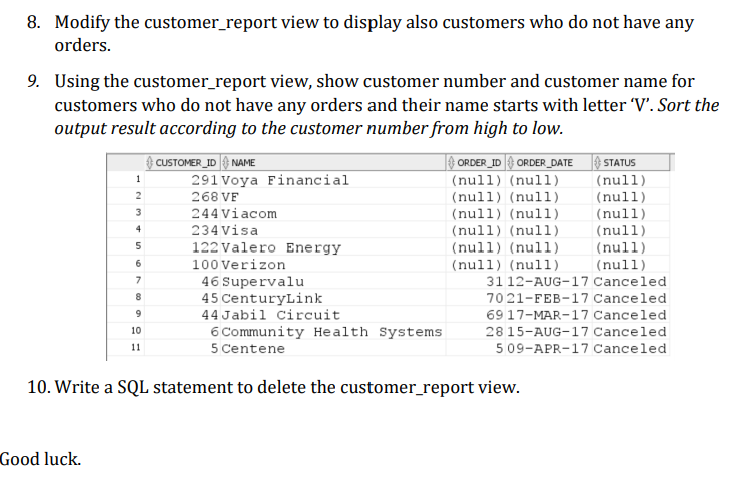
STATUS 1 8. Modify the customer_report view to display also customers who do not have any orders. 9. Using the customer_report view, show customer number and customer name for customers who do not have any orders and their name starts with letter 'V'. Sort the output result according to the customer number from high to low. CUSTOMER_ID NAME ORDER_ID ORDER_DATE 291 Voya Financial (null) (null) (null) 268 VE (null) (null) (null) 244 Viacom (null) (null) (null) 234 Visa (null) (null) (null) 122 Valero Energy (null) (null) (null) 100 Verizon (null) (null) (null) 46 Supervalu 31 12-AUG-17 Canceled 45 CenturyLink 7021-FEB-17 Canceled 44 Jabil Circuit 69 17-MAR-17 Canceled 6 Community Health Systems 28 15-AUG-17 Canceled 5 Centene 509-APR-17 Canceled 2 3 4 5 6 7 8 9 10 11 10. Write a SQL statement to delete the customer_report view. Good luck
Step by Step Solution
There are 3 Steps involved in it

Get step-by-step solutions from verified subject matter experts
 Study Help