







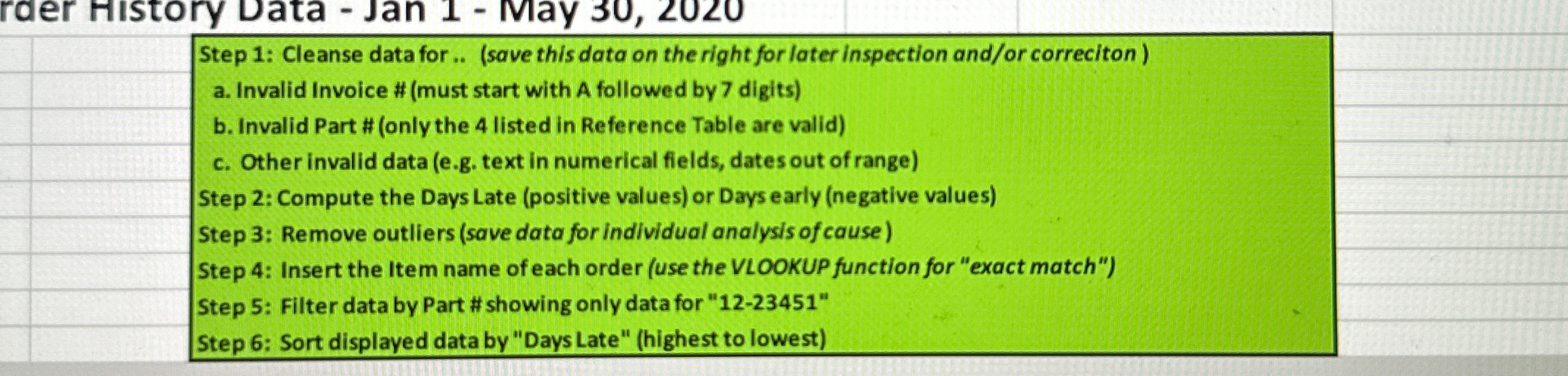
Question: Step 1 : Cleanse data for.. ( save this data on the right for later inspection and / or correciton ) a . Invalid Invoice
Step : Cleanse data for.. save this data on the right for later inspection andor correciton
a Invalid Invoice # must start with A followed by digits
b Invalid Part # only the listed in Reference Table are valid
c Other invalid data eg text in numerical fields, dates out of range
Step : Compute the Days Late positive values or Days early negative values
Step : Remove outliers save data for individual analysis of cause
Step : Insert the Item name of each order use the VLOOKUP function for "exact match"
Step : Filter data by Part # showing only data for
Step : Sort displayed data by "Days Late" highest to lowest
Step by Step Solution
There are 3 Steps involved in it
1 Expert Approved Answer
Step: 1 Unlock

Question Has Been Solved by an Expert!
Get step-by-step solutions from verified subject matter experts
Step: 2 Unlock
Step: 3 Unlock
 Study Help