







Question: STEP 1 : Pause first to consider what is working well. What do you like about the current view of the data? STEP 2 :
STEP : Pause first to consider what is working well. What do you like about the current view of the data?
STEP : A number of steps have been taken in Figure to direct attention and help explain. Which are working well? Where and how might you adjust?
STEP : What clutter would you eliminate? What elements would you push to the background?
STEP : What other design choices made here do you question given the lessons in this chapter? What additional changes would you make?
STEP : Download the data and current graphs. Refine the visual by making the changes you've outlined in the steps above using the tool of your choice.
Exercise : make minor changes for major impact
It's frequently a lot of little things that work together to create a great or notsogreat experience for our audience in the data communications we design. This means that small changes can have big impact in improving our visual designs. Let's look at an example and also practice how these modifications can add up to help us take work from acceptable to exceptional.
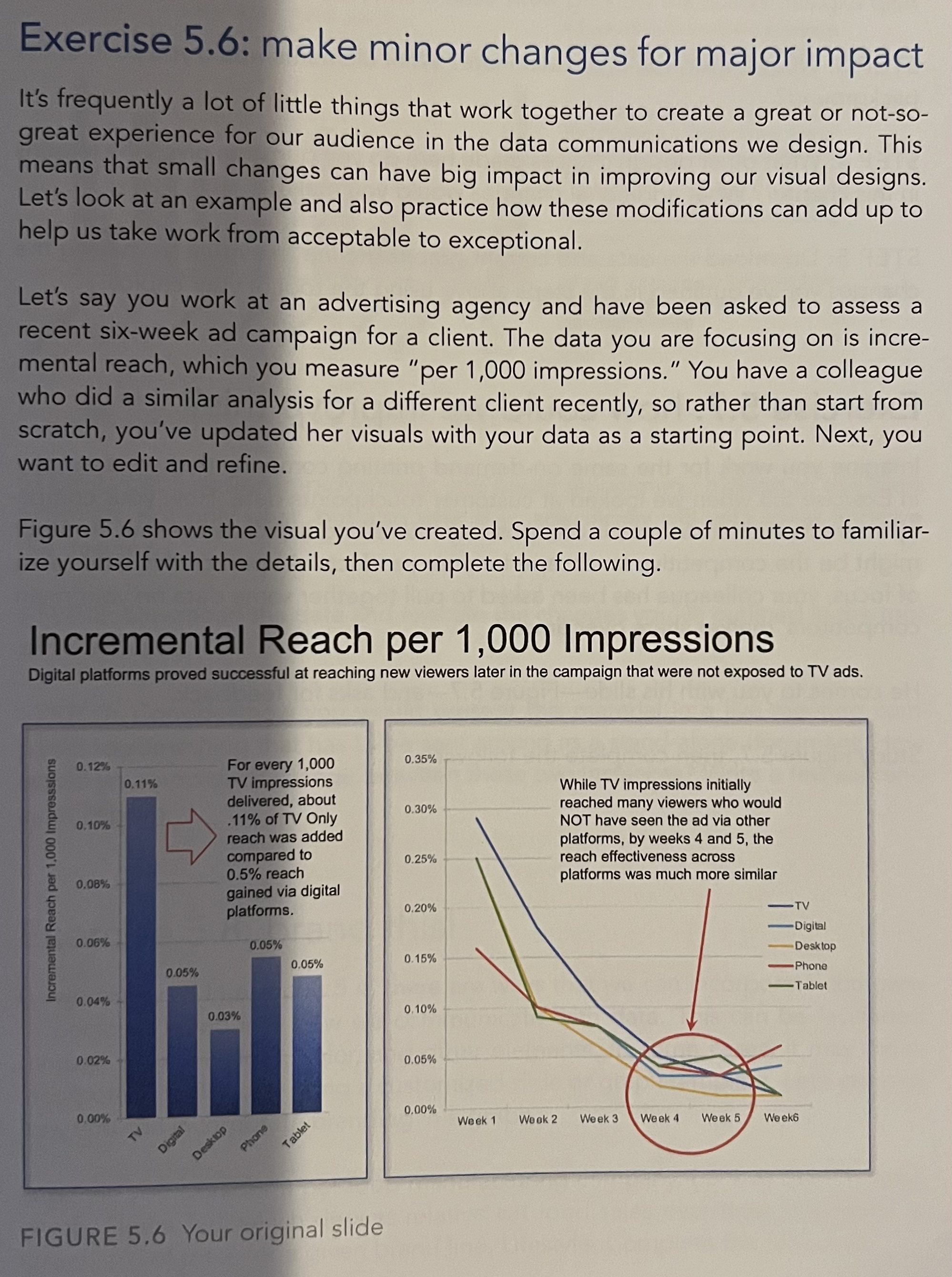
Let's say you work at an advertising agency and have been asked to assess a recent sixweek ad campaign for a client. The data you are focusing on is incremental reach, which you measure "per impressions." You have a colleague who did a similar analysis for a different client recently, so rather than start from scratch, you've updated her visuals with your data as a starting point. Next, you want to edit and refine.
Figure shows the visual you've created. Spend a couple of minutes to familiarize yourself with the details, then complete the following.
Incremental Reach per Impressions
Digital platforms proved successful at reaching new viewers later in the campaign that were not exposed to TV ads.
FIGURE Your original slide
Step by Step Solution
There are 3 Steps involved in it
1 Expert Approved Answer
Step: 1 Unlock

Question Has Been Solved by an Expert!
Get step-by-step solutions from verified subject matter experts
Step: 2 Unlock
Step: 3 Unlock
 Study Help