







Question: Step 1 : Produce correct output Three commented - out lines of code exist in main ( ) . Uncomment the lines and click the
Step : Produce correct output
Three commentedout lines of code exist in main Uncomment the lines and click the Run button. Verify that the program's output is:
Unknown method: printPlus
Secret string:
Click the "Submit for grading" button to submit your code to the autograder. The autograder will run two tests against the submitted code: a "Compare output" test and a "Unit test".
The submission will pass the "Compare output" test because the programs output matches the expected output. Passing the test achieves of the possible points.
The "Unit test" fails because the LabPrinter object created in mainO was not used. Steps that follow outline how to use the LabPrinter object to satisfy this lab's requirements and achieve points
Step : Inspect the LabPrinter class
Inspect the LabPrinter class implemented in the LabPrinterjava file Methods printPlus and printSecret print strings using System.out.println
Step : Implement callMethodNamed
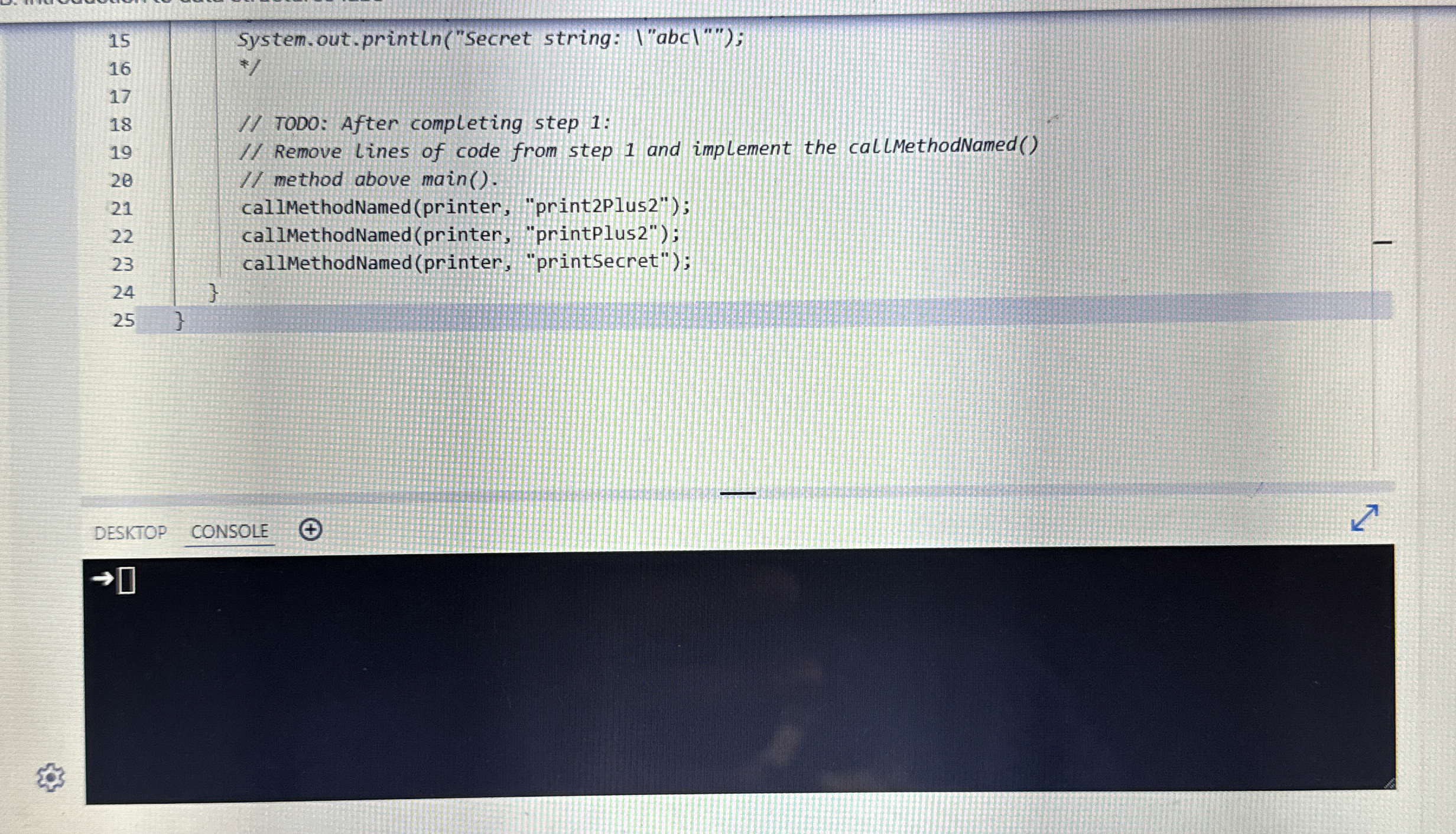
Remove the three uncommented lines from main Then implement the callMethodNamed method in Main.java to handle three cases:
Step : Implement callMethodNamed
Remove the three uncommented lines from main Then implement the callMethodNamed main.java to handle three cases:
If methodName is "printPlus call printer's printPlus method.
If methodName is "printSecret", call printer's printSecret method.
If methodName is anything other than the two strings mentioned above, print "Unknown method: where xyz is methodName's value.
After implementing callMethodNamed, click the Run button. Verify that the program's output is once again:
Unknown method: printPlus
Secret string:
Step : Submit code for points
Once callMethodNamed is properly implemented, submitting the code should receive out of points. The program's output is exactly the same as the implementation from step. But step s implementation uses the LabPrinter object and step does not.
Step : Understand the difference
The unit test uses a different implementation of LabPrinter than what's shown in LabPrinter.java. Calls to each method are tracked, so the unit test determines whether or not callMethodNamedn was actually implemented according to lab requirements.
Step : Understand the difference
The unit test uses a different implementation of LabPrinter than what's shown in LabPrinter.java. Calls to each method are tracked, so the unit test determines whether or not callMethodNamed was actually implemented according to lab requirements.
Most labs in this book are similar. Program output matters, but how the output is achieved matters more. Methods to implement will commonly require use of an object passed as an argument.
Run
Main.javaHistoryTutorial
DESKTOPCONSOLE
Step by Step Solution
There are 3 Steps involved in it
1 Expert Approved Answer
Step: 1 Unlock

Question Has Been Solved by an Expert!
Get step-by-step solutions from verified subject matter experts
Step: 2 Unlock
Step: 3 Unlock
 Study Help