







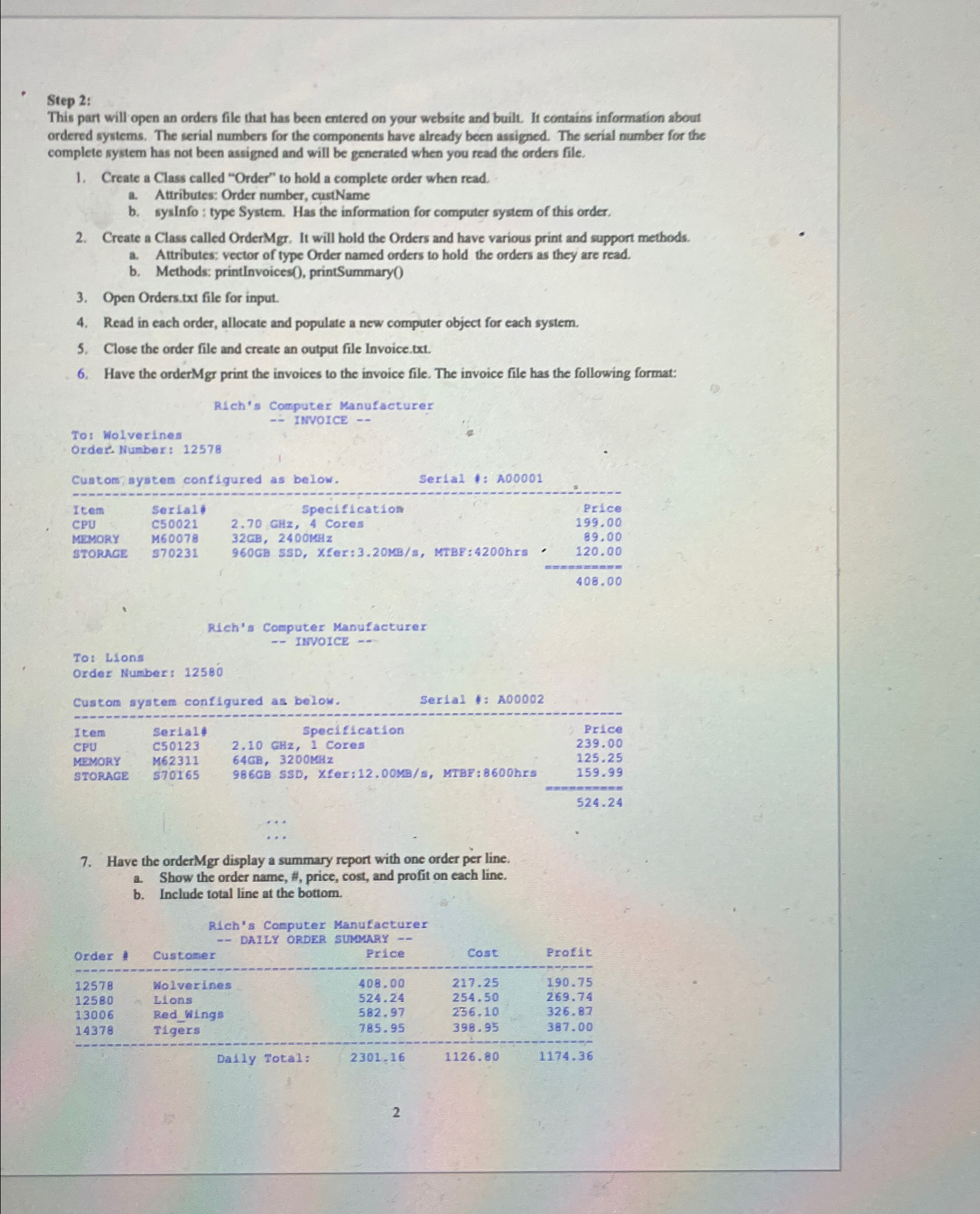
Question: Step 2 : This part will open an ordens file that has been entered on your website and built. It contains information about ordered systems.
Step :
This part will open an ordens file that has been entered on your website and built. It contains information about ordered systems. The serial numbers for the components have already been assigned. The serial number for the complete system has not been assigned and will be generated when you read the orders file.
Create a Class called "Order" to hold a complete order when read.
a Attributes: Order number, custName
b syslnfo : type System. Has the information for computer system of this order,
Create a Class called OrderMgr. It will hold the Orders and have various print and support methods.
a Attributes: vector of type Order named orders to hold the orders as they are read.
b Methods: printlnvoices printSummary
Open Orders.bxt file for input.
Read in each order, allocate and populate a new computer object for each system.
Close the order file and create an output file Invoice.txt
Have the orderMgr print the invoices to the invoice file. The invoice file has the following format:
Rleh's Computer Manufacturer
INVOICE
To: Lions
Order Number:
tableItenSertall,Specification,PriceCPUC Cores,MEYORYMSTORAGE$ SSD Xfer:MBs MTBF:hrs
Have the orderMgr display a summary repont with one order per line.
a Show the order name, price, cost, and profit on each line.
b Include total line at the bottom.
Rich's Computer Manufacturer
tableOrderCustomer,Price,Cost,ProtdeWolverines,Llons,RedWings,Tigers,Dally Total:,
Step by Step Solution
There are 3 Steps involved in it
1 Expert Approved Answer
Step: 1 Unlock

Question Has Been Solved by an Expert!
Get step-by-step solutions from verified subject matter experts
Step: 2 Unlock
Step: 3 Unlock
 Study Help