







Question: Step by step explanation and how to do: You will conduct an operation to review ( not retrieve or pull back ) the contents of
Step by step explanation and how to do:
You will conduct an operation to review not retrieve or pull back the contents of the "supersecretfile.txt You have been authorized to use a netcat relay to connect to a cmi.exe shell on the WinXP.
Note these steps are not in order!
You will have to determine the sequence in which these steps are done as you have done in prior mission assignments.
Doing so will determine the type of netcat relay you will use.
I have broken up these steps with lines, so they are easier to read.
There should be three submitted screenshots in total.
Read the entire scheme of maneuver prior to attempting to enter commands.
Your scheme of maneuver will use the following:
This is one of three steps points
You will use the utility you identified from Q to exploit onto the MS target from the Kali workstation.
In the below command you will need to sub out the "nameofutility" for the correct utility name.
The command you will use is as follows:
nameofutility msfadmin ipofmsbinbash
Should you fail to identify the utility's name, you are permitted to SSH into the MS target, but at the cost of ten points.
It will take a little bit of time for the password prompt to show. Be patient. One you log in you will see no output if you used SSH this will not be the case
Hit enter and type id
You will get the id information for user "msfadmin". If you see this, you have correctly logged into the MS
You will create the netcat relay that allows you to connect to the MS and have your connection forwarded to the WinXP.
You will create a new named pipe called "fpipe
This is a simple lookup; you have numerous assignments demonstrating how to perform this step correctly.
You will use Port for the half of the netcat relay that connects to the WinXP
You will use Port for the half of the netcat relay that listens for the connection from the Kali workstation.
Press "enter" when you are sure of execution order of these steps.
Submit a screenshot of the command and output of this work for verification.This is one of three steps points
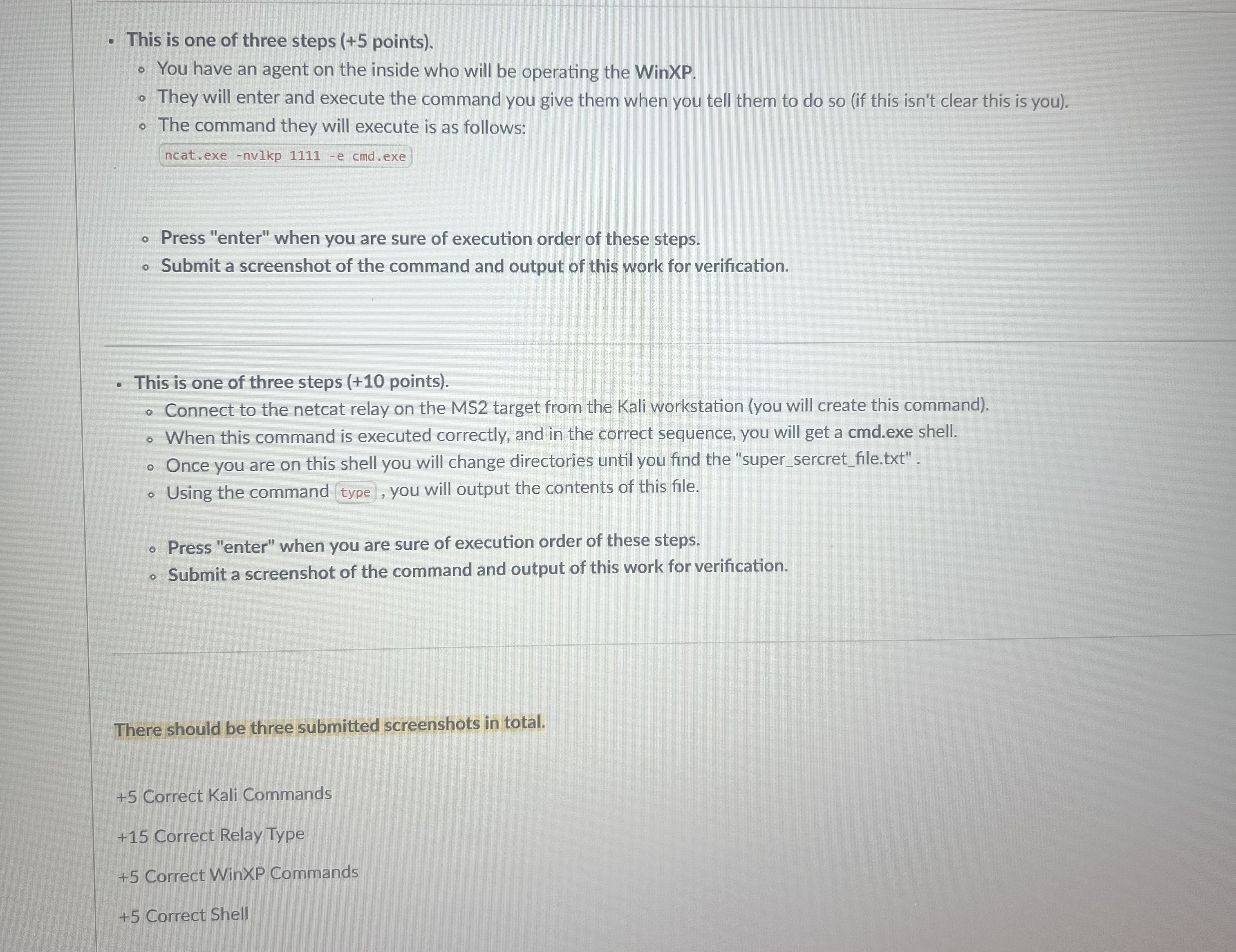
You have an agent on the inside who will be operating the WinXP.
They will enter and execute the command you give them when you tell them to do so if this isn't clear this is you
The command they will execute is as follows:
ncat.exe nvlkp e cmdexe
Press "enter" when you are sure of execution order of these steps.
Submit a screenshot of the command and output of this work for verification.
This is one of three steps points
Connect to the netcat relay on the MS target from the Kali workstation you will create this command
When this command is executed correctly, and in the correct sequence, you will get a cmdexe shell.
Once you are on this shell you will change directories until you find the "supersercretfile.txt
Using the command type, you will output the contents of this file.
Press "enter" when you are sure of execution order of these steps.
Submit a screenshot of the command and output of this work for verification.
There should be three submitted screenshots in total.
Step by Step Solution
There are 3 Steps involved in it
1 Expert Approved Answer
Step: 1 Unlock

Question Has Been Solved by an Expert!
Get step-by-step solutions from verified subject matter experts
Step: 2 Unlock
Step: 3 Unlock
 Study Help