







Question: Step BY step explanation Please, THANKs! Task 3b: Query #2: Top 10 Customers for 2020 from our USA stores: 1. Open the Customers data and
Step BY step explanation Please, THANKs!
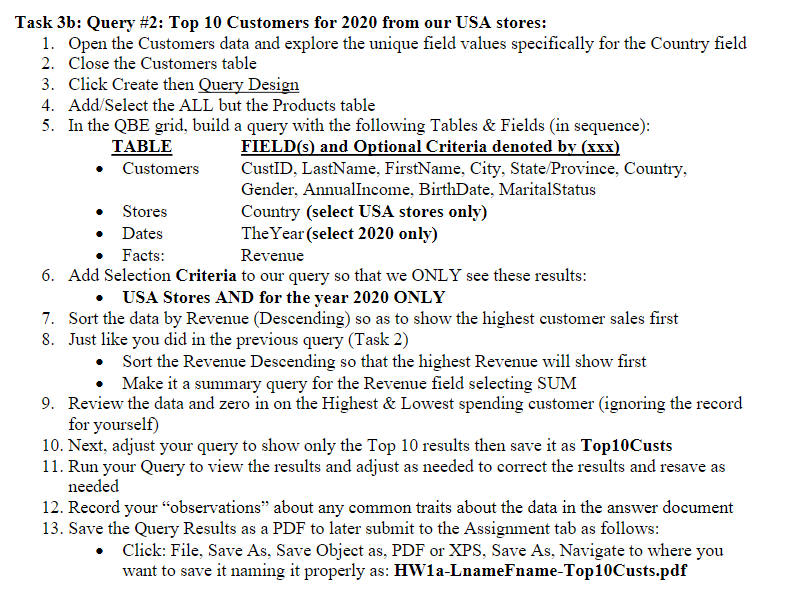
Task 3b: Query \#2: Top 10 Customers for 2020 from our USA stores: 1. Open the Customers data and explore the unique field values specifically for the Country field 2. Close the Customers table 3. Click Create then Query Design 4. Add/Select the ALL but the Products table 5. In the QBE grid, build a query with the following Tables \& Fields (in sequence): TABLE - Customers - Stores - Dates - Facts: FIELD(s) and Optional Criteria denoted by (xxx) CustID, LastName, FirstName, City, State/Province, Country, Gender, Annualincome, BirthDate, MaritalStatus Country (select USA stores only) The Year (select 2020 only) Revenue 6. Add Selection Criteria to our query so that we ONLY see these results: - USA Stores AND for the year 2020 ONLY 7. Sort the data by Revenue (Descending) so as to show the highest customer sales first 8. Just like you did in the previous query (Task 2) - Sort the Revenue Descending so that the highest Revenue will show first - Make it a summary query for the Revenue field selecting SUM 9. Review the data and zero in on the Highest \& Lowest spending customer (ignoring the record for yourself) 10. Next, adjust your query to show only the Top 10 results then save it as Top10Custs 11. Run your Query to view the results and adjust as needed to correct the results and resave as needed 12. Record your "observations" about any common traits about the data in the answer document 13. Save the Query Results as a PDF to later submit to the Assignment tab as follows: - Click: File, Save As, Save Object as, PDF or XPS, Save As, Navigate to where you want to save it naming it properly as: HW1a-LnameFname-Top10Custs.pdf
Step by Step Solution
There are 3 Steps involved in it

Get step-by-step solutions from verified subject matter experts
 Study Help