







Question: Steps: 1. Create a Python script having the TCP/IP stack as below (skeleton code given below) Display the reocest packet shouing the entire trectefnarlood stack
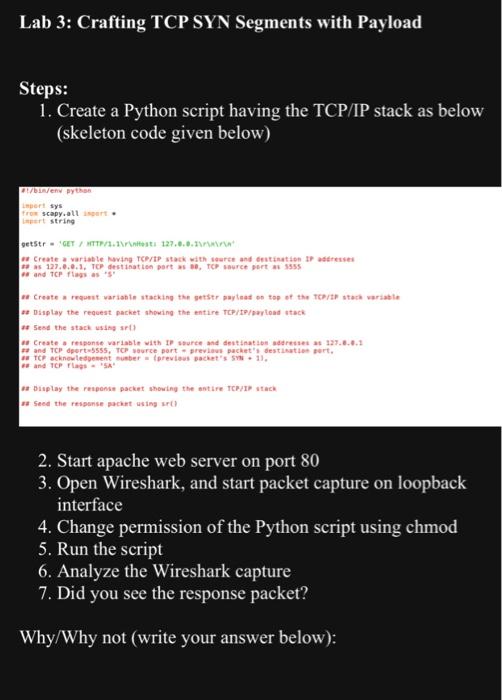
Steps: 1. Create a Python script having the TCP/IP stack as below (skeleton code given below) Display the reocest packet shouing the entire trectefnarlood stack so 5 ese the stack usiny art it bislay the roiponin packet showing the antire repiry utaci. rat Seed the respense gackint using ur( ) 2. Start apache web server on port 80 3. Open Wireshark, and start packet capture on loopback interface 4. Change permission of the Python script using chmod 5. Run the script 6. Analyze the Wireshark capture 7. Did you see the response packet? Why/Why not (write your answer below): Steps: 1. Create a Python script having the TCP/IP stack as below (skeleton code given below) Display the reocest packet shouing the entire trectefnarlood stack so 5 ese the stack usiny art it bislay the roiponin packet showing the antire repiry utaci. rat Seed the respense gackint using ur( ) 2. Start apache web server on port 80 3. Open Wireshark, and start packet capture on loopback interface 4. Change permission of the Python script using chmod 5. Run the script 6. Analyze the Wireshark capture 7. Did you see the response packet? Why/Why not (write your answer below)
Step by Step Solution
There are 3 Steps involved in it

Get step-by-step solutions from verified subject matter experts
 Study Help