







Question: Steps: 1. Create a resource group named rg-Assignment7 and put your all resources related with the assignment into rg-Assignment7 2. Create an Azure Web App,
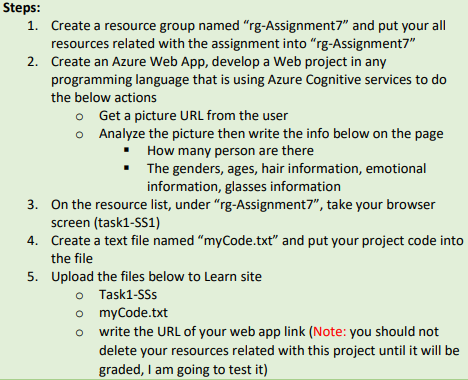
Steps: 1. Create a resource group named "rg-Assignment7" and put your all resources related with the assignment into "rg-Assignment7" 2. Create an Azure Web App, develop a Web project in any programming language that is using Azure Cognitive services to do the below actions o Get a picture URL from the user o Analyze the picture then write the info below on the page How many person are there The genders, ages, hair information, emotional information, glasses information 3. On the resource list, under "rg-Assignment7", take your browser screen (task1-551) 4. Create a text file named "myCode.txt" and put your project code into the file 5. Upload the files below to Learn site o Task1-SSS o myCode.txt write the URL of your web app link (Note: you should not delete your resources related with this project until it will be graded, I am going to test it) O
Step by Step Solution
There are 3 Steps involved in it

Get step-by-step solutions from verified subject matter experts
 Study Help