







Question: Steps for Step # 4 : As you dive deep into the design on each table, you are not happy with the names of the
Steps for
Step #: As you dive deep into the design on each table, you are not happy with the names of the fields not having part of the table name. From Chapter # You need to use your coding skills to correct each table for every field name to have a part of the table name. Be careful with your foreign keysill The field name of the foreign key should be from the original table, they were the primary key. You know how to do this from step $ by using the RENAME command.
Once completed, submit your screenshot that includes your last code from the input area and the right side of the screen with Available Tables to Microsoft Forms.
Step #: Time to create a table for all the invoices that you are sending out on the shipments. This new table needs to include a primary key, foreign key to the shipment primary key, foreign key to the order primary key and a field for invoice date. Primary key cannot be null, must be unique. Invoice date must have a named constraint to check that the date entered is greater than Jan and not null. Both foreign keys may not be null. Vou must enforce referential entity in your code with the ON DELETE CASCADE". HINT: use your Chapter provided reference sheet
Once completed, submit your screenshot that includes your code from the input area and the right side of the screen with Available Tables to Micrasoft Forms.
NOTE: if you take a break and refresh your browser or close the codingenter
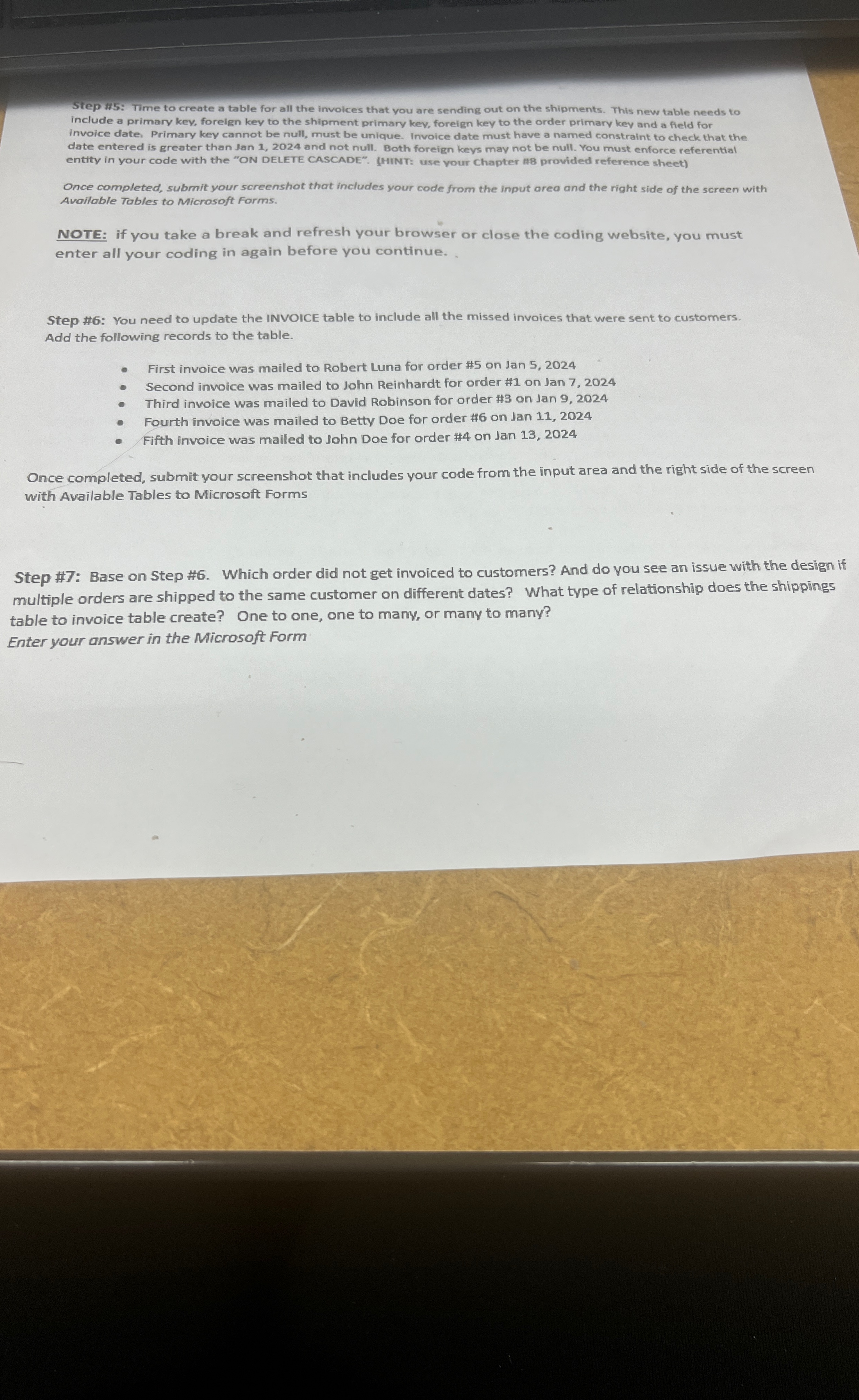
Step : Time to create a table for all the invoices that you are sending out on the shipments. This new table needs to include a primary key, foreign key to the shipment primary key, foreign key to the order primary key and a field for invoice date. Primary key cannot be null, must be unique. Invoice date must have a named constraint to check that the date entered is greater than Jan and not null. Both foreign keys may not be null. You must enforce referential entity in your code with the ON DELETE CASCADE". HINT: use vour Chapter provided reference sheet
Once completed, submit your screenshot that includes your code from the input area and the right side of the screen with Available Tables to Microsoft Forms.
NOTE: if you take a break and refresh your browser or close the coding website, you must enter all your coding in again before you continue.
Step #: You need to update the INVOICE table to include all the missed invoices that were sent to customers. Add the following records to the table.
First invoice was mailed to Robert Luna for order # on Jan
Second invoice was mailed to John Reinhardt for order # on Jan
Third invoice was mailed to David Robinson for order # on Jan
Fourth invoice was mailed to Betty Doe for order # on lan
Fifth invoice was mailed to John Doe for order # on Jan
Once completed, submit your screenshot that includes your code from the input area and the right side of the screen with Available Tables to Microsoft Forms
Step #: Base on Step # Which order did not get invoiced to customers? And do you see an issue with the design if multiple orders are shipped to the same customer on different dates? What type of relationship does the shippings table to invoice table create? One to one, one to mamy, or many to many?
Enter your answer in the Microsoft Formall your cng in again before you continue.
Step #: You need to update the INVOICE table to include all the missed invoices that were sent to customers. Add the following records to the table.
First invoice was mailed to Robert Luna for order # on Jan
Second invoice was mailed to John Reinhardt for order # on Jan
Third invoice was mailed to David Robinson for order # on Jan
Fourth invoice was mailed to Betty Doe for order # on Jan
Fifth invoice was mailed to John Doe for order # on Jan
Once completed, submit your screenshot that includes your code from the input area and the right side of the screen with Available Tables to Microsoft Forms
Step #: Base on Step # Which order did not get invoiced to customers? And do you see an issue with the design if multiple orders are shipped to the same customer on different dates? What type of relationship does the shippings table to invoice table create? One to one, one to many, or many to many?
Enter your answer in the Microsoft Form
Step by Step Solution
There are 3 Steps involved in it
1 Expert Approved Answer
Step: 1 Unlock

Question Has Been Solved by an Expert!
Get step-by-step solutions from verified subject matter experts
Step: 2 Unlock
Step: 3 Unlock
 Study Help