







Question: Stock.java program TradeStock.java program Please make sure it works. Thank you. ISTE-120 Lab 07: Decisions Exercise 1-Validating Stock Information (4 points) Must be completed during
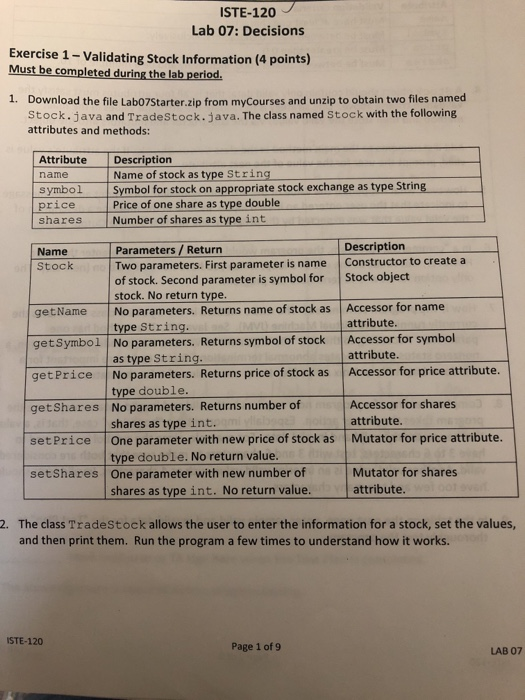
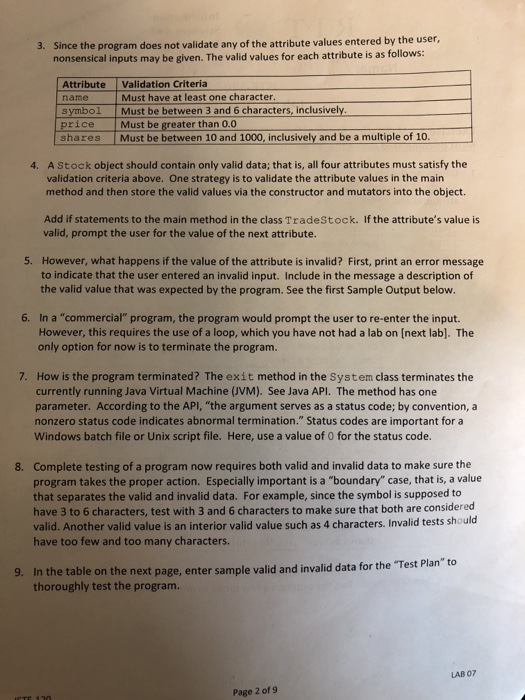
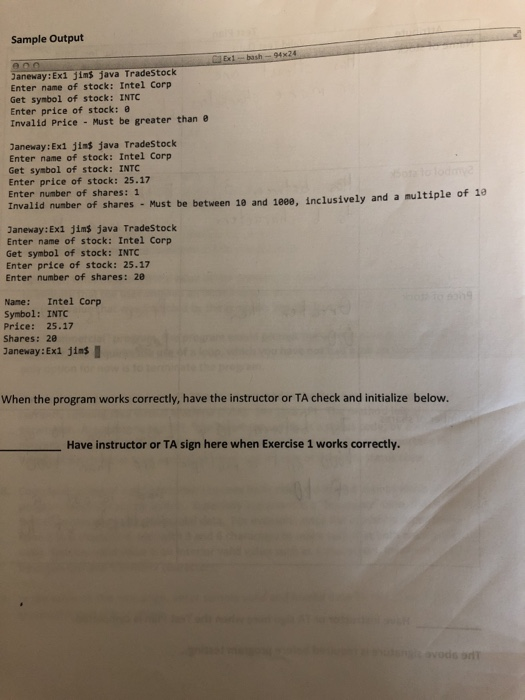
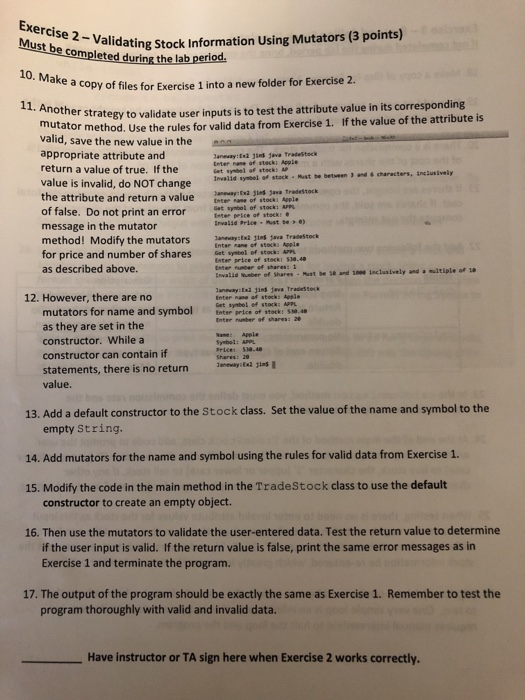
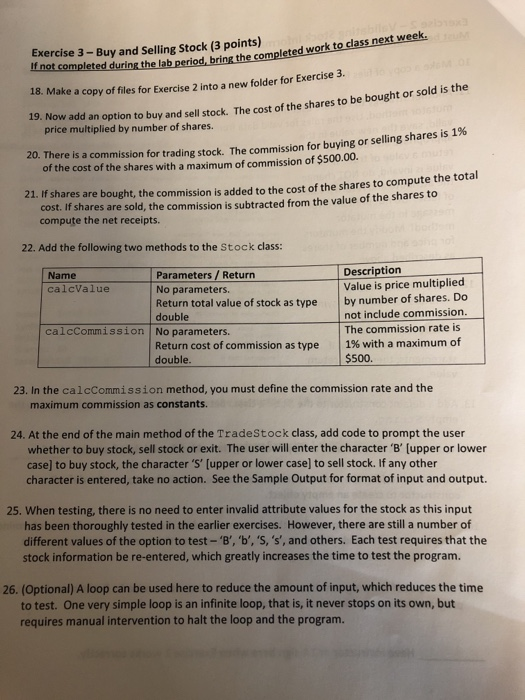
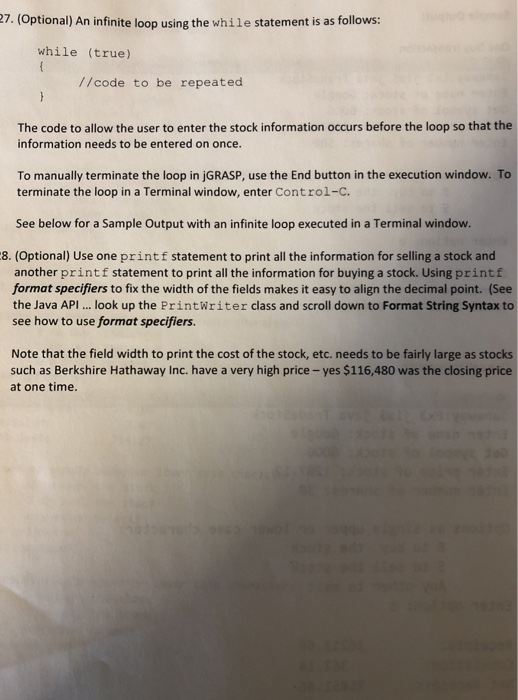
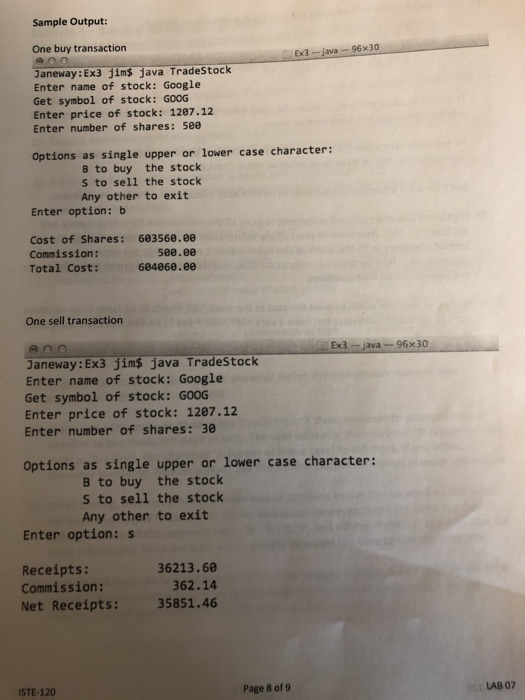
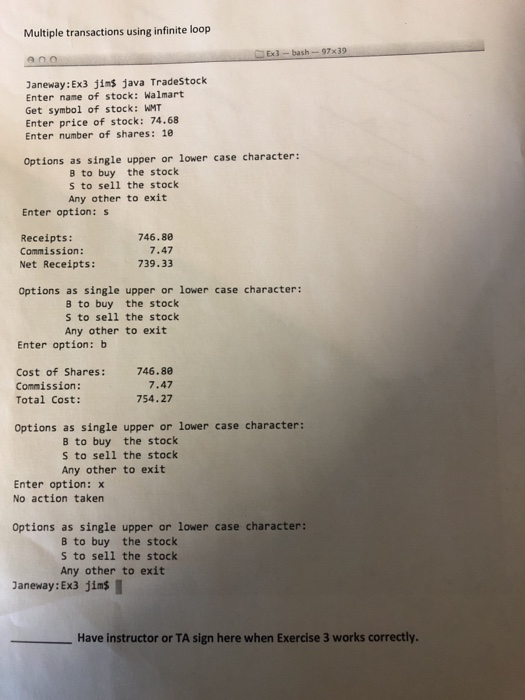
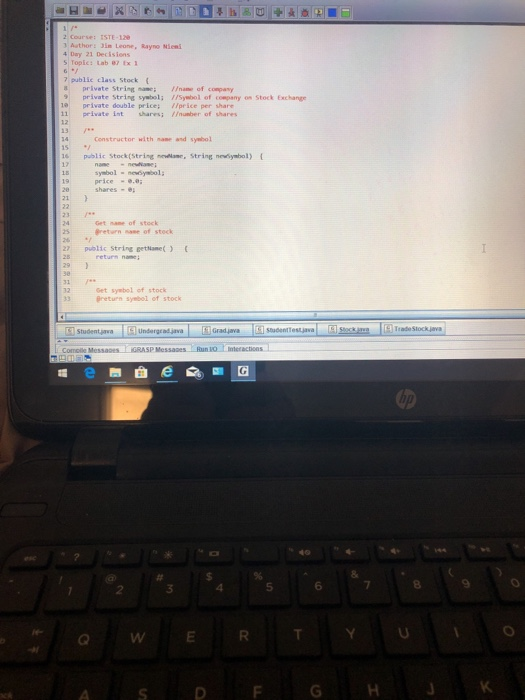
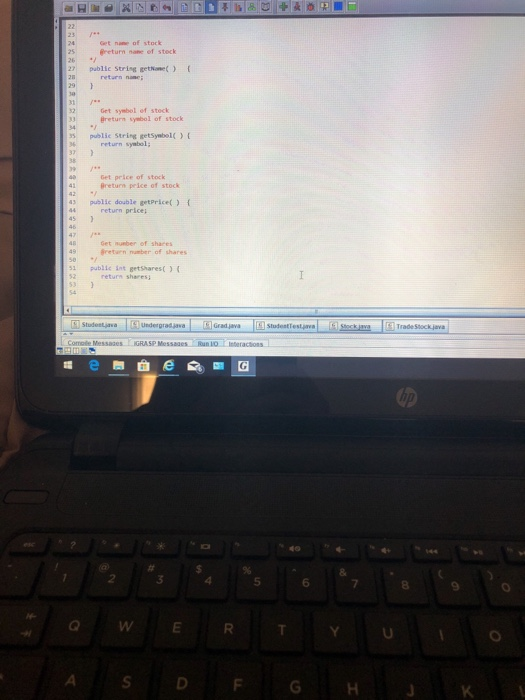
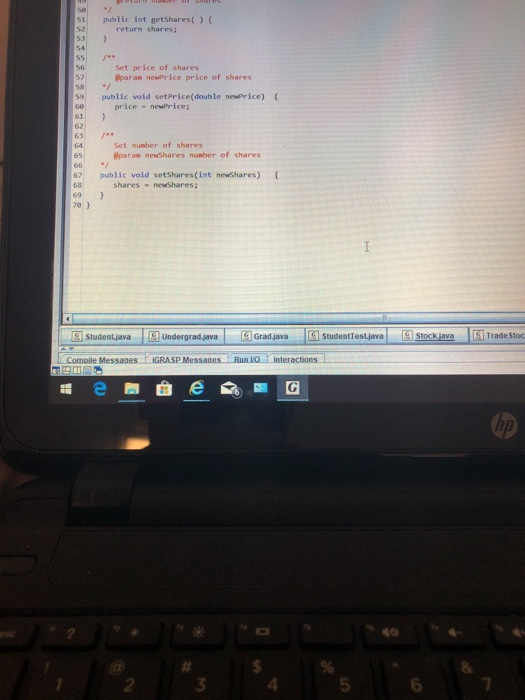
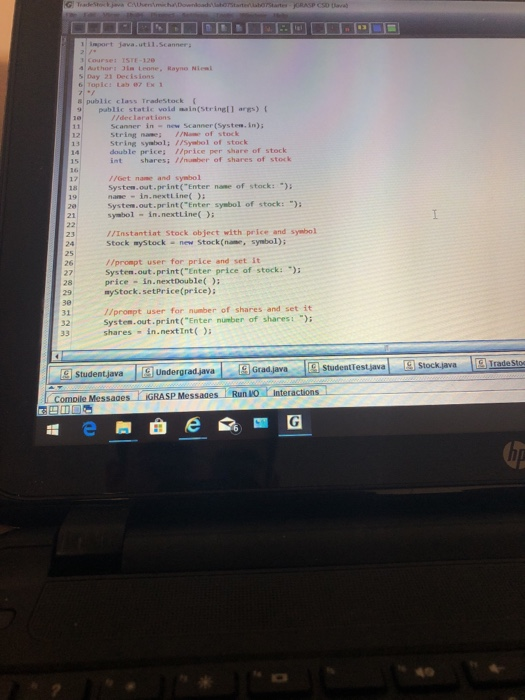
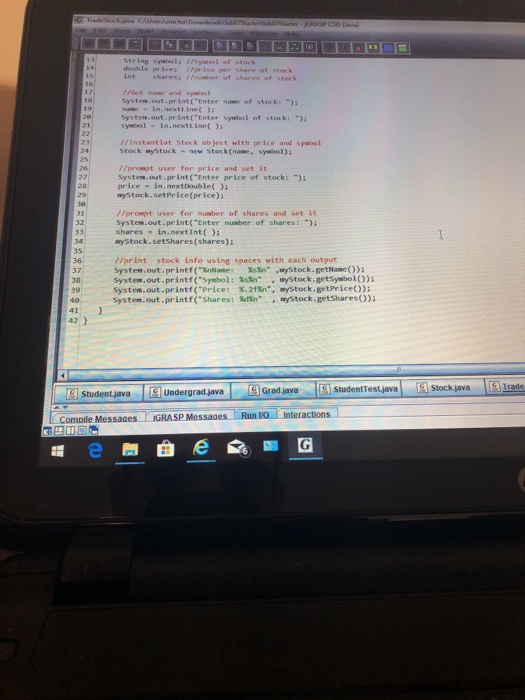
ISTE-120 Lab 07: Decisions Exercise 1-Validating Stock Information (4 points) Must be completed during the lab period. 1. Download the file Labo7Starter.zip from myCourses and unzip to obtain two files named Stock.java and TradeStock.java. The class named Stock with the following attributes and methods: AttributeDescription Name of stock as type String name symbol-l symbolfor tock on appropriatestockexchange astype tr ng price Price of one share as type double shares Number of shares as type int Description Name Parameters / Return Stock Two parameters. First parameter is name Constructor to create a of stock. Second parameter is symbol for Stock object stock. No return type. getName No parameters. Returns name of stock as Accessor for name getSymbol No parameters. Returns symbol of stock Accessor for symbol getPrice No parameters. Returns price of stock as Accessor for price attribute. getShares No parameters. Returns number of setPrice One parameter with new price of stock as Mutator for price attribute. setShares One parameter with new number of attribute type String as type String. type double. shares as type int type double. No return value. shares as type int. No return value. attribute Accessor for shares attribute Mutator for shares attribute. The class Tradestock allows the user to enter the information for a stock, set the values, and then print them. Run the program a few times to understand how it works. 2. ISTE-120 Page 1 of9 LAB 07 ISTE-120 Lab 07: Decisions Exercise 1-Validating Stock Information (4 points) Must be completed during the lab period. 1. Download the file Labo7Starter.zip from myCourses and unzip to obtain two files named Stock.java and TradeStock.java. The class named Stock with the following attributes and methods: AttributeDescription Name of stock as type String name symbol-l symbolfor tock on appropriatestockexchange astype tr ng price Price of one share as type double shares Number of shares as type int Description Name Parameters / Return Stock Two parameters. First parameter is name Constructor to create a of stock. Second parameter is symbol for Stock object stock. No return type. getName No parameters. Returns name of stock as Accessor for name getSymbol No parameters. Returns symbol of stock Accessor for symbol getPrice No parameters. Returns price of stock as Accessor for price attribute. getShares No parameters. Returns number of setPrice One parameter with new price of stock as Mutator for price attribute. setShares One parameter with new number of attribute type String as type String. type double. shares as type int type double. No return value. shares as type int. No return value. attribute Accessor for shares attribute Mutator for shares attribute. The class Tradestock allows the user to enter the information for a stock, set the values, and then print them. Run the program a few times to understand how it works. 2. ISTE-120 Page 1 of9 LAB 07
Step by Step Solution
There are 3 Steps involved in it

Get step-by-step solutions from verified subject matter experts
 Study Help