







Question: string Str1, Str2; char Char1, Char2; cout Enter several words separated by spacesln; cout Use getline to read entire line into Stri: ; aaa cout
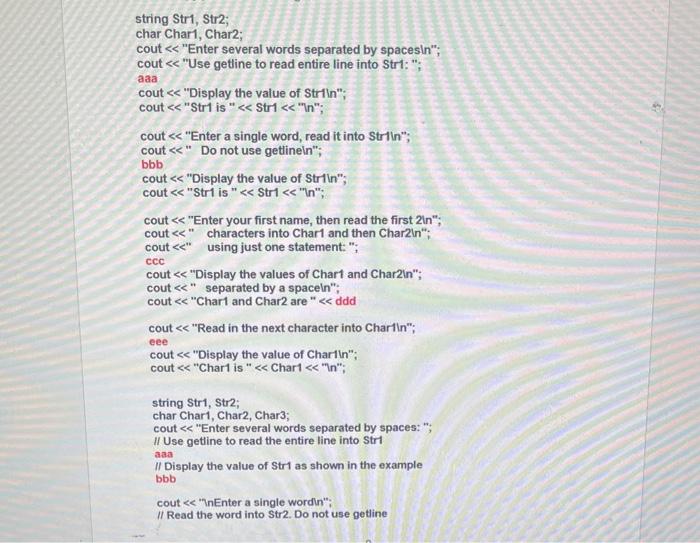
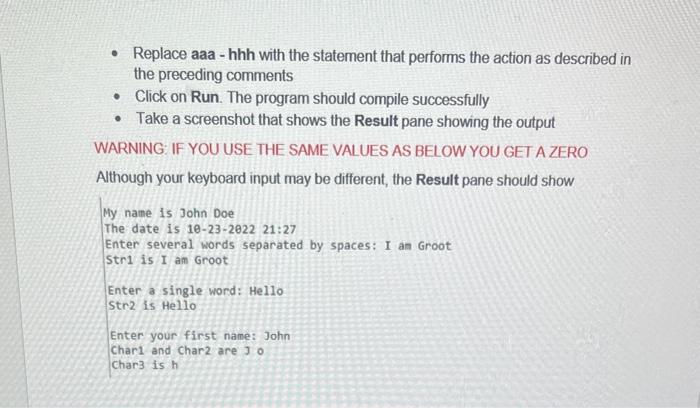
string Str1, Str2; char Char1, Char2; cout "Enter several words separated by spacesln"; cout "Use getline to read entire line into Stri: "; aaa cout "Display the value of Striln"; cout "Str1 is " Str1 "In"; cout "Enter a single word, read it into Striln"; cout " Do not use getlineln"; bbb cout "Display the value of Striln"; cout "Str1 is " Str1 "ln"; cout "Enter your first name, then read the first 21n"; cout " " characters into Char1 and then Char2ln"; cout " using just one statement: "; ccc cout "Display the values of Char1 and Char2in"; cout " separated by a spaceln"; cout "Chart and Char 2 are " ddd cout "Read in the next character into Charfln"; eee cout "Display the value of Chartin"; cout "Chart is " Chart "ln" "; string Str1, Str2; char Char1, Char2, Char3; cout "Enter several words separated by spaces: "; II Use getline to read the entire line into StrI aaa II Display the value of Str1 as shown in the example bbb cout "nEnter a single wordin"; II Read the word into Str2. Do not use getline - Replace aaa - hhh with the statement that performs the action as described in the preceding comments - Click on Run. The program should compile successfully - Take a screenshot that shows the Result pane showing the output WARNING: IF YOU USE THE SAME VALUES AS BEL OW YOU GET A ZERO Although your keyboard input may be different, the Result pane should show My name is John Doe The date is 10-23-2022 21:27 Enter several words separated by spaces: I an Groot Str1 is I am Groot Enter a single word: Hello Str2 is Hello Enter your first name: John Char 1 and Char2 are 30 char3 is h
Step by Step Solution
There are 3 Steps involved in it

Get step-by-step solutions from verified subject matter experts
 Study Help