







Question: string.mat:: This chapter will cover statements in MATLAB that allow other statement(s) to be repeated. The statements that do this are called looping statements or
string.mat::
This chapter will cover statements in MATLAB that allow other statement(s) to be repeated. The statements that do this are called looping statements or loops. There are 2 basic kinds of loops in programming: counted loops and conditional loops. A counted loop is a loop that repeats statements a specified number of times (so, ahead of time it is known how many times the statements are to be repeated). In a counted loop, for example, you might say 'repeat these statements 10 times'. A conditional loop also repeats statements, but ahead of time it is not known how many times the statements will need to be repeated. With a conditional loop, for example, you might say 'repeat these statements until this condition becomes false'. The statement(s) that are repeated in any loop are called the action of the loop. There are 2 different loop statements in MATLAB: the for statement and the while statement. In practice, the for statement is used as the counted loop, and the while is usually used as the conditional loop. To keep it simple, that is how they will be presented here. In many programming languages, looping through the elements in a vector or matrix is a very fundamental concept. In MATLAB, however, as it is written to work with vectors and matrices, looping through elements is usually not necessary. Instead, 'vectorized code' is used, which means replacing the loops through matrices with the use of built-in functions and operators. Both methods will be described in this chapter. The earlier sections will focus on 'the programming concepts', using loops. These will be contrasted with 'the efficient methods', using vectorized code. Loops are still relevant and necessary in MATLAB in other contexts, just not normally when working with vectors or matrices.
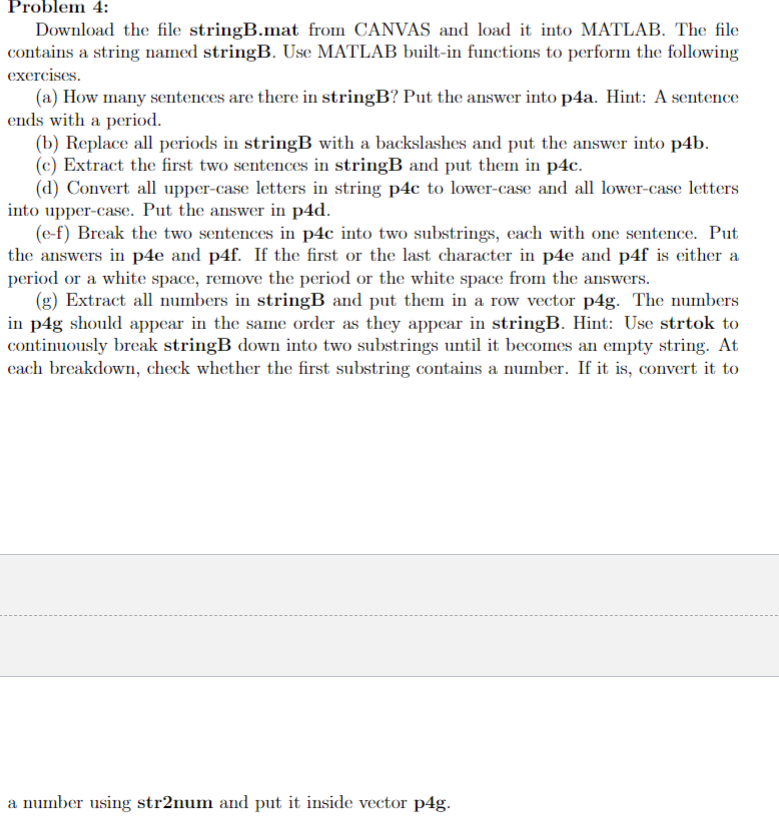
Problem 4: Download the file stringB.mat from CANVAS and load it into MATLAB. The file contains a string named stringB. Use MATLAB built-in functions to perform the following exercises. (a) How many sentences are there in stringB? Put the answer into p4a. Hint: A sentence ends with a period. (b) Replace all periods in stringB with a backslashes and put the answer into p4b. (c) Extract the first two sentences in stringB and put them in p4c. (d) Convert all upper-case letters in string p4c to lower-case and all lower-case letters into upper-case. Put the answer in p4d. (e-f) Break the two sentences in p4c into two substrings, each with one sentence. Put the answers in p4e and p4f. If the first or the last character in p4e and p4f is either a period or a white space, remove the period or the white space from the answers. (g) Extract all numbers in stringB and put them in a row vector p4g. The numbers in p4g should appear in the same order as they appear in stringB. Hint: Use strtok to continuously break stringB down into two substrings until it becomes an empty string. At each breakdown, check whether the first substring contains a number. If it is, convert it to a number using str2num and put it inside vector p4g
Step by Step Solution
There are 3 Steps involved in it

Get step-by-step solutions from verified subject matter experts
 Study Help