







Question: strings InputType.py Submit Run Grades Reset #Recall that input from a user is always in the form of a string 2 #Ilrite a function called
 strings
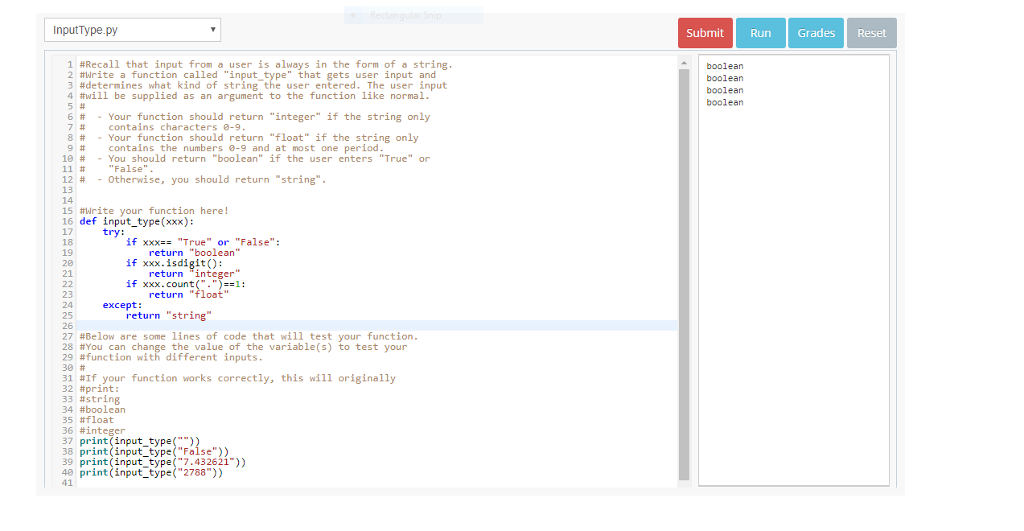
InputType.py Submit Run Grades Reset #Recall that input from a user is always in the form of a string 2 #Ilrite a function called "input-type" that gets user input and 3 #dete ines what kind of string the user entered. The user input 4 #will be supplied as an argument to the function like normal 5# 6 # -Your function should return "integer" if the string only 7 # contains characters 0-9 8 # Your function should return "float" if the string only boolean boolean boolean boolean # contains the numbers 0-9 and at most one period 10 # -You should return "boolean" if the user enters "True" or 11# "False" 12 # -otherwise, you should return "string". 14 te your function here! 16 def input type(xxx): 17 18 19 try: if xxxTrue" or "False": if xxx.isdigit): if xxx-count("-")--1: return "string return "boolean" return "floot" except: 26 27 #Below are some lines of code that will test your function 28 #You can change the value of the variable(s) to test your 29 #function with different inputs 30# 31 #If your function works correctly, this will originally 32 #print: 33 #string 34 #boolean 35 #float 36 #integer 37 print (input type() 38 print (input type("False) 39 print (input_typ(7.432621)) 40 print (input_type( "2788")) 41
Step by Step Solution
There are 3 Steps involved in it

Get step-by-step solutions from verified subject matter experts
 Study Help