







Question: Student Grade program The problem You have been asked to develop a program to read in student's grades from a text file. For each student,
Student Grade program
The problem
You have been asked to develop a program to read in student's grades from a text file. For each student, there is a line that has the student's name followed by six weekly grades plus a final. Each of the weekly grades is worth percent of the total grade; the final is worth percent. The program should display a menu that allows the user to choose from the following options: show student with the highest total grade, show student with lowest total grade, and quit. For each of the menu items, the program should display the name of the student followed by the grade. This is also true when all students are listed. Grades should be displayed with a single decimal place.
The user will be displayed this menu until they choose to quit; at that point the program will exit.
Restrictions and file format
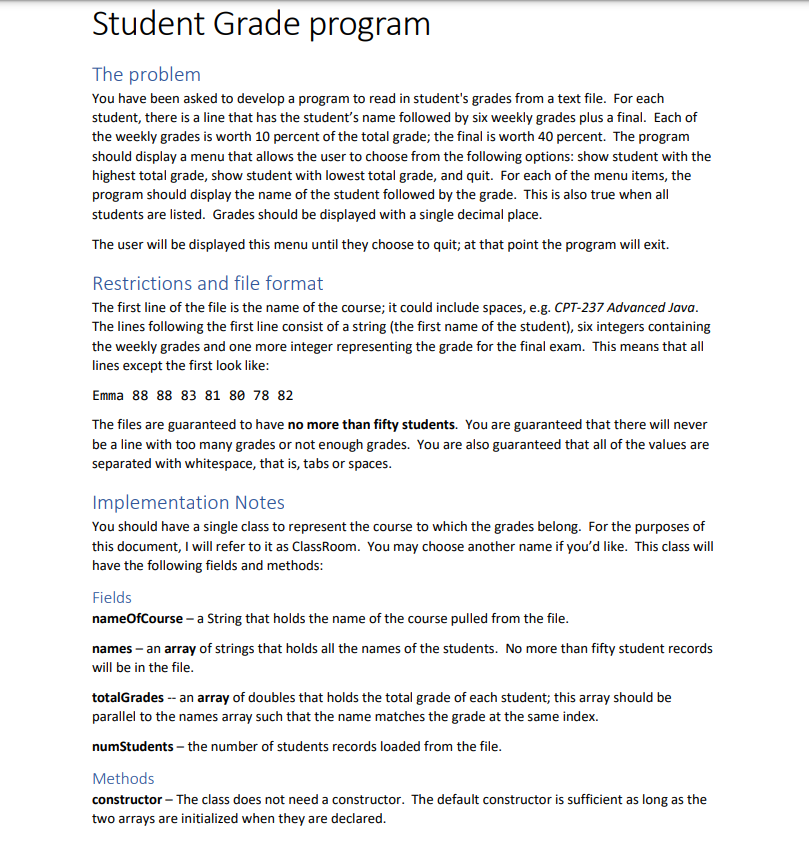
The first line of the file is the name of the course; it could include spaces, eg CPT Advanced Java. The lines following the first line consist of a string the first name of the student six integers containing the weekly grades and one more integer representing the grade for the final exam. This means that all lines except the first look like:
Emma beginarrayllllllll & & & & & & endarray
The files are guaranteed to have no more than fifty students. You are guaranteed that there will never be a line with too many grades or not enough grades. You are also guaranteed that all of the values are separated with whitespace, that is tabs or spaces.
Implementation Notes
You should have a single class to represent the course to which the grades belong. For the purposes of this document, I will refer to it as ClassRoom. You may choose another name if you'd like. This class will have the following fields and methods:
Fields
nameOfCourse a String that holds the name of the course pulled from the file.
names an array of strings that holds all the names of the students. No more than fifty student records will be in the file.
totalGrades an array of doubles that holds the total grade of each student; this array should be parallel to the names array such that the name matches the grade at the same index.
numStudents the number of students records loaded from the file.
Methods
constructor The class does not need a constructor. The default constructor is sufficient as long as the two arrays are initialized when they are declared. loadGrades a method that takes the path to a file as its only argument. It will open the file, process the contents and close the file. Keep in mind that the first line is simply the name of the course. You will need to start your loop to read in the rest of the file AFTER you read in the first line. Remember to keep track of how many students there are.
findMaxGrade a method that returns the index of the maximum total grade. It does not need any arguments.
findMinGrade a method that returns the index of the minimum total grade. It does not need any arguments.
getNameByIndex a method that takes an integer as an argument which is used as an index into the names array and returns the name at that index.
getGradeByIndex a method that takes an integer as an argument which is used as an index into the totalGrades array and returns the grade at that index.
addStudent optional a private method that accepts a student's name and the seven grades from the file. It will calculate the student's total grade and add the student and the total grade to the corresponding arrays. The method should be private because it will only be called from within the ClassRoom class; in particular, it would be called from the loadGrades method. The addStudent method should not be static.
As always with our programs, your menu should look nice. The user should be able to enter a single character to select something in the menu. The program should not care whether the user enters upper or lowercase characters; the behavior should be the same for Q or q for example.
When displaying student grades, there should be one decimal place displayed. The output should line up nicely in columns. Sample output might look like:
Notes: The grades in the file are integers. However, you must store your total grades as doubles since they represent averages. There are several ways to calculate the student's grade. One easy way is to sum the first six grades plus four times the last grade. Then divide the total by Make certain you get a double. For example, a six prime s and a a total of should give a grade of not
You are not required to keep the individual grades in the ClassRoom class, only the total grade for each student. This means that you can determine the total grade for each student as each line is processed. One good way to do this is to read all the grades and call the addStudent method mentioned above.
No communication with the user from within the ClassRoom class. All interact For a starting grade of B
Step by Step Solution
There are 3 Steps involved in it
1 Expert Approved Answer
Step: 1 Unlock

Question Has Been Solved by an Expert!
Get step-by-step solutions from verified subject matter experts
Step: 2 Unlock
Step: 3 Unlock
 Study Help