







Question: subject system administration using linux centos bash shell - Lab 10- Understanding Linux security answer the following questions You can take a screenshot of your
subject system administration using linux centos bash shell
- Lab 10- Understanding Linux security
answer the following questions
You can take a screenshot of your terminal as your solution, together with the list of commands or script. Show your final outputs
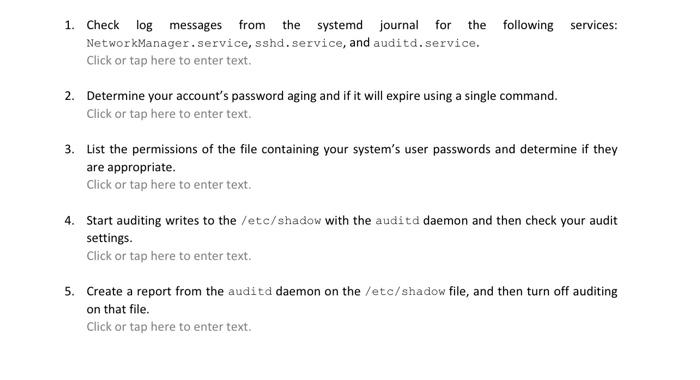
1. Check log messages from the systemd journal for the following services: NetworkManager,service, sshd.service, and auditd.service. Click or tap here to enter text. 2. Determine your account's password aging and if it will expire using a single command. Click or tap here to enter text. 3. List the permissions of the file containing your system's user passwords and determine if they are appropriate. Click or tap here to enter text. 4. Start auditing writes to the /etc/shadow with the auditd daemon and then check your audit settings. Click or tap here to enter text. 5. Create a report from the auditd daemon on the /etc/shadow file, and then turn off auditing on that file. Click or tap here to enter text
Step by Step Solution
There are 3 Steps involved in it

Get step-by-step solutions from verified subject matter experts
 Study Help