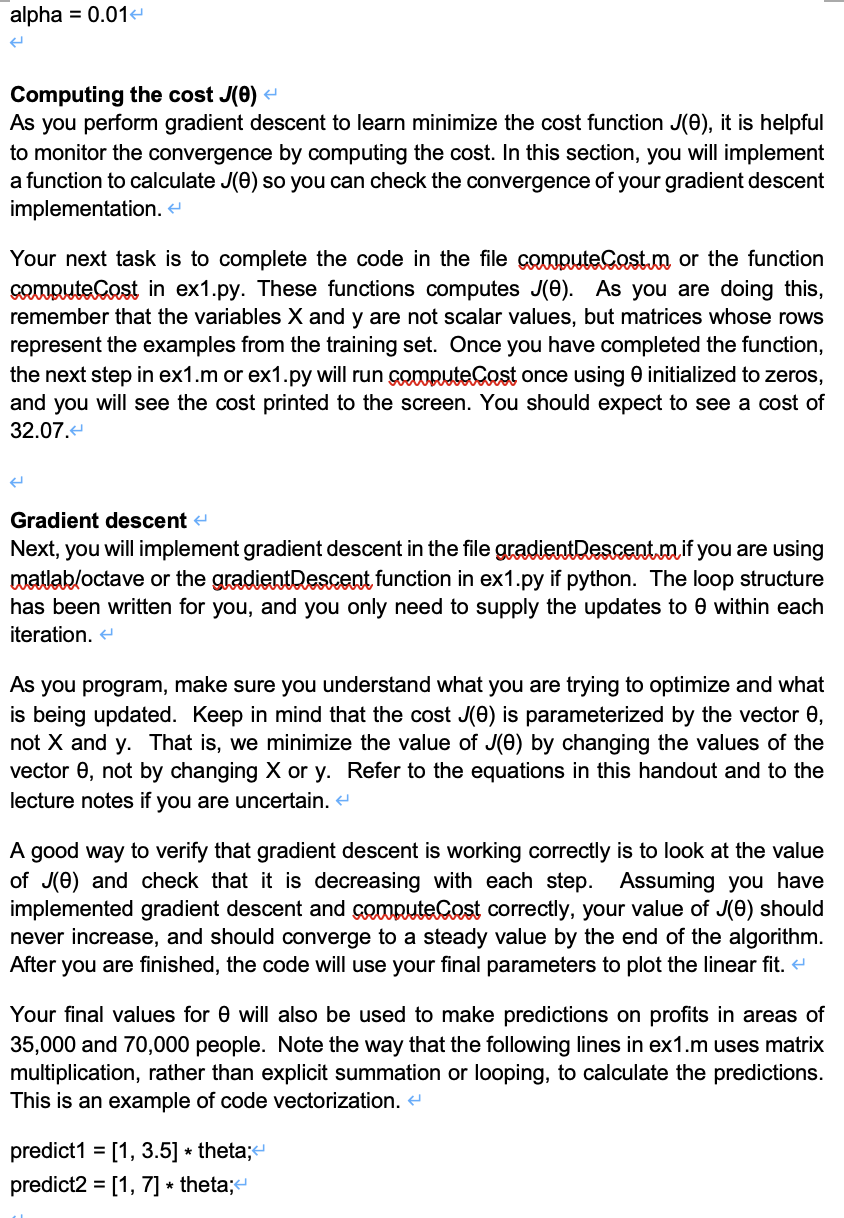
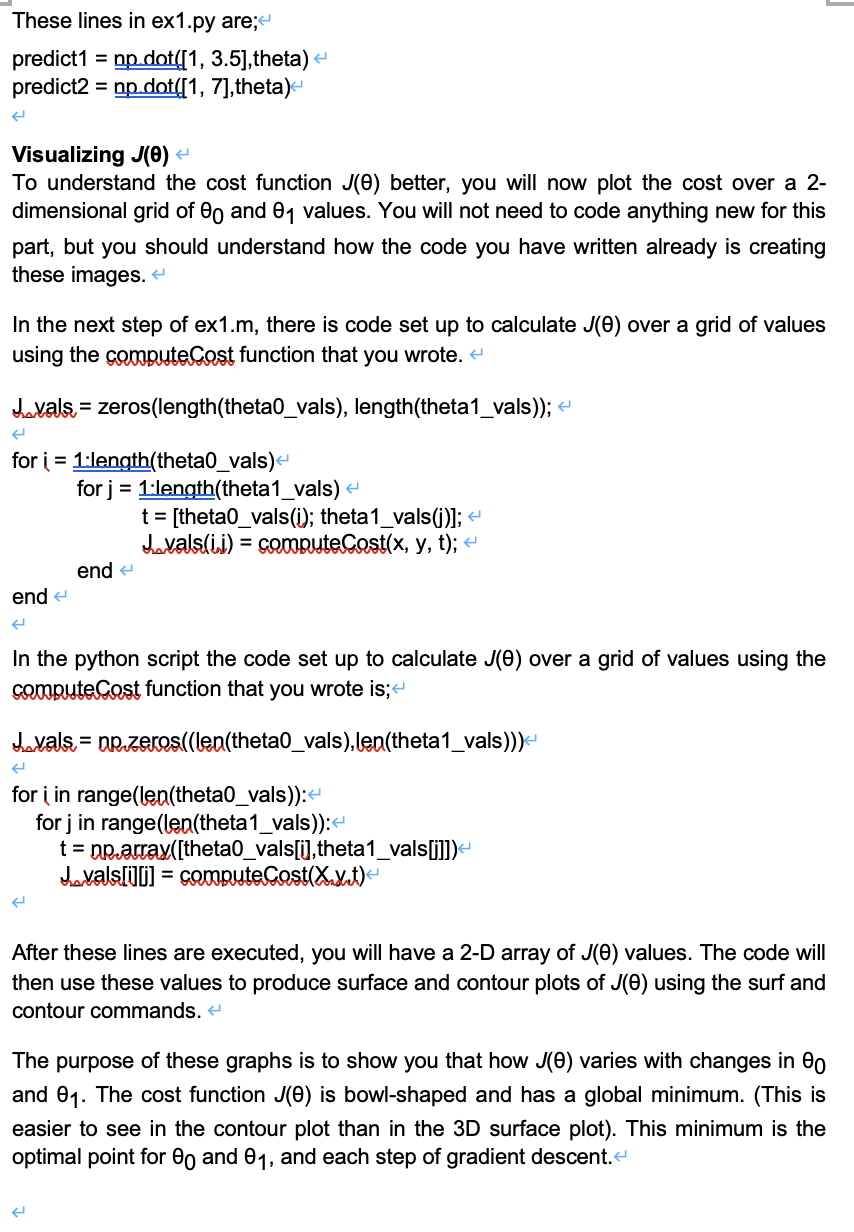
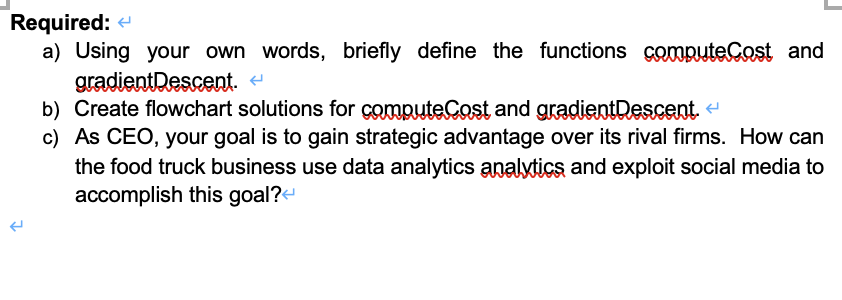
Question: SUMMATIVE ASSIGNMENT Programming Assignment 1: Part 1 - Linear Regression- Introduction In this part of the assignment, you will implement linear regression and get to
SUMMATIVE ASSIGNMENT Programming Assignment 1:

SUMMATIVE ASSIGNMENT Programming Assignment 1:

SUMMATIVE ASSIGNMENT Programming Assignment 1:

SUMMATIVE ASSIGNMENT Programming Assignment 1:

SUMMATIVE ASSIGNMENT Programming Assignment 1:

SUMMATIVE ASSIGNMENT Programming Assignment 1:

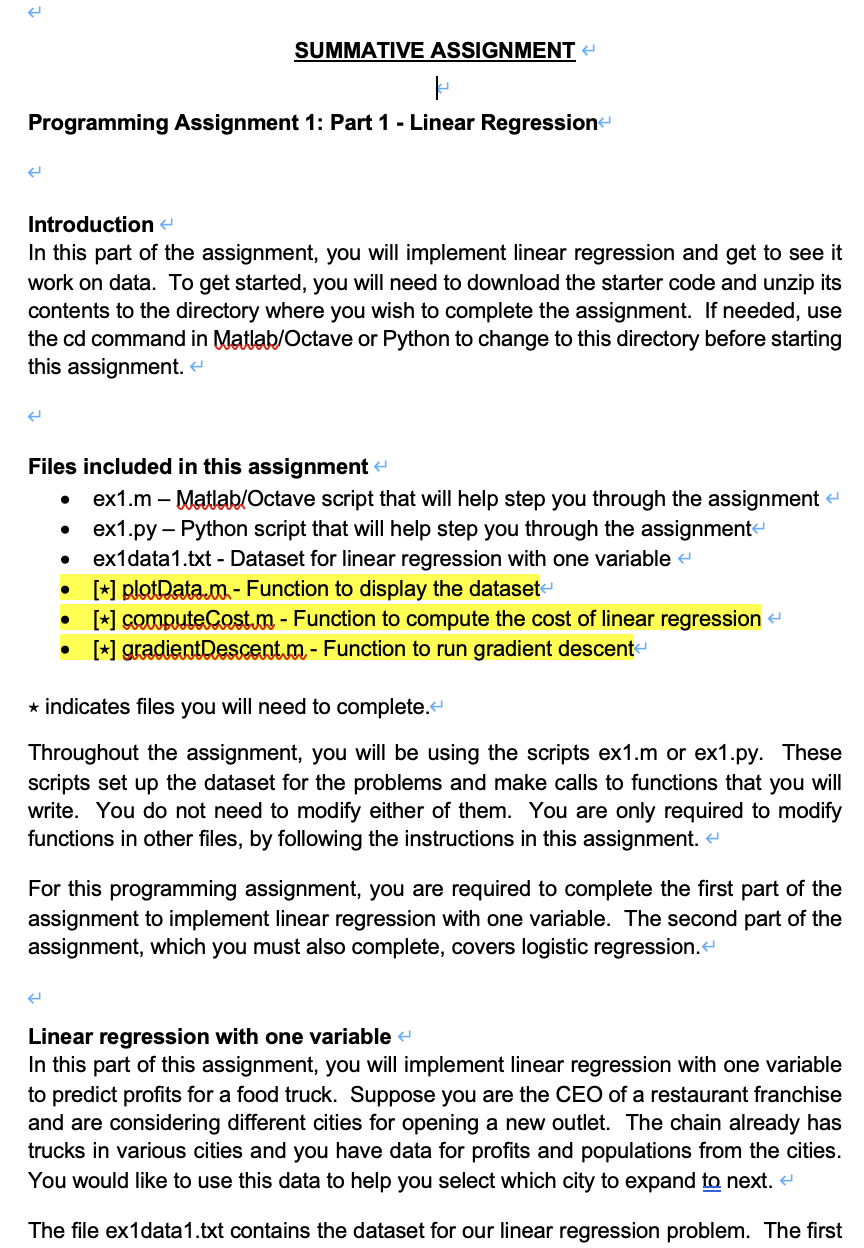
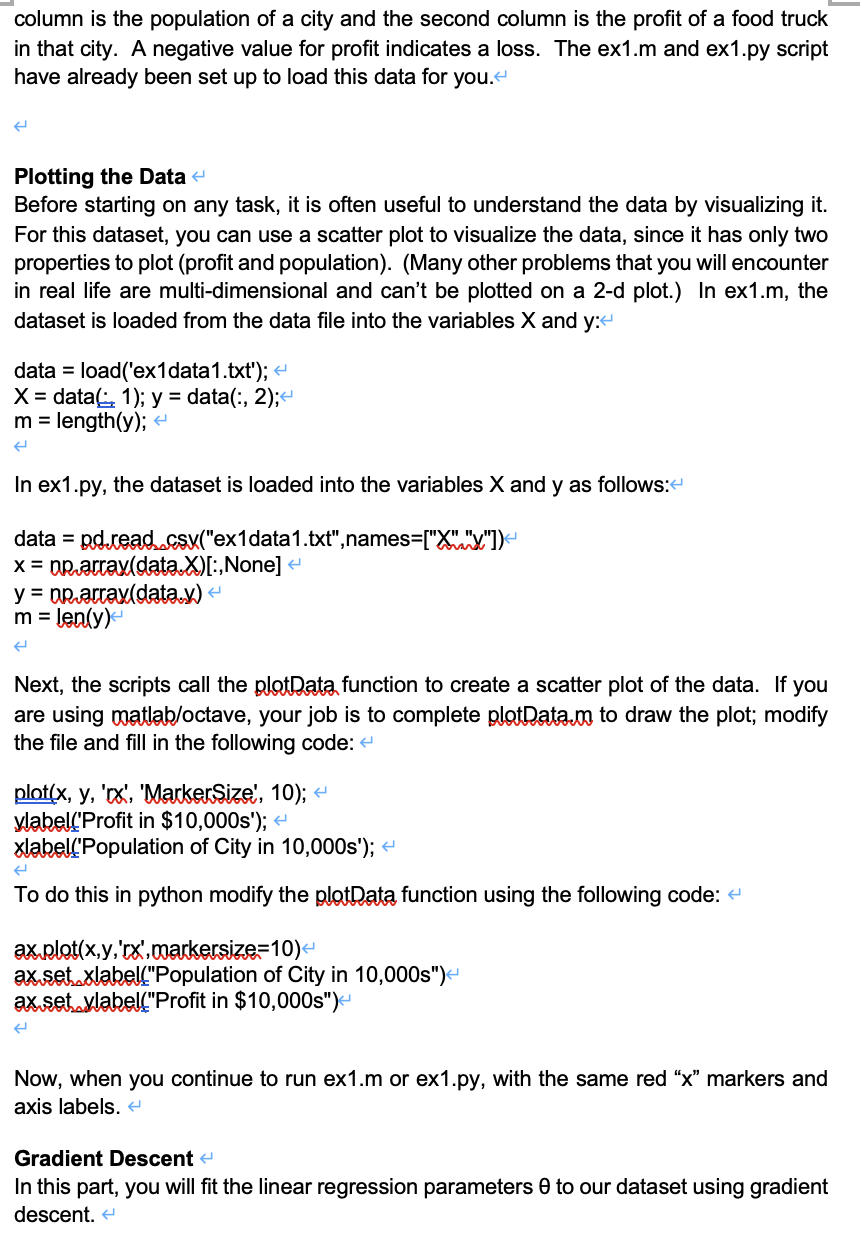
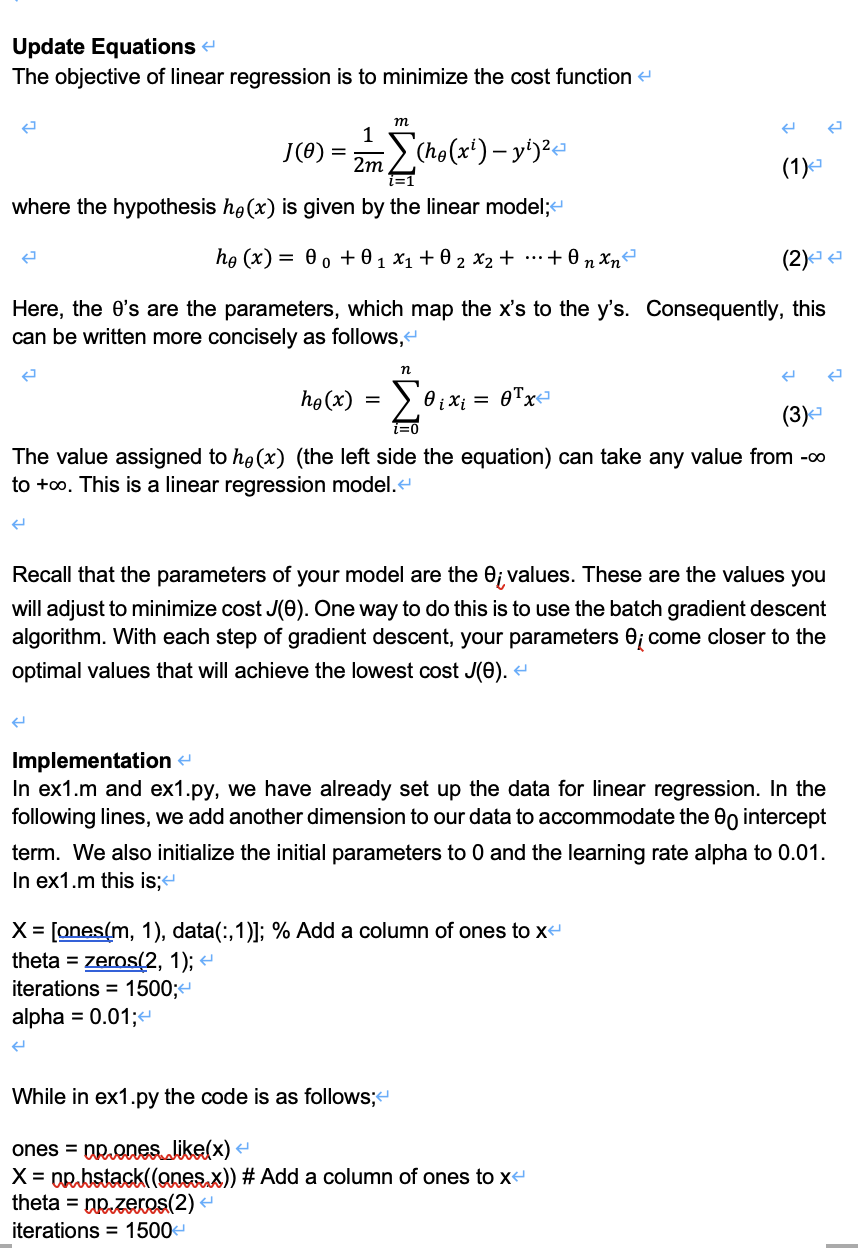
SUMMATIVE ASSIGNMENT Programming Assignment 1: Part 1 - Linear Regression- Introduction In this part of the assignment, you will implement linear regression and get to see it work on data. To get started, you will need to download the starter code and unzip its contents to the directory where you wish to complete the assignment. If needed, use the cd command in Matlab/Octave or Python to change to this directory before starting this assignment. . Files included in this assignment ex1.m - Matlab/Octave script that will help step you through the assignment ex1.py - Python script that will help step you through the assignment ex1data1.txt - Dataset for linear regression with one variable [+] plotData.00 - Function to display the dataset [*] compute Cost.m - Function to compute the cost of linear regression [*] gradientDescent.m- Function to run gradient descent- . . . . * indicates files you will need to complete. Throughout the assignment, you will be using the scripts ex1.m or ex1.py. These scripts set up the dataset for the problems and make calls to functions that you will write. You do not need to modify either of them. You are only required to modify functions in other files, by following the instructions in this assignment. For this programming assignment, you are required to complete the first part of the assignment to implement linear regression with one variable. The second part of the assignment, which you must also complete, covers logistic regression. Linear regression with one variable In this part of this assignment, you will implement linear regression with one variable to predict profits for a food truck. Suppose you are the CEO of a restaurant franchise and are considering different cities for opening a new outlet. The chain already has trucks in various cities and you have data for profits and populations from the cities. You would like to use this data to help you select which city to expand to next. 4 The file ex1data1.txt contains the dataset for our linear regression problem. The first column is the population of a city and the second column is the profit of a food truck in that city. A negative value for profit indicates a loss. The ex1.m and ex1.py script have already been set up to load this data for you. Plotting the Data Before starting on any task, it is often useful to understand the data by visualizing it. For this dataset, you can use a scatter plot to visualize the data, since it has only two properties to plot (profit and population). (Many other problems that you will encounter in real life are multi-dimensional and can't be plotted on a 2-d plot.) In ex1.m, the dataset is loaded from the data file into the variables X and y:- data = load('ex1data 1.txt');
Step by Step Solution

There are 3 Steps involved in it

1 Expert Approved Answer
Step: 1 Unlock blur-text-image

Question Has Been Solved by an Expert!

Get step-by-step solutions from verified subject matter experts

Step: 2 Unlock
Step: 3 Unlock

Students Have Also Explored These Related General Management Questions!