



Question: Support Department Cost Allocation MedServices Inc. is divided into two operating departments: laboratory and tissue pathology. The company allocates delivery and accounting costs to each
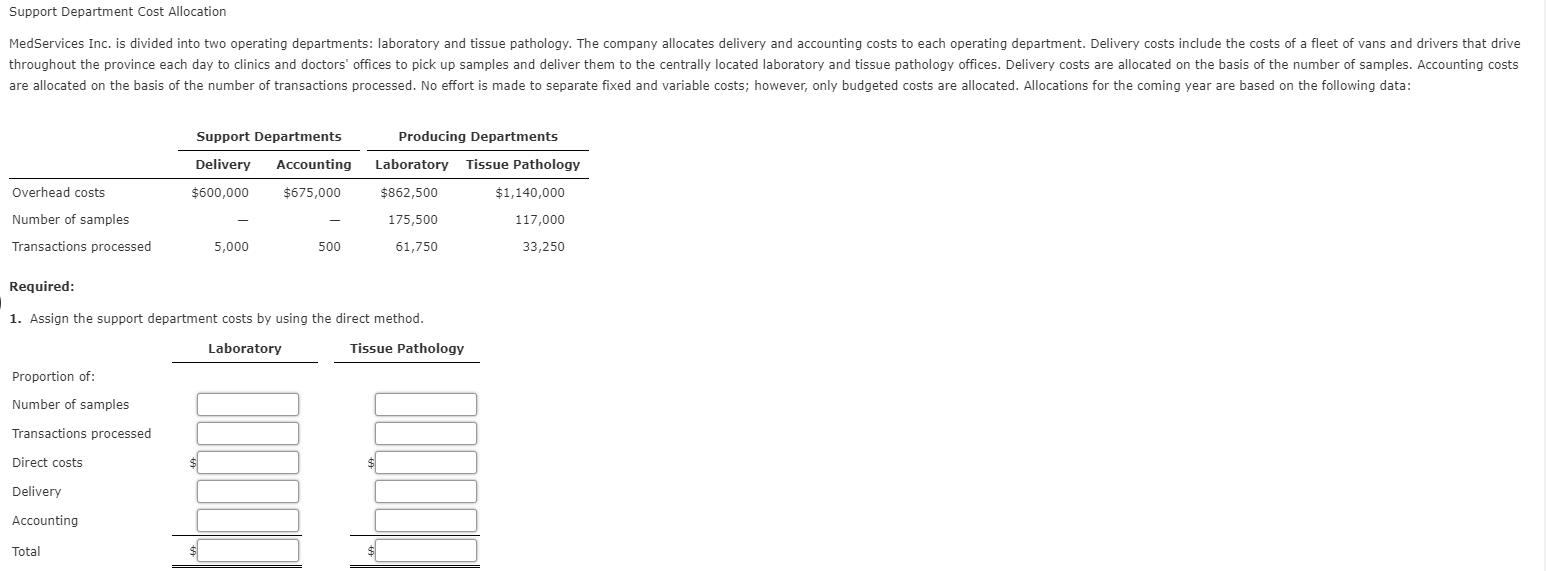
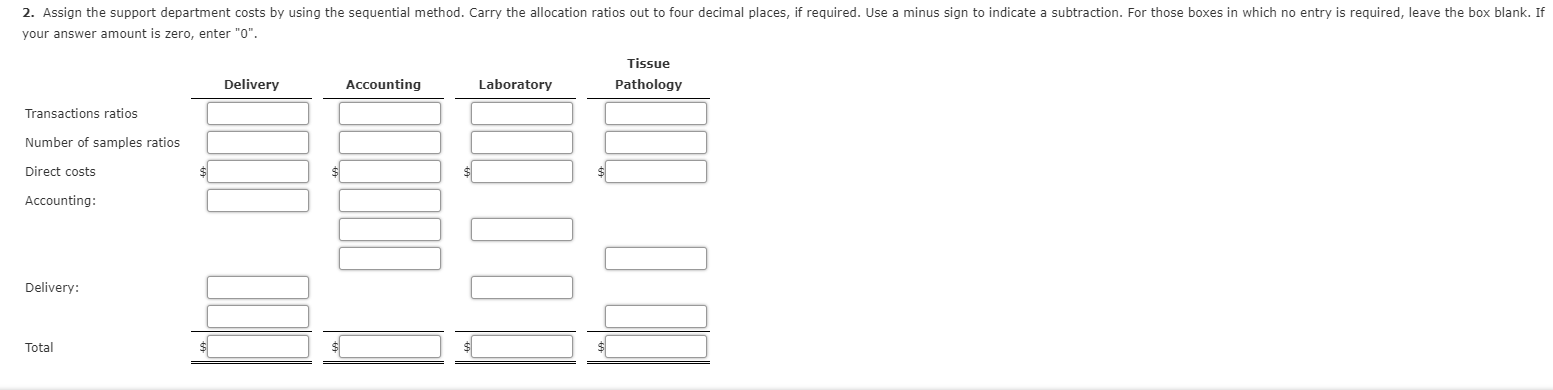
Support Department Cost Allocation MedServices Inc. is divided into two operating departments: laboratory and tissue pathology. The company allocates delivery and accounting costs to each operating department. Delivery costs include the costs of a fleet of vans and drivers that drive throughout the province each day to clinics and doctors' offices to pick up samples and deliver them to the centrally located laboratory and tissue pathology offices. Delivery costs are allocated on the basis of the number of samples. Accounting costs are allocated on the basis of the number of transactions processed. No effort is made to separate fixed and variable costs; however, only budgeted costs are allocated. Allocations for the coming year are based on the following data: Support Departments Producing Departments Delivery Accounting Laboratory Tissue Pathology $600,000 $675,000 $1,140,000 Overhead costs Number of samples Transactions processed $862,500 175,500 61,750 117,000 5,000 500 33,250 Required: 1. Assign the support department costs by using the direct method. Laboratory Tissue Pathology Proportion of: Number of samples Transactions processed Direct costs Delivery Accounting Total 2. Assign the support department costs by using the sequential method. Carry the allocation ratios out to four decimal places, if required. Use a minus sign to indicate a subtraction. For those boxes in which no entry is required, leave the box blank. If your answer amount is zero, enter "0". Tissue Pathology Delivery Accounting Laboratory Transactions ratios Number of samples ratios Direct costs Accounting: Delivery: Total
Step by Step Solution
There are 3 Steps involved in it

Get step-by-step solutions from verified subject matter experts