







Question: Supporting Files Paper.javala Scissors java Course Concept(s) Covered Learning The Environment Object References Using Objects Basic Class Structure Instance Variables Instructions Create a folder called
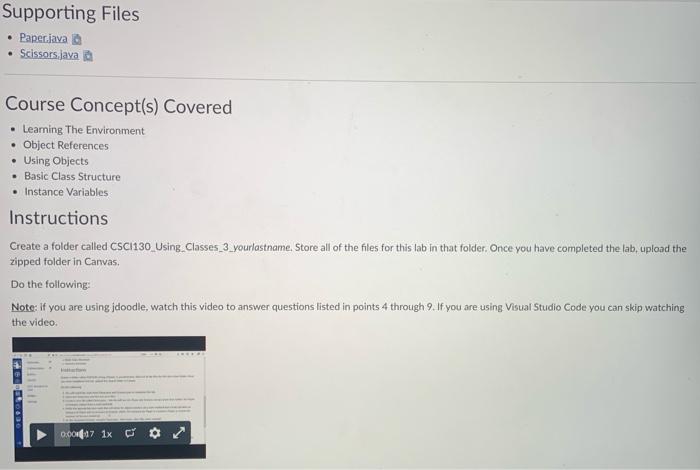
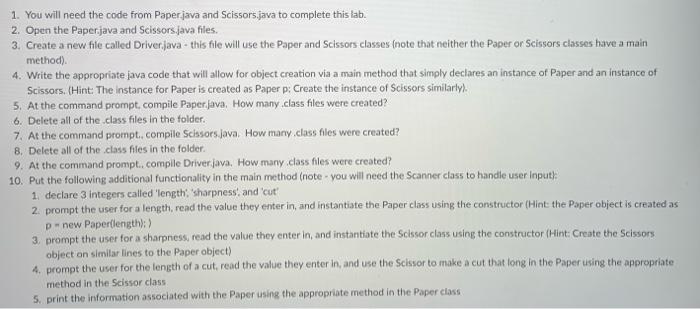
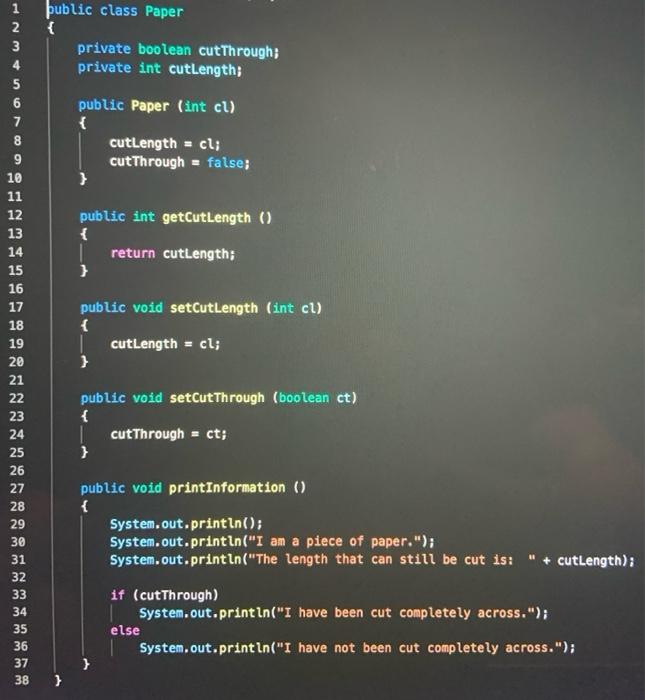
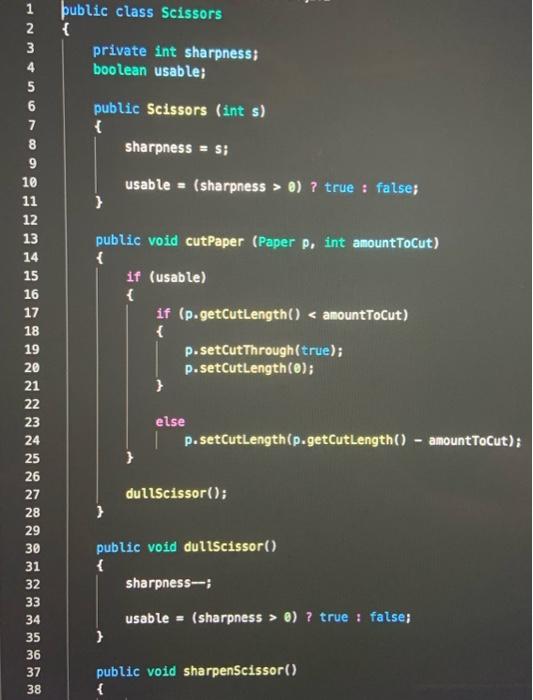
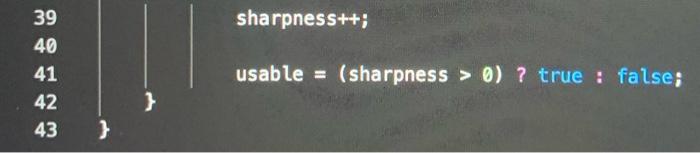
Supporting Files Paper.javala Scissors java Course Concept(s) Covered Learning The Environment Object References Using Objects Basic Class Structure Instance Variables Instructions Create a folder called CSC 130 Using Classes_3_yourlastname Store all of the files for this lab in that folder. Once you have completed the lab, upload the zipped folder in Canvas Do the following: Note: If you are using jdoodle, watch this video to answer questions listed in points 4 through 9. If you are using Visual Studio Code you can skip watching the video 60.00 0.001047 1x or 1. You will need the code from Paper.java and Scissors.java to complete this lab. 2. Open the Paper.java and Scissors.java files. 3. Create a new file called Driver.java - this file will use the paper and Scissors classes (note that neither the paper or Scissors classes have a main method). 4. Write the appropriate java code that will allow for object creation via a main method that simply declares an instance of paper and an instance of Scissors. (Hint: The instance for Paper is created as Paper p: Create the instance of Scissors similarly). 5. At the command prompt. compile Paper.java. How many class files were created? 6. Delete all of the class files in the folder. 7. At the command prompt. compile Scissors Java. How many.class files were created? 8. Delete all of the class files in the folder 9. At the command prompt.. compile Driver java. How many class files were created? 10. Put the following additional functionality in the main method (note - you will need the Scanner class to handle user Input 1. declare 3 integers called 'length sharpness, and cut' 2. prompt the user for a length, read the value they enter in, and instantiate the Paper class using the constructor (Hint: the Paper object is created as Dnew Paperflength):) 3. prompt the user for a sharpness, read the value they enter in, and instantiate the Scissor class using the constructor (Hint: Create the Scissors object on similar lines to the Paper object) 4. prompt the user for the length of a cut,read the value they enter in and use the Scissor to make a cut that long in the Paper using the appropriate method in the Scissor class S. print the information associated with the Paper using the appropriate method in the Paper class 1 2 3 4 5 ublic class Paper { private boolean cutThrough; private int cutLength; public Paper (int cl) { cutLength = cl; cutThrough = false; } public int getCutLength () { return cutLength; } public void setCutLength (int cl) { I cutLength = cl; } 7 8 9 10 11 12 13 14 15 16 17 18 19 20 21 22 23 24 25 26 27 28 29 30 31 32 33 34 35 36 37 38 public void setCutThrough (boolean ct) { cutThrough = ct; } public void print Information () { System.out.println(); System.out.println("I am a piece of paper."); System.out.println("The length that can still be cut is: " + cutLength); if (cutThrough) System.out.println("I have been cut completely across."); else System.out.println("I have not been cut completely across."); } ublic class Scissors { private int sharpness; boolean usable; public Scissors (int s) { sharpness = s; usable = (sharpness > 0) ? true : false; } 1 2 3 4 5 6 7 8 9 10 11 12 13 14 15 16 17 18 19 20 21 22 23 24 25 26 27 28 29 30 31 32 33 34 35 36 37 38 public void cutPaper (Paper p, int amountToCut) { if (usable) { if (p.getCutLength() @) ? true : false; } public void sharpenScissor() { sharpness++; 39 40 41 42 43 usable (sharpness > 0)? true : false; } }
Step by Step Solution
There are 3 Steps involved in it

Get step-by-step solutions from verified subject matter experts
 Study Help