







Question: Suppose you are creating a database for a small business. The business sells hobby and memorabilia products. The store manager wants to expand the
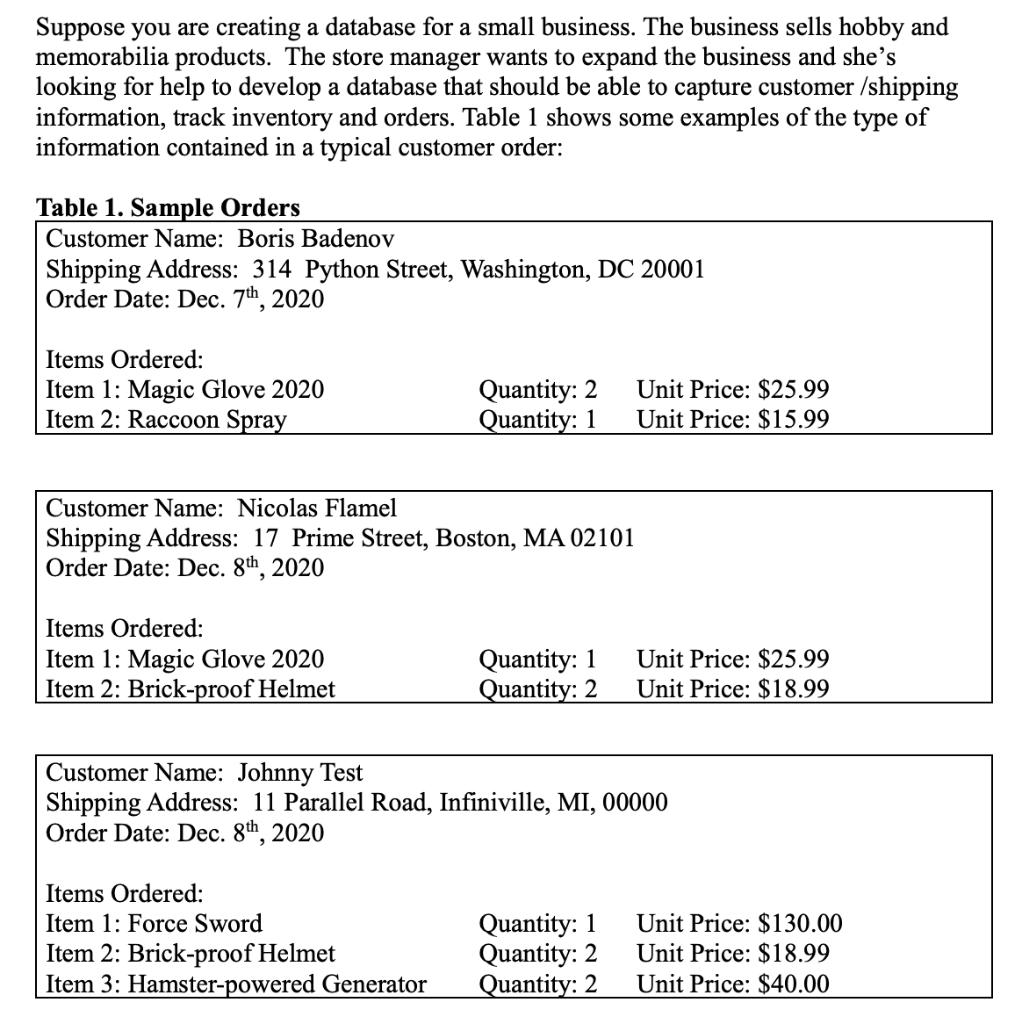
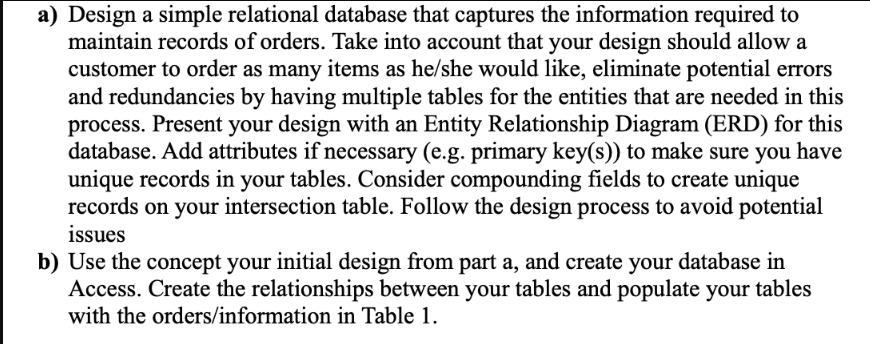
Suppose you are creating a database for a small business. The business sells hobby and memorabilia products. The store manager wants to expand the business and she's looking for help to develop a database that should be able to capture customer /shipping information, track inventory and orders. Table 1 shows some examples of the type of information contained in a typical customer order: Table 1. Sample Orders Customer Name: Boris Badenov Shipping Address: 314 Python Street, Washington, DC 20001 Order Date: Dec. 7th, 2020 Items Ordered: Item 1: Magic Glove 2020 Item 2: Raccoon Spray Items Ordered: Item 1: Magic Glove 2020 Item 2: Brick-proof Helmet Quantity: 2 Quantity: 1 Customer Name: Nicolas Flamel Shipping Address: 17 Prime Street, Boston, MA 02101 Order Date: Dec. 8th, 2020 Items Ordered: Item 1: Force Sword Item 2: Brick-proof Helmet Item 3: Hamster-powered Generator Quantity: 1 Quantity: 2 Unit Price: $25.99 Unit Price: $15.99 Customer Name: Johnny Test Shipping Address: 11 Parallel Road, Infiniville, MI, 00000 Order Date: Dec. 8th, 2020 Quantity: 1 Quantity: 2 Quantity: 2 Unit Price: $25.99 Unit Price: $18.99 Unit Price: $130.00 Unit Price: $18.99 Unit Price: $40.00 a) Design a simple relational database that captures the information required to maintain records of orders. Take into account that your design should allow a customer to order as many items as he/she would like, eliminate potential errors and redundancies by having multiple tables for the entities that are needed in this process. Present your design with an Entity Relationship Diagram (ERD) for this database. Add attributes if necessary (e.g. primary key(s)) to make sure you have unique records in your tables. Consider compounding fields to create unique records on your intersection table. Follow the design process to avoid potential issues b) Use the concept your initial design from part a, and create your database in Access. Create the relationships between your tables and populate your tables with the orders/information in Table 1.
Step by Step Solution
3.32 Rating (146 Votes )
There are 3 Steps involved in it
a Here is a design for a simple relational database that captures the information required to maintain records of orders Table Customers Attributes CustomerID Primary Key CustomerName ShippingAddress ... View full answer

Get step-by-step solutions from verified subject matter experts
 Study Help