







Question: Supposed to create two overlapping rectangles and highlight one in a different color when clicked on. im stuck and do not know how to finish
Supposed to create two overlapping rectangles and highlight one in a different color when clicked on.
im stuck and do not know how to finish the code at line 24, thank you.
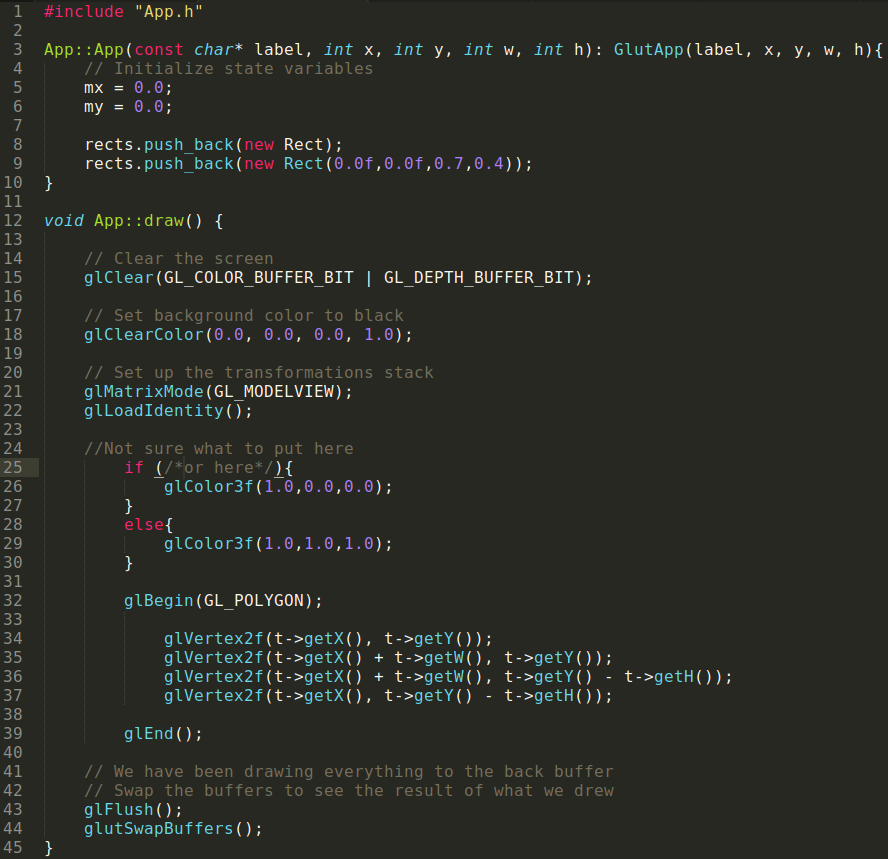
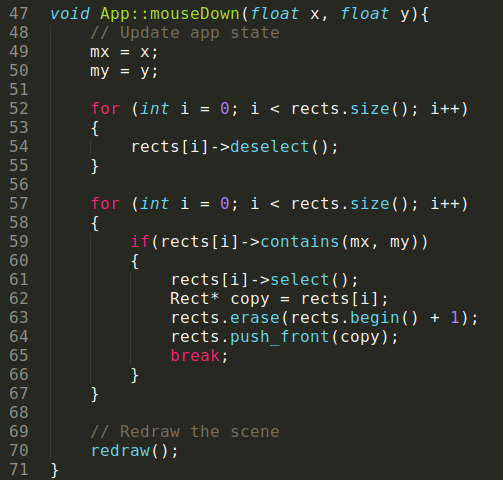
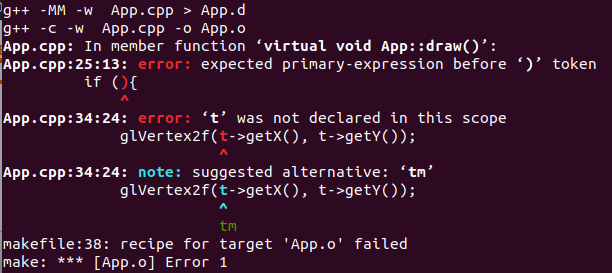
#include "App . h" App::App (const char* label, int x, int y, int w, int h): GlutApp (label, x, y, w, h)f 4 /Initialize state variables rects.push_back (new rects . push-back ( new Rect); Rect (6f , 6f , . 7 , . 4 ) ) ; 12 void App::draw) 13 14 15 16 17 18 19 20 21 // Clear the screen glClear (GL_COLOR_BUFFER_BIT | GL_DEPTH_BUFFER_BIT); // Set background color to black glClearColor(0., ., .6, 1.0); // Set up the transformations stack glMatrixMode (GL_MODELVIEW); glLoadIdentity() 23 24 25 26 27 28 29 30 31 32 //Not sure what to put here if (/or here*/) glColor3t ( 1-6,0.6,0.0) ; else glColor3t ( 1 . , 1.6,1.0); glBegin(GL_POLYGON); glVertex2f (t->getX(), t->getY)); glVertex2f (t->getX() + t->getw), t->getY ()); glVertex2f (t->getX() +t->getw), t->getY () - t->getH)); glVertex2f (t->getX(), t->getY) - t->getH)); 34 35 36 37 38 39 40 41 42 43 glEnd (): / We have been drawing everything to the back buffer // Swap the buffers to see the result of what we drew glFlush (); glutSwapBuffers (); 45
Step by Step Solution
There are 3 Steps involved in it

Get step-by-step solutions from verified subject matter experts
 Study Help