







Question: SWEET SOLUTION- see instructions below (A) .Add a new class file named Salesperson.vb to the project. The Salesperson class should have two attributes: a salespersons
SWEET SOLUTION- see instructions below
(A).Add a new class file named Salesperson.vb to the project. The Salesperson class should have two attributes: a salespersons ID and a sales amount. The ID may contain any combination of numbers and letters. The sales amount may contain a decimal place. The class should have one behavior: the default constructor. Code the Salesperson class. Save the solution and then close the Salesperson.vb window.
(B)Open the forms Code Editor window. The btnSave_Click procedure should save each salespersons ID and sales amount in a sequential access file. Finish coding the procedure.
(C) Save the solution and then start and test the application. Be sure to verify that the sales.txt file contains the IDs and sales amounts that you entered. Close the Code Editor window and then close the solution.
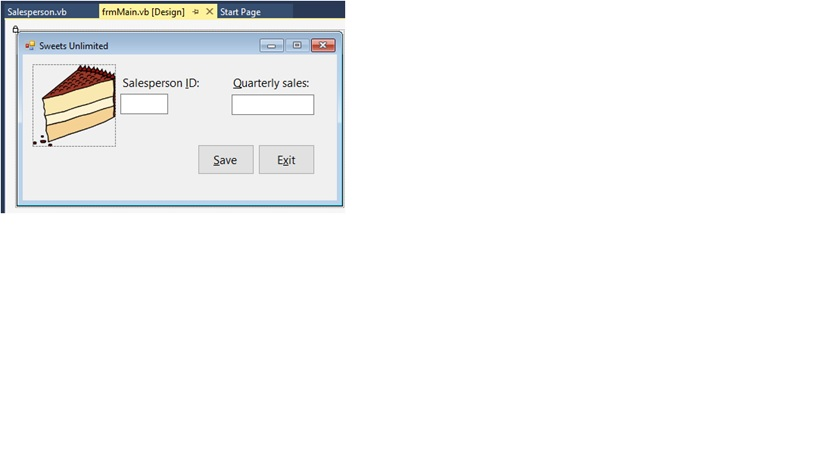
(1) Is there any additional code that is missing or any modification needed in the frmMain? Please indicate, modify and fix the code where needed.
(2) Added the Salesperson.vb class, need the code in this section. (See instruction above)
(3) Already named a file in Notepad called Sales.txt
Code for the frmMain.vb below:
Public Class frmMain
Private Sub btnExit_Click(sender As Object, e As EventArgs) Handles btnExit.Click
Me.Close()
End Sub
Private Sub btnSave_Click(ByVal As Object, e As System.EventArgs) Handles btnSave.Click
' writes the ID and sales amount to a file
Const strMessage As String = "Please enter a name and a sales amount"
Const strTITLE As String = "Sweets Unlimited"
Dim outFile As IO.StreamWriter
' instantiate a Salesperson object
Dim ourSalesperson As New Salesperson
If txtId.Text String.Empty AndAlso txtSales.Text String.Empty Then
' if both text boxes contain data, assign the
Salesperson.Id = txtId.Text
' ID and sales amount to the Salesperson object
Decimal.TryParse(txtSales.Text, ourSalesperson.Sales)
' save the information
outFile = IO.File.AppendText("sales.txt")
outFile.Close()
MessageBox.Show("Sales information saved.", strTITLE,
MessageBoxButtons.OK, MessageBoxIcon.Information)
Else
MessageBox.Show("Please enter a name and a sales amount.",
strTITLE, MessageBoxButtons.OK,
MessageBoxIcon.Information)
End If
txtId.Text = String.Empty
txtSales.Text = String.Empty
txtId.Focus()
End Sub
Private Sub txtSales_KeyPress(sender As Object, e As KeyPressEventArgs) Handles txtSales.KeyPress
' allows the text box to accept only numbers, the period, and the Backspace key
If (e.KeyChar "9") AndAlso e.KeyChar "." AndAlso e.KeyChar ControlChars.Back Then
e.Handled = True
End If
End Sub
Private Sub frmMain_Load(sender As Object, e As EventArgs) Handles MyBase.Load
End Sub
Private Sub txtId_TextChanged(sender As Object, e As EventArgs) Handles txtId.TextChanged
End Sub
End Class
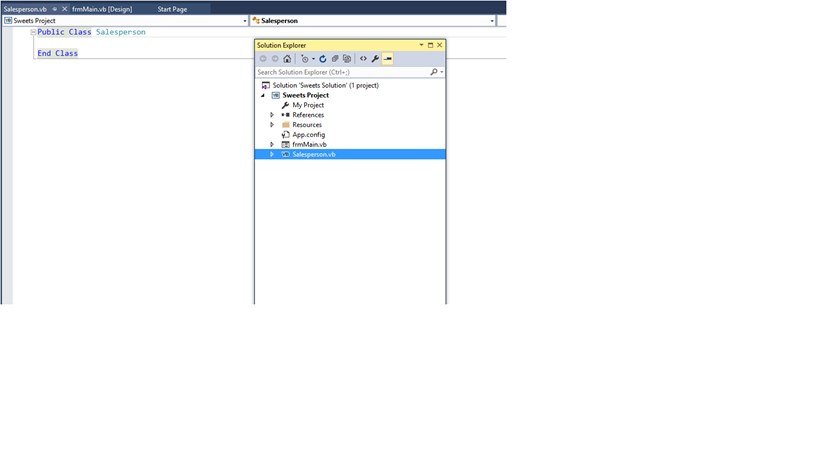
Added a new class file named Salesperson.vb
Need the code for this section
Salesperson.vb frmMain.vb [Design) - x Start Page 2 Sweets Unlimited O O X Salesperson D: Quarterly sales: Save Exit
Step by Step Solution
There are 3 Steps involved in it

Get step-by-step solutions from verified subject matter experts
 Study Help