







Question: Systems Understanding Aid (SUA) Assignment Instructions and Tips ACCTG 333 - Professor Perols This assignment provides you an opportunity to gain an in depth understanding
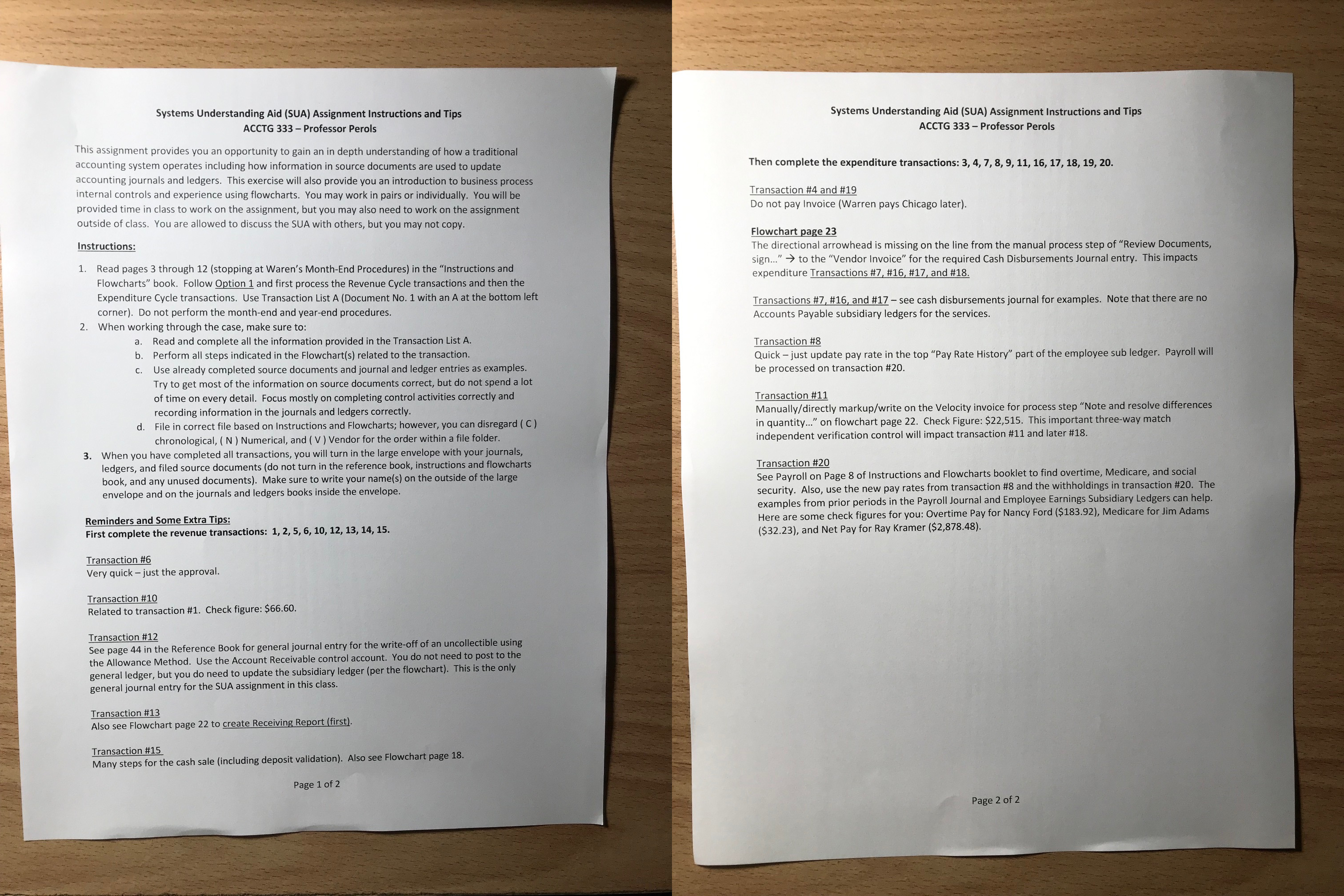
Systems Understanding Aid (SUA) Assignment Instructions and Tips ACCTG 333 - Professor Perols This assignment provides you an opportunity to gain an in depth understanding of how a traditional accounting system operates including how information in source documents are used to update accounting journals and ledgers. This exercise will also provide you an introduction to business process internal controls and experience using flowcharts. You may work in pairs or individually. You will be provided time in class to work on the assignment, but you may also need to work on the assignment outside of class. You are allowed to discuss the SUA with others, but you may not copy. Instructions: 1. Read pages 3 through 12 (stopping at Waren's Month-End Procedures) in the "Instructions and Flowcharts" book. Follow Option 1 and first process the Revenue Cycle transactions and then the Expenditure Cycle transactions. Use Transaction List A (Document No. 1 with an A at the bottom left corner). Do not perform the month-end and year-end procedures. 2. When working through the case, make sure to: a. Read and complete all the information provided in the Transaction List A. b. Perform all steps indicated in the Flowchart(s) related to the transaction. c. Use already completed source documents and journal and ledger entries as examples. Try to get most of the information on source documents correct, but do not spend a lot of time on every detail. Focus mostly on completing control activities correctly and recording information in the journals and ledgers correctly. d. File in correct file based on Instructions and Flowcharts; however, you can disregard ( C) chronological, ( N ) Numerical, and ( V ) Vendor for the order within a file folder. 3. When you have completed all transactions, you will turn in the large envelope with your journals, ledgers, and filed source documents (do not turn in the reference book, instructions and flowcharts book, and any unused documents). Make sure to write your name(s) on the outside of the large envelope and on the journals and ledgers books inside the envelope. Reminders and Some Extra Tips: First complete the revenue transactions: 1, 2, 5, 6, 10, 12, 13, 14, 15. Transaction#6 Very quick - just the approval. Transaction \#10 Related to transaction \#1. Check figure: $66.60. Transaction \#12 See page 44 in the Reference Book for general journal entry for the write-off of an uncollectible using the Allowance Method. Use the Account Receivable control account. You do not need to post to the general ledger, but you do need to update the subsidiary ledger (per the flowchart). This is the only general journal entry for the SUA assignment in this class. Transaction \#13 Also see Flowchart page 22 to create Receiving Report (first). Transaction \#15 Many steps for the cash sale (including deposit validation). Also see Flowchart page 18. Page 1 of 2 Systems Understanding Aid (SUA) Assignment Instructions and Tips ACCTG 333 - Professor Perols Then complete the expenditure transactions: 3,4,7,8,9,11,16,17,18,19,20. Transaction \#4 and \#19 Do not pay Invoice (Warren pays Chicago later). Flowchart page 23 The directional arrowhead is missing on the line from the manual process step of "Review Documents, sign..." to the "Vendor Invoice" for the required Cash Disbursements Journal entry. This impacts expenditure Transactions \#7, \#16, \#17, and \#18. Transactions \#7, \#16, and \#17 - see cash disbursements journal for examples. Note that there are no Accounts Payable subsidiary ledgers for the services. Transaction \#8 Quick - just update pay rate in the top "Pay Rate History" part of the employee sub ledger. Payroll will be processed on transaction \#20. Transaction \#11 Manually/directly markup/write on the Velocity invoice for process step "Note and resolve differences in quantity..." on flowchart page 22. Check Figure: $22,515. This important three-way match independent verification control will impact transaction \#11 and later \#18. Transaction \#20 See Payroll on Page 8 of Instructions and Flowcharts booklet to find overtime, Medicare, and social security. Also, use the new pay rates from transaction \#8 and the withholdings in transaction \#20. The examples from prior periods in the Payroll Journal and Employee Earnings Subsidiary Ledgers can help. Here are some check figures for you: Overtime Pay for Nancy Ford (\$183.92), Medicare for Jim Adams (\$32.23), and Net Pay for Ray Kramer ($2,878.48). Page 2 of 2
Step by Step Solution
There are 3 Steps involved in it

Get step-by-step solutions from verified subject matter experts
 Study Help