







Question: T4 Use Python to answer the question please In this problem, you will first receive a string identifying the semester followed by the number of
 T4
T4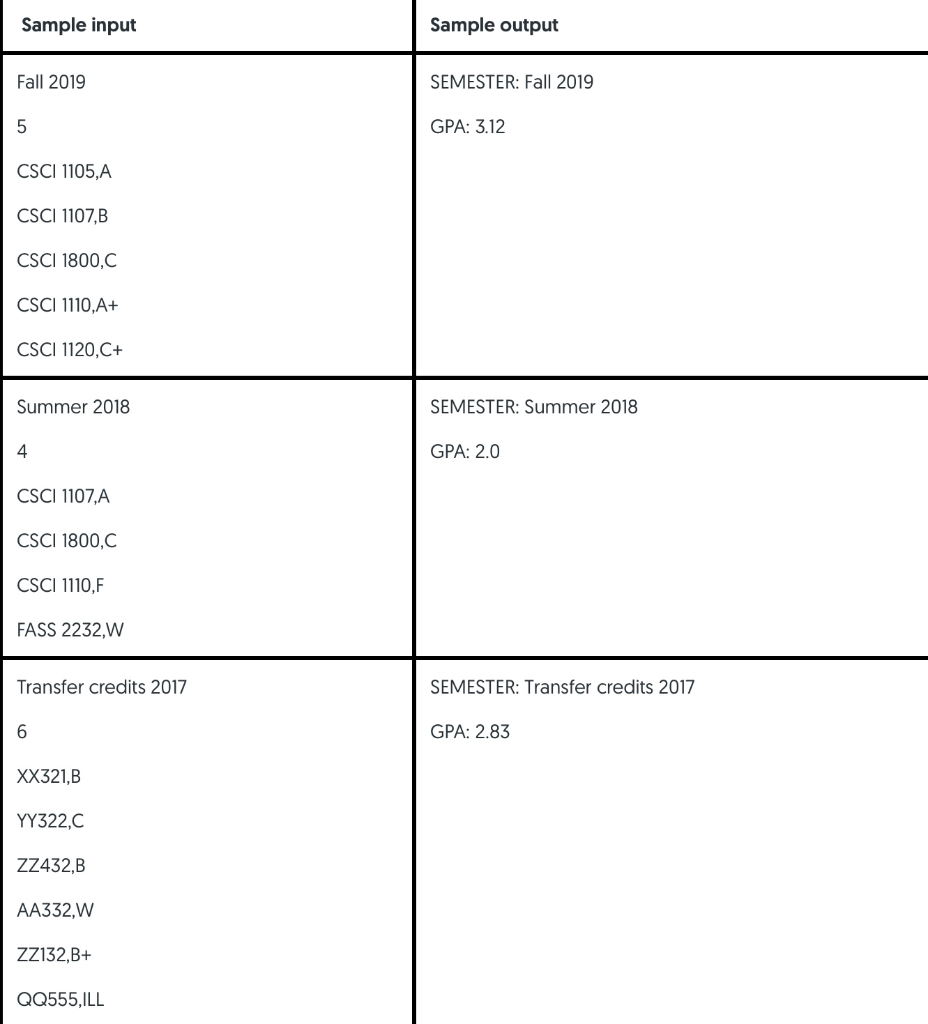 Use Python to answer the question please
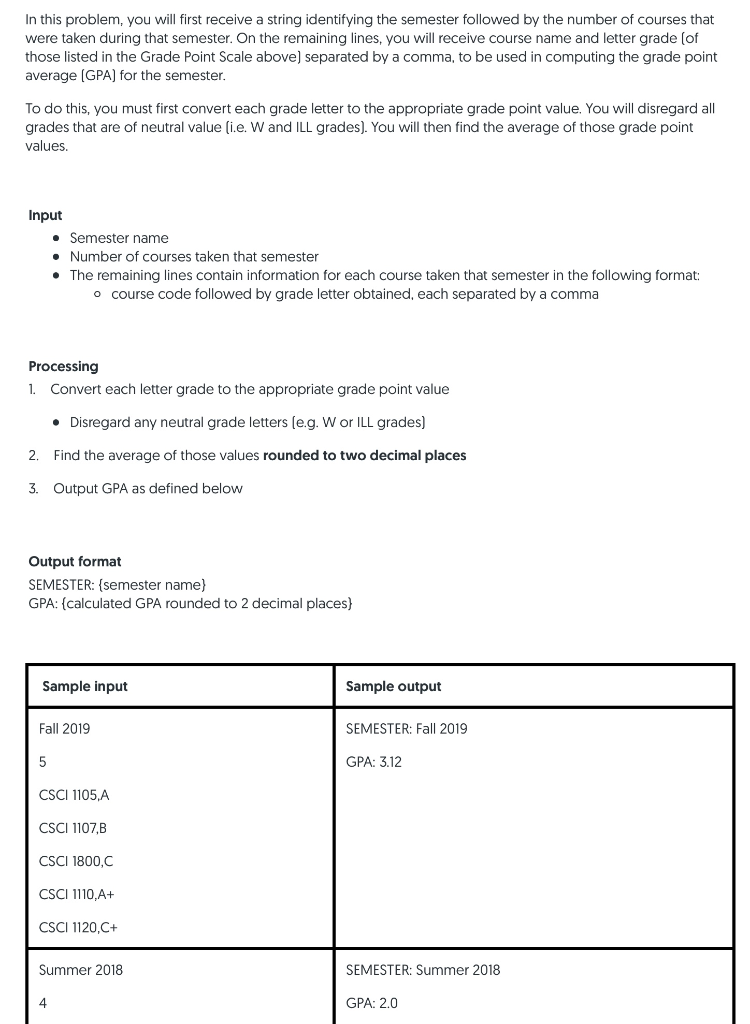
In this problem, you will first receive a string identifying the semester followed by the number of courses that were taken during that semester. On the remaining lines, you will receive course name and letter grade (of those listed in the Grade Point Scale above separated by a comma, to be used in computing the grade point average (GPA) for the semester. To do this, you must first convert each grade letter to the appropriate grade point value. You will disregard all grades that are of neutral value (ie. W and ILL grades). You will then find the average of those grade point values. Input Semester name Number of courses taken that semester The remaining lines contain information for each course taken that semester in the following format: o course code followed by grade letter obtained, each separated by a comma Processing 1. Convert each letter grade to the appropriate grade point value Disregard any neutral grade letters (e.g. W or ILL grades) 2. Find the average of those values rounded to two decimal places 3. Output GPA as defined below Output format SEMESTER: (semester name) GPA: (calculated GPA rounded to 2 decimal places) Sample input Sample output Fall 2019 SEMESTER: Fall 2019 GPA: 3.12 CSCI 1105,A CSCI 1107,8 CSCI 1800,C CSCI 1110,A+ CSCI 1120,C+ Summer 2018 SEMESTER: Summer 2018 GPA: 2.0 Sample input Sample output Fall 2019 SEMESTER: Fall 2019 GPA: 3.12 CSCI 1105,A CSCI 1107,B CSCI 1800,C CSCI 1110, A+ CSCI 1120,C+ Summer 2018 SEMESTER: Summer 2018 GPA: 2.0 CSCI 1107,A CSCI 1800,C CSCI 1110,F FASS 2232,W Transfer credits 2017 SEMESTER: Transfer credits 2017 GPA: 2.83 XX321,B YY322,0 ZZ432,B AA332,W ZZ132,B+ QQ555,ILL
Step by Step Solution
There are 3 Steps involved in it

Get step-by-step solutions from verified subject matter experts
 Study Help