







Question: Tableau DA 17-2: Exercise, Computing departmental overhead rates LO P2 Chrom Comany manufactures two models, the XL and RD. It also has two departments, assembly
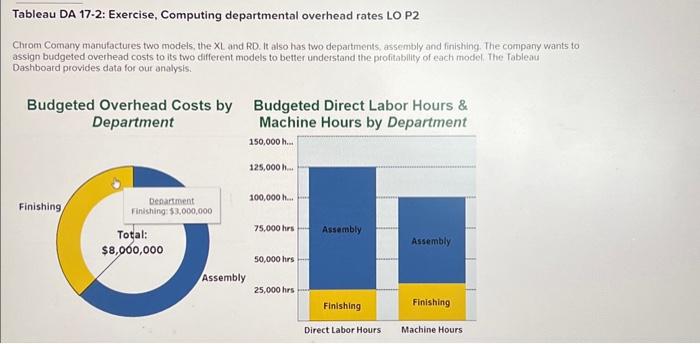
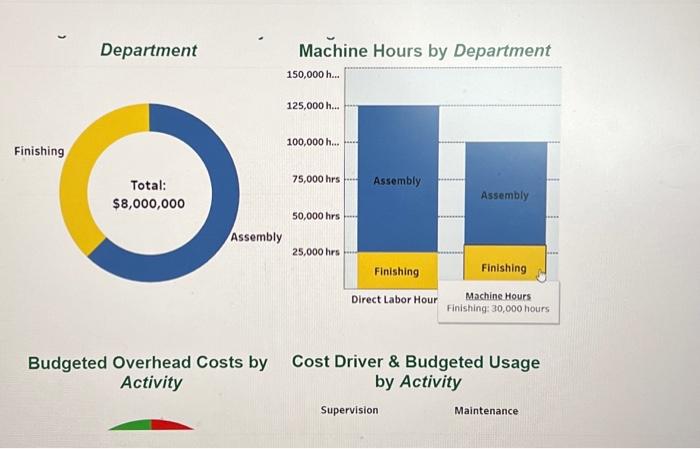
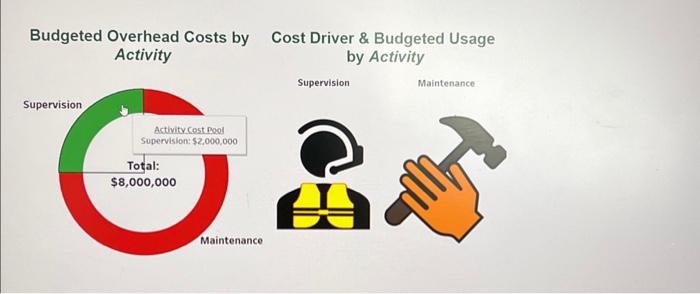
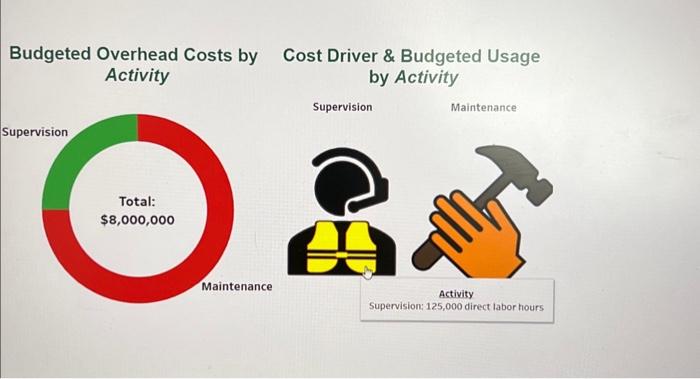
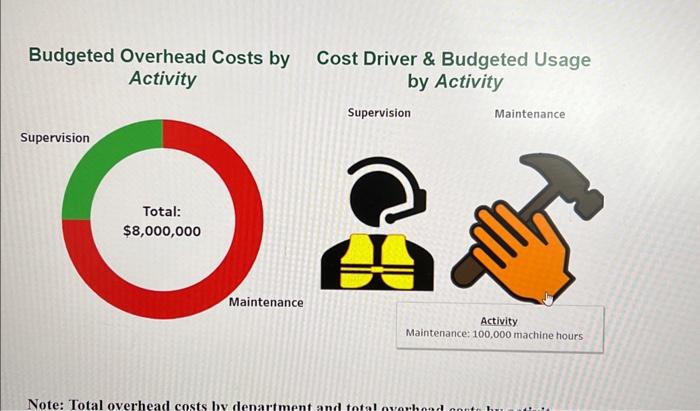
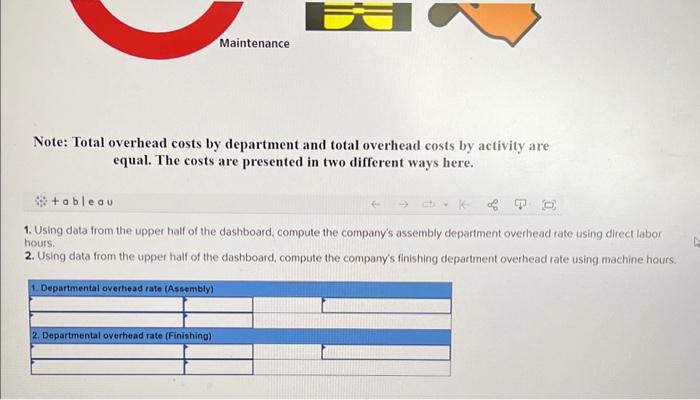
Tableau DA 17-2: Exercise, Computing departmental overhead rates LO P2 Chrom Comany manufactures two models, the XL and RD. It also has two departments, assembly and finishing. The company wants to assign budgeted overhead costs to its two different models to better understand the profitability of each model. The fableau Dashboard provides data for our analysis. Budrater Nirert I ahnr Hours \& Me Budgeted Overhead Costs by Cost Driver \& Budgeted Usage Activity by Activity Supervision Maintenance Budgeted Overhead Costs by Cost Driver \& Budgeted Usage Activity by Activity Budgeted Overhead Costs by Cost Driver \& Budgeted Usage Activity by Activity Budgeted Overhead Costs bv Note: Total overhead costs by department and total overhead costs by activity are equal. The costs are presented in two different ways here. 8+abeau 1. Using data from the upper hatf of the dashboard, compute the company's assembly department overhead rate using direct labor hours. 2. Using data from the upper half of the dashboard, compute the company's finishing department overhead rate using machine hours
Step by Step Solution
There are 3 Steps involved in it

Get step-by-step solutions from verified subject matter experts
 Study Help