







Question: TACTICS BOX 1 8 . 3 Ray tracing for a diverging lens Draw an optical axis. Use graph paper or a ruler. Establish an appropriate
TACTICS BOX Ray tracing for a diverging lens
Draw an optical axis. Use graph paper or a ruler. Establish an appropriate scale.
Center the lens on the axis. Draw the lens plane perpendicular to the axis through the center of the lens. Mark and label the focal points at distance on either side.
Represent the object with an upright arrow at distance It is usually best to place the base of the arrow on the axis and to draw the arrow about half the radius of the lens.
Draw the three "special rays" from the tip of the arrow. Use a straightedge or a ruler. The rays refract at the lens plane.
a A ray parallel to the axis Ray diverges along a line through the near focal point.
b A ray along a line toward the far focal point Ray emerges parallel to the axis.
c A ray through the center of the lens Ray does not bend.
Trace the diverging rays backward. The point from which they are diverging is the image point, which is always a virtual image.
Measure the image distance which, because the image is virtual, we will take as a negative number. Also, if needed, measure the image height relative to the object height. The magnification can be found from
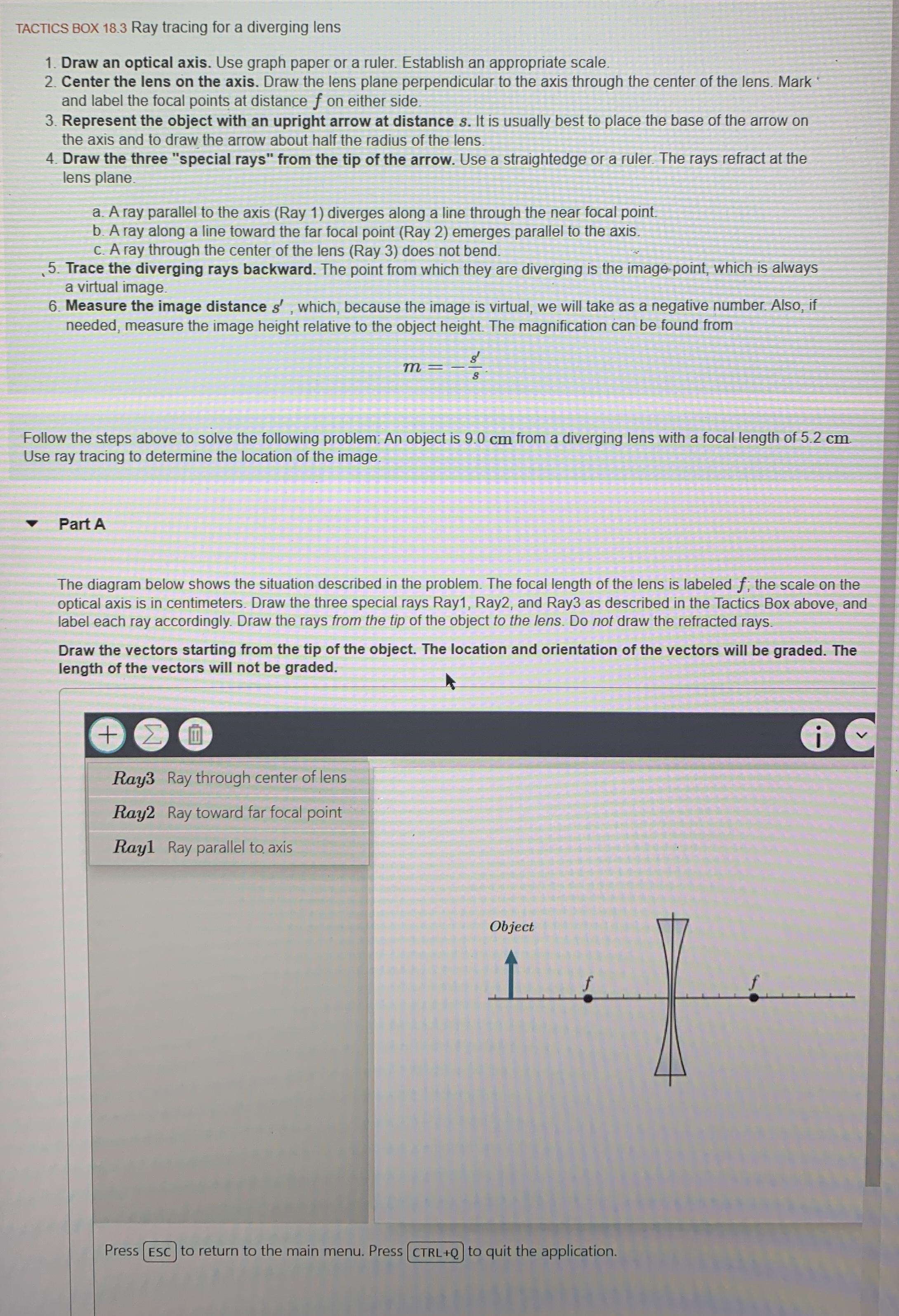
Follow the steps above to solve the following problem: An object is cm from a diverging lens with a focal length of cm Use ray tracing to determine the location of the image.
Part A
The diagram below shows the situation described in the problem. The focal length of the lens is labeled ; the scale on the optical axis is in centimeters. Draw the three special rays Ray Ray and Ray as described in the Tactics Box above, and label each ray accordingly. Draw the rays from the tip of the object to the lens. Do not draw the refracted rays.
Draw the vectors starting from the tip of the object. The location and orientation of the vectors will be graded. The length of the vectors will not be graded.
H
Ray Ray through center of lens
Ray Ray toward far focal point
Ray Ray parallel to axis
Press
to return to the main menu. Press CTRLQ to quit the application.
Step by Step Solution
There are 3 Steps involved in it
1 Expert Approved Answer
Step: 1 Unlock

Question Has Been Solved by an Expert!
Get step-by-step solutions from verified subject matter experts
Step: 2 Unlock
Step: 3 Unlock
 Study Help