







Question: Take Home Exam: Design Pattern SWE423 The Java program shown in the next pages is implemented with respect to Composite design pattern. You are asked
Take Home Exam: Design Pattern SWE423
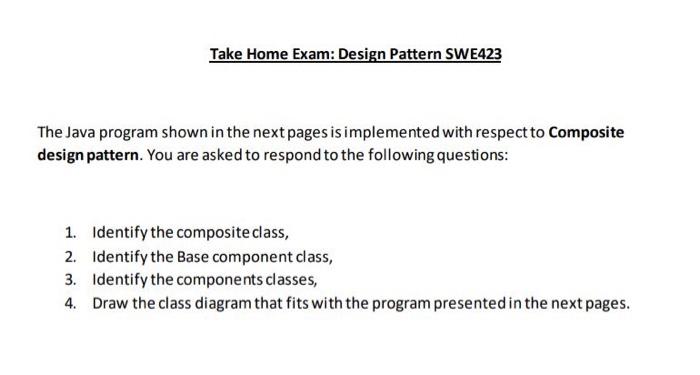
The Java program shown in the next pages is implemented with respect to Composite design pattern. You are asked to respond to the following questions:
- Identify the composite class,
- Identify the Base component class,
- Identify the components classes,
- Draw the class diagram that fits with the program presented in the next pages.
package refactoring_guru.composite.example.shapes;
import java.awt.*;
public interface Shape {
int getX(); int getY();
int getwidth(); int getHeight);
void move(int x, int y);
boolean isInsideBounds(int x, int y);
void select);
void unSelect();
boolean isSelected);
void paint(Graphics graphics);
}
package refactoring_guru.composite.example.shapes;
import java.awt.*;
abstract class BaseShape implements Shape {
public int x;
public int y;
public Color color;
private boolean selected = false;
BaseShape(int x, int y, Color color) {
this.x = x;
this.y = y;
this.color = color;
}
@Override
public int getX() {
return x;
}
@Override
public int getY() {
return y;
@Override
public int getwidth() {
return 0;
}
@Override
public int getHeight() {
return 0;
}
@Override
public void move(int x, int y) {
this.x += x;
this.y += y;
@Override
public boolean isInsideBounds(int x, int y) {
return x > getX() &8 x
y > getY() ss y
}
@Override
public void select() {
selected = true;
override
public void unSelect() {
selected = false;
@Override
public boolean isSelected() {
return selected;
void enableSelectionStyle(Graphics graphics) {
graphics.setColor(Color.LIGHT_GRAY);
Graphics2D g2 = (Graphics2D) graphics;
float [] dash1 = {2.0f};
g2.setStroke(new BasicStroke(1.0f, BasicStroke.CAP_BUTT,
BasicStroke.JOIN_MITER,
2.0f, dash1, 0.0f));
void disableSelectionStyle(Graphics graphics) {
graphics.setColor(color);
Graphics2D g2 = (Graphics2D) graphics;
g2.setStroke(new BasicStroke());
}
@Override
public void paint(Graphics graphics) {
if (isSelected()) 3
enableSelectionStyle (graphics) ;
else
disableSelectionStyle(graphics);
}
package refactoring_guru.composite.example.shapes;
import java.awt.*;
public class Dot extends Baseshape {
private final int DOT_SIZE = 3;
public Dot(int x, int y, Color color) {
super (x, y, color);
}
@Override
public int getwidth) {
return DOT_SIZE;
}
@Override
public int getHeight() {
return DOT_SIZE;
}
@Override
public void paint (Graphics graphics) {
super.paint (graphics);
graphics.fillRect(x - 1, y - 1, getWidth(), getHeight());
Si shapes/Circle.java: A circle
package refactoring_guru. composite.example.shapes;
import java.awt.*;
public class Circle extends BaseShape {
public int radius;
public Circle(int x, int y, int radius, Color color) {
super (x, y, color);
this.radius = radius;
@Override
public int getwidth() {
return radius * 2;
}
@Override
public int getheight() {
return radius * 2;
}
public void paint (Graphics graphics) {
super.paint (graphics);
graphics.drawOval(x, y, getWidth() - 1, getHeight() - 1);
}
shapes/Rectangle.java: A rectangle
package refactoring_guru.composite.example.shapes;
import java.awt.*;
public class Rectangle extends BaseShape {
public int width;
public int height;
public Rectangle(int x, int y, int width, int height, Color color) {
super (x, y, color);
this.width = width;
this.height = height;
}
@Override
public int getwidth() {
return width;
}
@Override
public int getheight() {
return height;
}
Override
public void paint (Graphics graphics) {
super.paint (graphics);
graphics.drawRect(x, y, getwidth() - 1, getHeight() - 1);
wishapes/CompoundShape.java: Compound shape, which consists of other shape objects
package refactoring_guru.composite.example.shapes;
import java.awt.*:
import java.util.Arraylist;
import java.util.Arrays;
import java.util.List;
public class CompoundShape extends BaseShape {
protected List
public CompoundShape(Shape... components) {
super(0, 0, Color.BLACK);
add( components);
public void add(Shape component) {
children.add(component) ;
}
public void add(Shape... components) {
children.addAll(Arrays.asList(components));
public void remove(Shape child) {
children.remove(child);
public void remove(Shape... components) {
children.removeAll (Arrays.asList (components));
}
public void clear) {
children.clear;
@Override
public int get() {
if (children.size() == 0) {
return 0;
}
int x = children.get(0). getX();
for (Shape child : children) {
if (child.getX()
x = child.getX();
return x;
}
@Override
public int getY() {
if (children.size() == 0) {
return 0;
}
int y = children.get(0). getY();
for (Shape child : children) {
if (child.getY()
y = child.getY();
}
return y;
}
@Override
public int getwidth() {
int maxwidth = 0;
int x = getX() ;
for (Shape child : children) {
int childsRelativeX = child.getX() - x;
int childwidth = childsRelativeX + child.getwidth();
if (childwidth > maxwidth) {
maxWidth = childWidth;
return maxWidth;
}
@Override
public int getHeight() {
int maxHeight = 0;
int y = getY();
for (Shape child : children) {
int childsRelativeY = child.getY) - y;
int childheight = childsRelativeY + child.getHeight();
if (childheight > maxHeight) {
maxHeight = childHeight;
return maxHeight;
}
@Override
public void move(int x, int y) {
for (Shape child: children) {
child.move(x, y);
}
@Override
public boolean isInsideBounds(int x, int y) {
for (Shape child : children) {
if (child.isInsideBounds(x, y)) {
return true;
}
return false;
}
@Override
public void unSelect () {
super. unSelect();
for Shape child : children)
child. unSelect ();
public boolean selectChildAt(int x, int y) {
for (Shape child : children) {
if (child.isInsideBounds(x, y)) {
child.select();
return true;
return false;
dOverride
public void paint (Graphics graphics) {
if (isSelected( )) {
enableSelectionStyle(graphics);
graphics.drawRect(getX() - 1, getY() - 1, getwidth() + 1, getHeight() + 1);
disableSelectionStyle(graphics);
for (Shape child : children) {
child.paint(graphics);
The Java program shown in the next pages is implemented with respect to Composite design pattern. You are asked to respond to the following questions: 1. Identify the composite class, 2. Identify the Base component class, 3. Identify the components classes, 4. Draw the class diagram that fits with the program presented in the next pages
Step by Step Solution
There are 3 Steps involved in it

Get step-by-step solutions from verified subject matter experts
 Study Help