







Question: Task 1: Generating a 256-bit hash value SHA256 (Secure Hash Algorithm 256) Here is sample code to test your file with a single message: SHA256
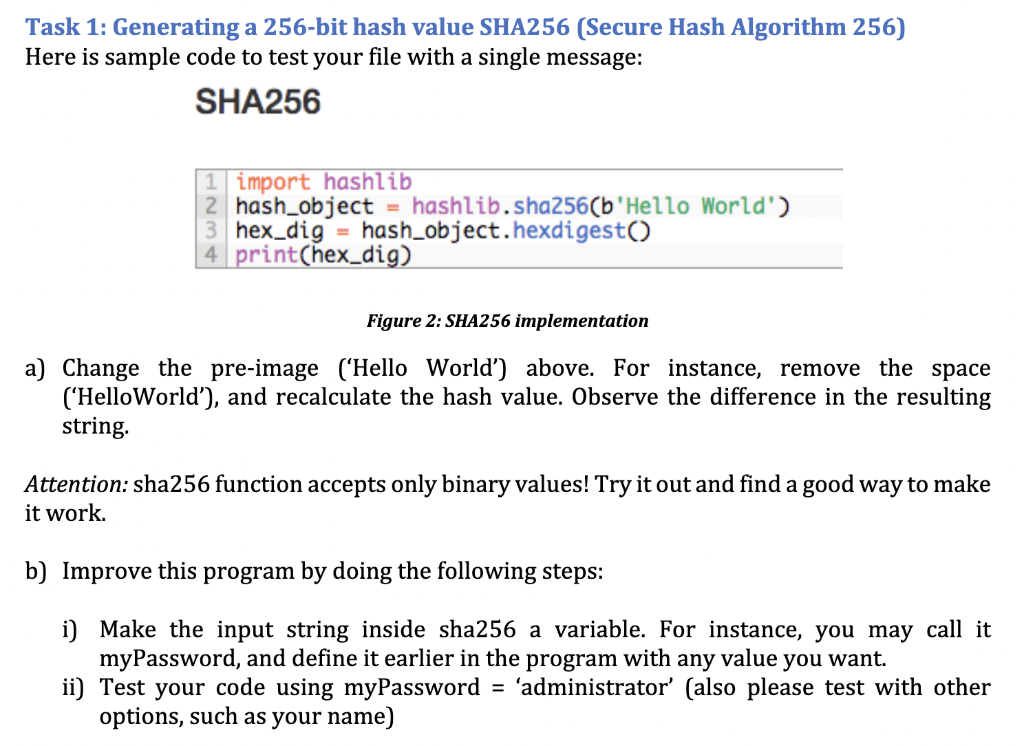
Task 1: Generating a 256-bit hash value SHA256 (Secure Hash Algorithm 256) Here is sample code to test your file with a single message: SHA256 \begin{tabular}{|l|l|} 1 & import hashlib \\ 2 & hash_object = hashlib.sha256(b'Hello World') \\ 3 & hex_dig = hash_object.hexdigest() \\ 4 & print(hex_dig) \\ \hline \end{tabular} Figure 2: SHA256 implementation a) Change the pre-image ('Hello World') above. For instance, remove the space ('HelloWorld'), and recalculate the hash value. Observe the difference in the resulting string. Attention: sha256 function accepts only binary values! Try it out and find a good way to make it work. b) Improve this program by doing the following steps: i) Make the input string inside sha256 a variable. For instance, you may call it myPassword, and define it earlier in the program with any value you want. ii) Test your code using myPassword = 'administrator' (also please test with other options, such as your name)
Step by Step Solution
There are 3 Steps involved in it

Get step-by-step solutions from verified subject matter experts
 Study Help