







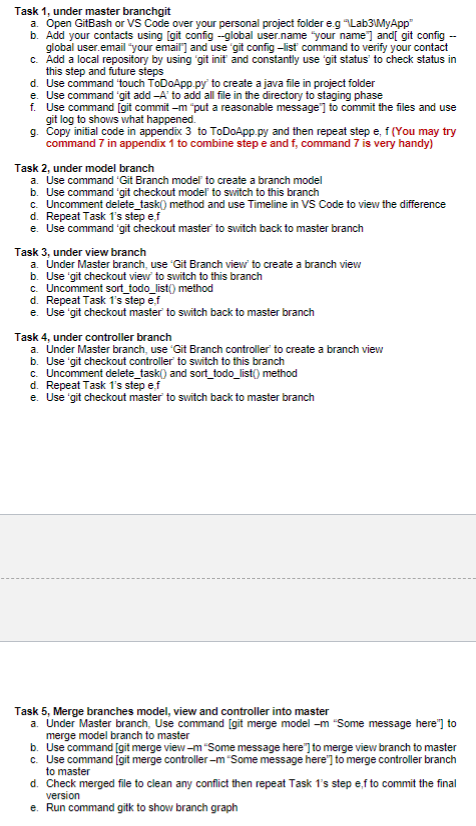
Question: Task 1 , under master branchgit a . Open GitBash or VS Code over your personal project folder e . g Lab 3 MyApp b
Task under master branchgit
a Open GitBash or VS Code over your personal project folder eg "LabMyApp"
b Add your contacts using git config global
user.name 'your name' and git config
global user.email "your email' and use "git config list' command to verify your contact
c Add a local repository by using 'git init and constantly use 'git status' to check status in
this step and future steps
d Use command 'touch
ToDoApp.py to create a java file in project folder
e Use command 'git add to add all file in the directory to staging phase
f Use command git commit "put a reasonable message' to commit the files and use
git log to shows what happened.
g Copy initial code in appendix to
ToDoApp.py and then repeat step e f You may try
command in appendix to combine step e and command is very handy
Task under model branch
a Use command 'Git Branch model' to create a branch model
b Use command 'git checkout model' to switch to this branch
c Uncomment deletetask method and use Timeline in VS Code to view the difference
d Repeat Task s step ef
e Use command 'git checkout master' to switch back to master branch
Task under view branch
a Under Master branch, use 'Git Branch view' to create a branch view
b Use 'git checkout view' to switch to this branch
c Uncomment sorttodolist method
d Repeat Task s step ef
e Use 'git checkout master' to switch back to master branch
Task under controller branch
a Under Master branch, use 'Git Branch controller' to create a branch viev
b Use 'git checkout controller' to switch to this branch
c Uncomment deletetaski and sorttodolist method
d Repeat Task s step ef
e Use 'git checkout master' to switch back to master branch
Task Merge branches model, view and controller into master
a Under Master branch, Use command git merge model m "Some message here" to
merge model branch to master
b Use command git merge view "Some message here' to merge view branch to master
c Use command git merge controller "Some message here' to merge controller branch
to master
d Check merged file to clean any conflict then repeat Task s step ef to commit the final
version
e Run command gitk to show branch graphSDNdfg
Step by Step Solution
There are 3 Steps involved in it
1 Expert Approved Answer
Step: 1 Unlock

Question Has Been Solved by an Expert!
Get step-by-step solutions from verified subject matter experts
Step: 2 Unlock
Step: 3 Unlock
 Study Help