



Question: Task 1a Access and logging on the Hong Kong router (9 points) All of the configurations for Task 1a are to be done on
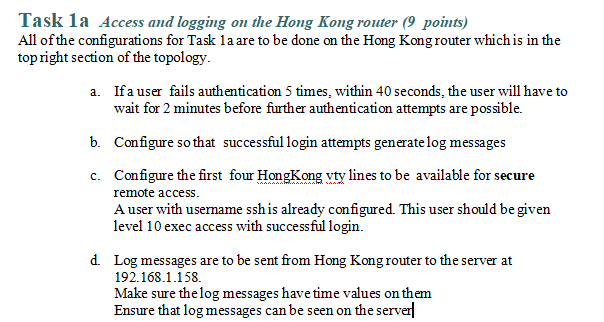
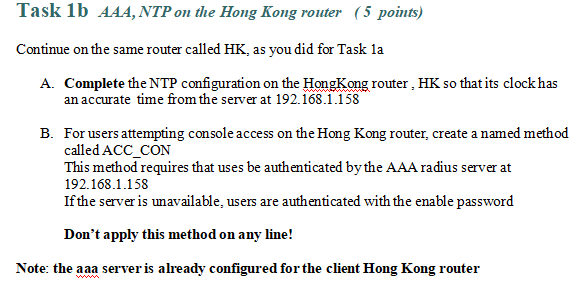
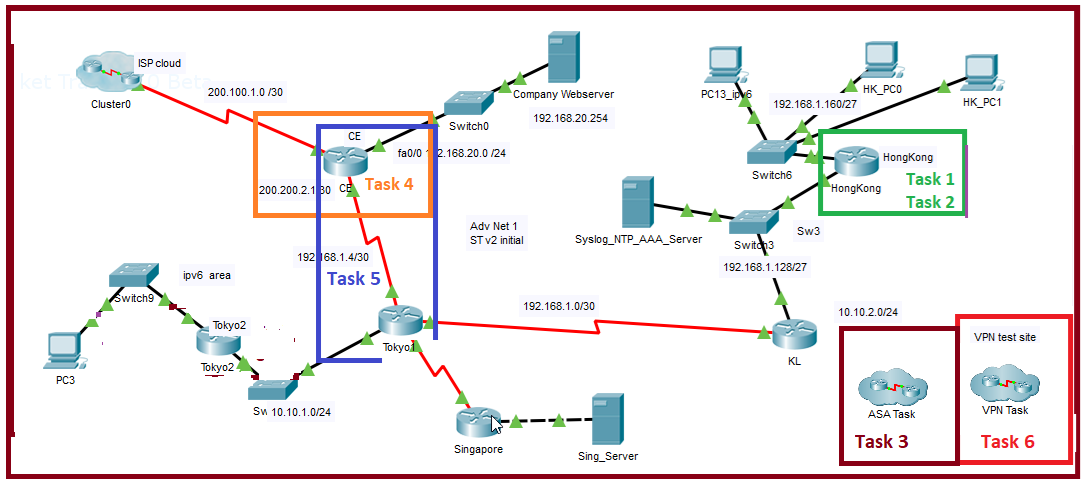
Task 1a Access and logging on the Hong Kong router (9 points) All of the configurations for Task 1a are to be done on the Hong Kong router which is in the top right section of the topology. a. If a user fails authentication 5 times, within 40 seconds, the user will have to wait for 2 minutes before further authentication attempts are possible. b. Configure so that successful login attempts generate log messages c. Configure the first four HongKong vty lines to be available for secure remote access. A user with username ssh is already configured. This user should be given level 10 exec access with successful login. d. Log messages are to be sent from Hong Kong router to the server at 192.168.1.158. Make sure the log messages have time values on them Ensure that log messages can be seen on the server Task 1b AAA, NTP on the Hong Kong router (5 points) Continue on the same router called HK, as you did for Task la A. Complete the NTP configuration on the HongKong router, HK so that its clock has an accurate time from the server at 192.168.1.158 B. For users attempting console access on the Hong Kong router, create a named method called ACC_CON This method requires that uses be authenticated by the AAA radius server at 192.168.1.158 If the server is unavailable, users are authenticated with the enable password Don't apply this method on any line! Note: the aaa server is already configured for the client Hong Kong router www. ket Tre Cluster0 ISP cloud BQ Betz PC3 200.100.1.0/30 Company Webserver 192.168.20.254 HK_PCO PC13_ipv6 192.168.1.160/27 HK_PC1 Switch0 CE fa0/02.168.20.0/24 200.200.2.130 CE Task 4 HongKong Switch6 Task 1 HongKong Task 2 192 168.1.4/30 ipv6 area Task 5 Switch9 Tokyo2 Tokyo2 Sw 10.10.1.0/24 Tokyo1 Adv Net 1 ST v2 initial Sw3 Syslog_NTP_AAA_Server Switc13 192.168.1.128/27 192.168.1.0/30 Singapore Sing_Server KL 10.10.2.0/24 VPN test site ASA Task Task 3 VPN Task Task 6
Step by Step Solution
There are 3 Steps involved in it

Get step-by-step solutions from verified subject matter experts