







Question: Task 2: Complete the budgets and accompanying schedules. Using the information at the top of the Budgets worksheet, complete the following schedules: 1. Sales budget
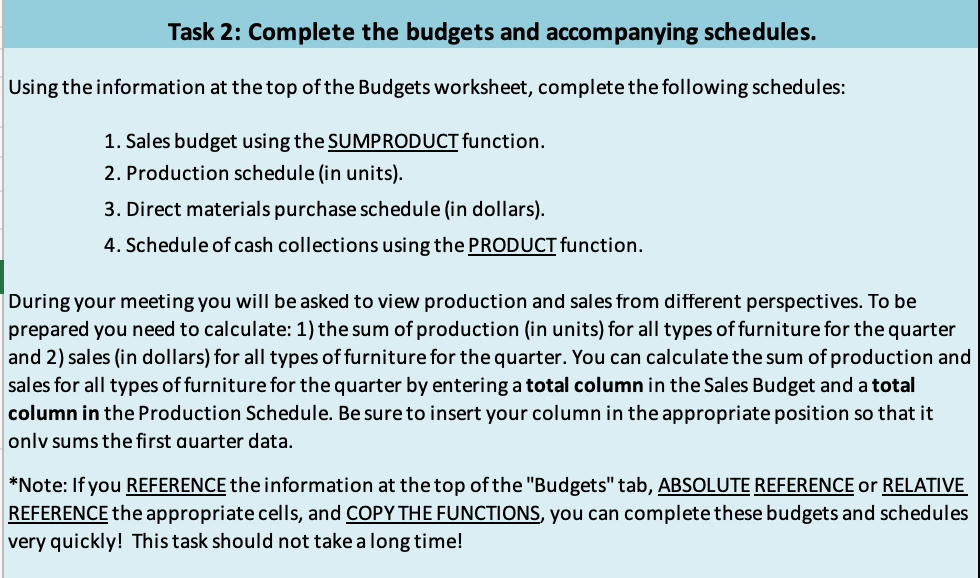
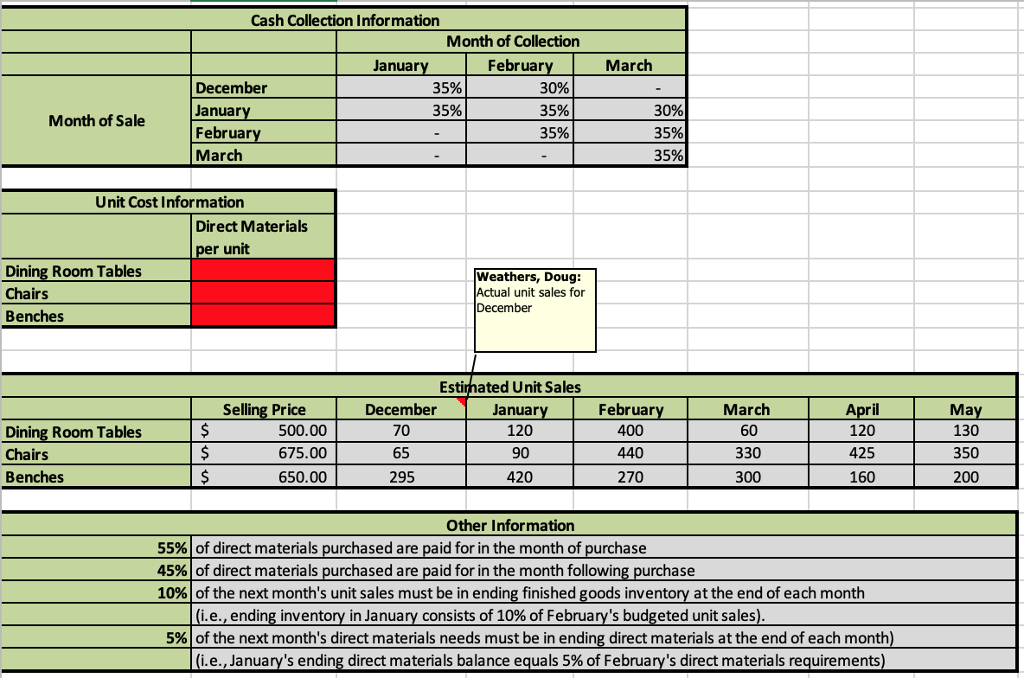
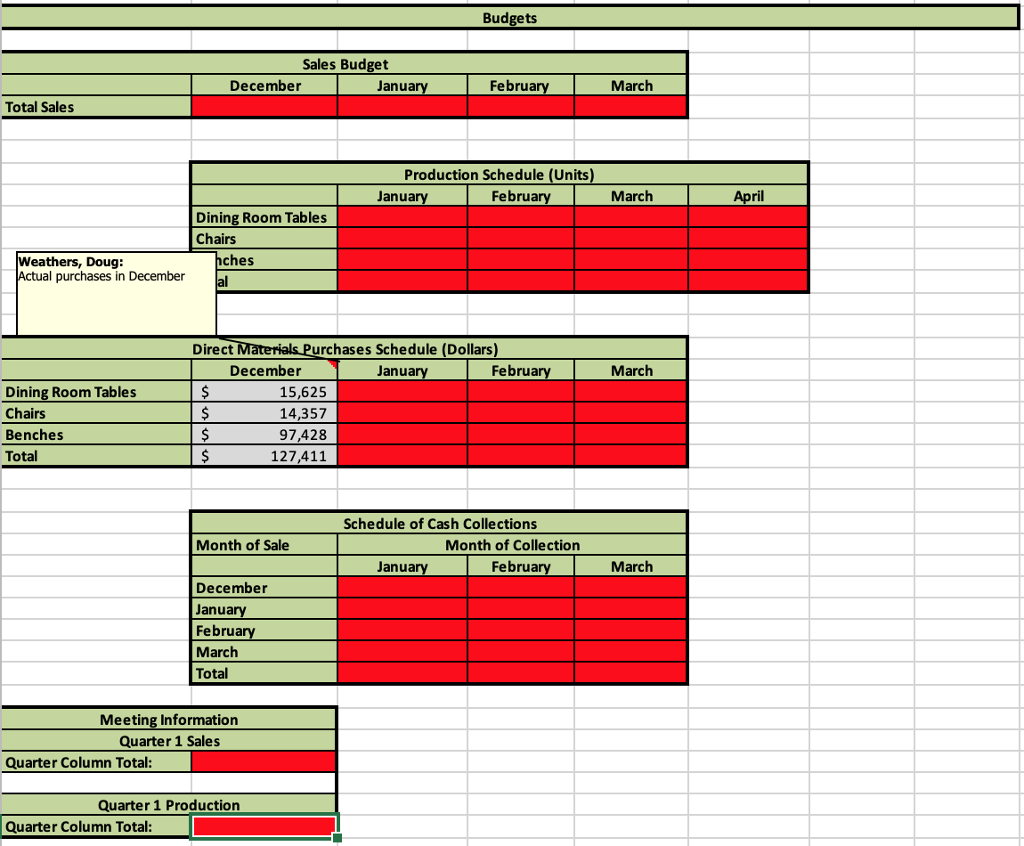
Task 2: Complete the budgets and accompanying schedules. Using the information at the top of the Budgets worksheet, complete the following schedules: 1. Sales budget using the SUMPRODUCT function. 2. Production schedule (in units). 3. Direct materials purchase schedule (in dollars). 4. Schedule of cash collections using the PRODUCT function. During your meeting you will be asked to view production and sales from different perspectives. To be prepared you need to calculate: 1) the sum of production (in units) for all types of furniture for the quarter and 2) sales (in dollars) for all types of furniture for the quarter. You can calculate the sum of production and sales for all types of furniture for the quarter by entering a total column in the Sales Budget and a total column in the Production Schedule. Be sure to insert your column in the appropriate position so that it onlv sums the first auarter data. *Note: If you REFERENCE the information at the top ofthe "Budgets" tab, ABSOLUTE REFERENCE or RELATIVE REFERENCE the appropriate cells, and COPY THE FUNCTIONS, you can complete these budgets and schedules very quickly! This task should not take a long time! Task 2: Complete the budgets and accompanying schedules. Using the information at the top of the Budgets worksheet, complete the following schedules: 1. Sales budget using the SUMPRODUCT function. 2. Production schedule (in units). 3. Direct materials purchase schedule (in dollars). 4. Schedule of cash collections using the PRODUCT function. During your meeting you will be asked to view production and sales from different perspectives. To be prepared you need to calculate: 1) the sum of production (in units) for all types of furniture for the quarter and 2) sales (in dollars) for all types of furniture for the quarter. You can calculate the sum of production and sales for all types of furniture for the quarter by entering a total column in the Sales Budget and a total column in the Production Schedule. Be sure to insert your column in the appropriate position so that it onlv sums the first auarter data. *Note: If you REFERENCE the information at the top ofthe "Budgets" tab, ABSOLUTE REFERENCE or RELATIVE REFERENCE the appropriate cells, and COPY THE FUNCTIONS, you can complete these budgets and schedules very quickly! This task should not take a long time
Step by Step Solution
There are 3 Steps involved in it

Get step-by-step solutions from verified subject matter experts
 Study Help