







Question: Task 6 : Implement the connect _ warren _ truss _ vertices function in the code cell below. # This function adds truss elements to
Task : Implement the connectwarrentrussvertices function in the code cell below.
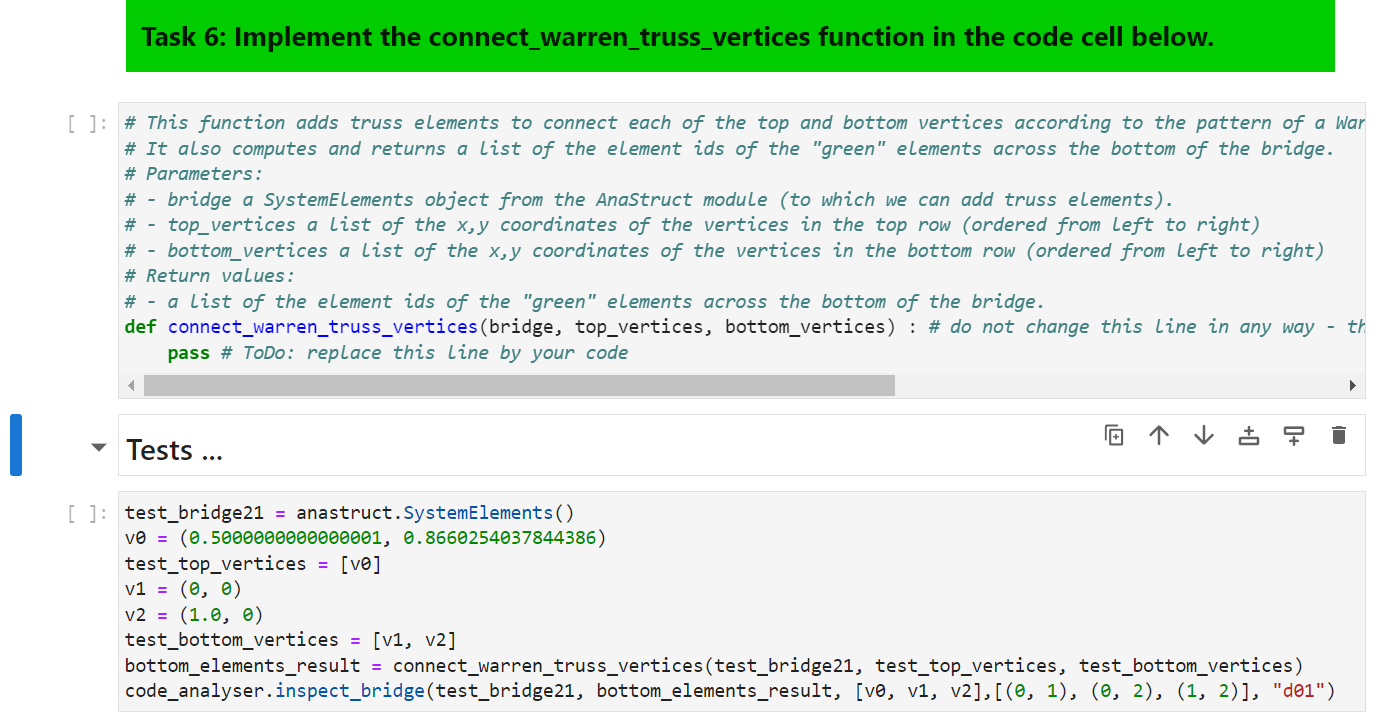
# This function adds truss elements to connect each of the top and bottom vertices according to the pattern of a War
# It also computes and returns a list of the element ids of the "green" elements across the bottom of the bridge.
# Parameters:
# bridge a SystemElements object from the AnaStruct module to which we can add truss elements
# topvertices a list of the coordinates of the vertices in the top row ordered from left to right
# bottomvertices a list of the coordinates of the vertices in the bottom row ordered from left to right
# Return values:
# a list of the element ids of the "green" elements across the bottom of the bridge.
def connectwarrentrussverticesbridge topvertices, bottomvertices : # do not change this line in any way th
pass # ToDo: replace this line by your code
Tests Warren Truss Connect Vertices
The logic for connecting all these vertices according to the Warren Truss pattern can become overwhelming complicated. So as always, proceed step by step with each category of edges. First work out how to add each of the orange top edges. Once you've tested that and it works, go on to progressively add each of the green bottom edges, then the purple diagonally up edges and finally the pink diagonally down edges. Make sure you test after each step and get it working before proceeding. The tests below for various sized bridges will provide you with a visual depiction of the edges you have created, so you can easily spot any obvious mistakes. Importantly, note how the top and bottom vertices are numbered in the diagram above. For example the pink edges are from node of the top list to node of the bottom list, from node of the top list to node of the bottom list and so on Work out the pattern and use it to write a loop that indexes appropriately into the top and bottom vertex lists.
Python task: Implement the connectwarrentrussvertices function in the code cell below.
# This function adds truss elements to connect each of the top and bottom vertices according to the pattern of a Warren Truss. # It also computes and returns a list of the element ids of the "green" elements across the bottom of the bridge. # Parameters: # bridge a SystemElements object from the AnaStruct module to which we can add truss elements # topvertices a list of the xy coordinates of the vertices in the top row ordered from left to right # bottomvertices a list of the xy coordinates of the vertices in the bottom row ordered from left to right # Return values: # a list of the element ids of the "green" elements across the bottom of the bridge. def connectwarrentrussverticesbridge topvertices, bottomvertices: # do not change this line in any way the function name and parameters must remain exactly as specified here
pass # ToDo: replace this line by your code
Step by Step Solution
There are 3 Steps involved in it
1 Expert Approved Answer
Step: 1 Unlock

Question Has Been Solved by an Expert!
Get step-by-step solutions from verified subject matter experts
Step: 2 Unlock
Step: 3 Unlock
 Study Help