







Question: Task 7 : When btnCalculate is clicked: a ) Compute the loan amount, which equals the current total car prices minus the down payment or
Task : When btnCalculate is clicked:
a Compute the loan amount, which equals the current total car prices minus the down
payment or full payment as selected.
b Compute the monthly repayment using the VBA function PMTNote: VBA function PMT
returns a negative value as payments are considered outgoing cash flows.
c Compute the total payment on the loan, which equals monthly repayment times the
number of repayment months.
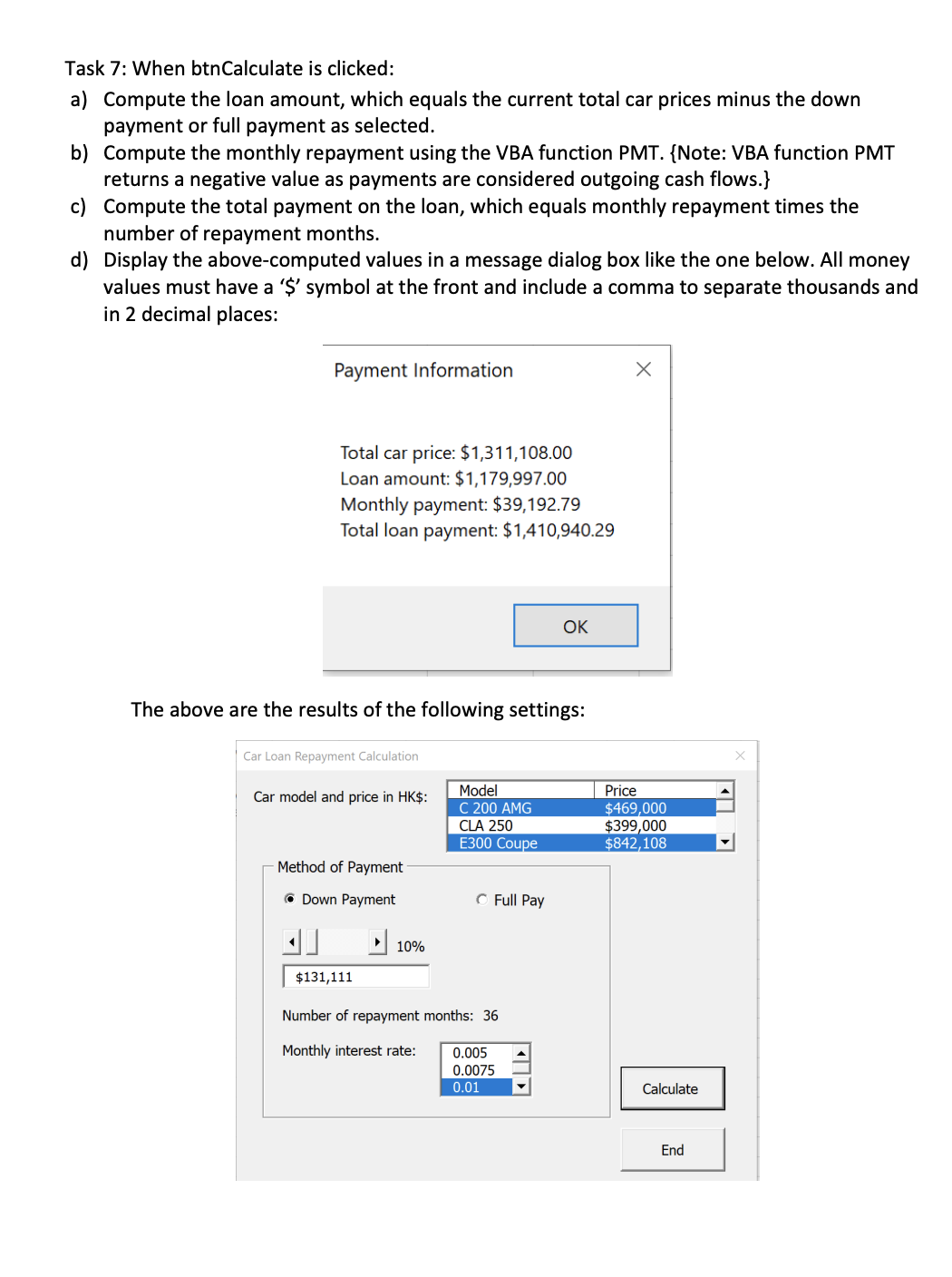
d Display the abovecomputed values in a message dialog box like the one below. All money
values must have a $ symbol at the front and include a comma to separate thousands and
in decimal places:
Payment Information
Total car price: $
Loan amount: $
Monthly payment: $
Total loan payment: $
The above are the results of the following settings:
Car Loan Repayment Calculation
Car model and price in HK$:
Method of Payment
Down Payment
C Full Pay
$
Number of repayment months:
Monthly interest rate: Could you help me with this excel vba question. Commnets. are required. Your detailed explanations will be highly appreciated!
Step by Step Solution
There are 3 Steps involved in it
1 Expert Approved Answer
Step: 1 Unlock

Question Has Been Solved by an Expert!
Get step-by-step solutions from verified subject matter experts
Step: 2 Unlock
Step: 3 Unlock
 Study Help