







Question: Task One - Switch it Up! (20 marks) Using the software Assembly Language Implementation of Displaying Switch Values on LEDs (Switches_to_LEDs.asm) on page 1
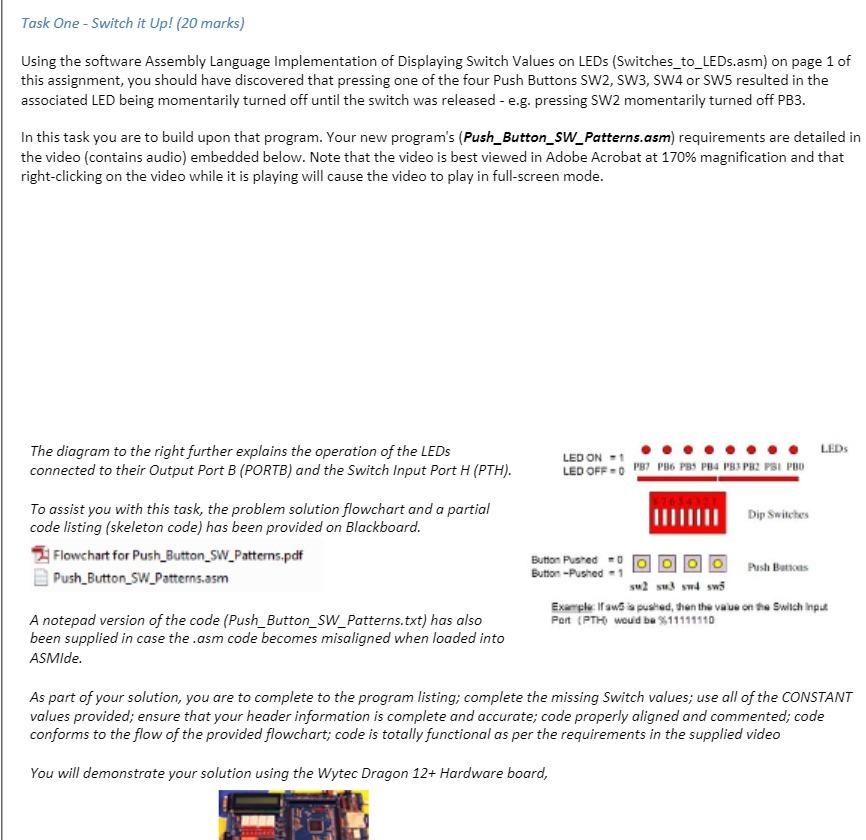
Task One - Switch it Up! (20 marks) Using the software Assembly Language Implementation of Displaying Switch Values on LEDs (Switches_to_LEDs.asm) on page 1 of this assignment, you should have discovered that pressing one of the four Push Buttons SW2, SW3, SW4 or SW5 resulted in the associated LED being momentarily turned off until the switch was released - e.g. pressing SW2 momentarily turned off PB3. In this task you are to build upon that program. Your new program's (Push_Button_SW_Patterns.asm) requirements are detailed in the video (contains audio) embedded below. Note that the video is best viewed in Adobe Acrobat at 170% magnification and that right-clicking on the video while it is playing will cause the video to play in full-screen mode. The diagram to the right further explains the operation of the LEDs connected to their Output Port B (PORTB) and the Switch Input Port H (PTH). To assist you with this task, the problem solution flowchart and a partial code listing (skeleton code) has been provided on Blackboard. Flowchart for Push Button SW_Patterns.pdf Push Button SW Patterns.asm A notepad version of the code (Push_Button_SW_Patterns.txt) has also been supplied in case the .asm code becomes misaligned when loaded into ASMIde. LED ON 1 LED OFF-PB PB6 PB5 PB4 PS3 PB2 PSI PBO Dip Switches Button Pushed 000 Push Buttons Button-Pushed-1 su2 s3 s4 sw5 LEDs Example: If aw a pushed, then the value on the Switch Input Port (PTH) would be $11111110 As part of your solution, you are to complete to the program listing; complete the missing Switch values; use all of the CONSTANT values provided; ensure that your header information is complete and accurate; code properly aligned and commented; code conforms to the flow of the provided flowchart; code is totally functional as per the requirements in the supplied video You will demonstrate your solution using the Wytec Dragon 12+ Hardware board,
Step by Step Solution
There are 3 Steps involved in it

Get step-by-step solutions from verified subject matter experts
 Study Help