







Question: TASK Task 1 Read the handout on accessing the Virtual Lab in Canvas to access your virtual machine. Log in to the Will Adams account
TASK
Task
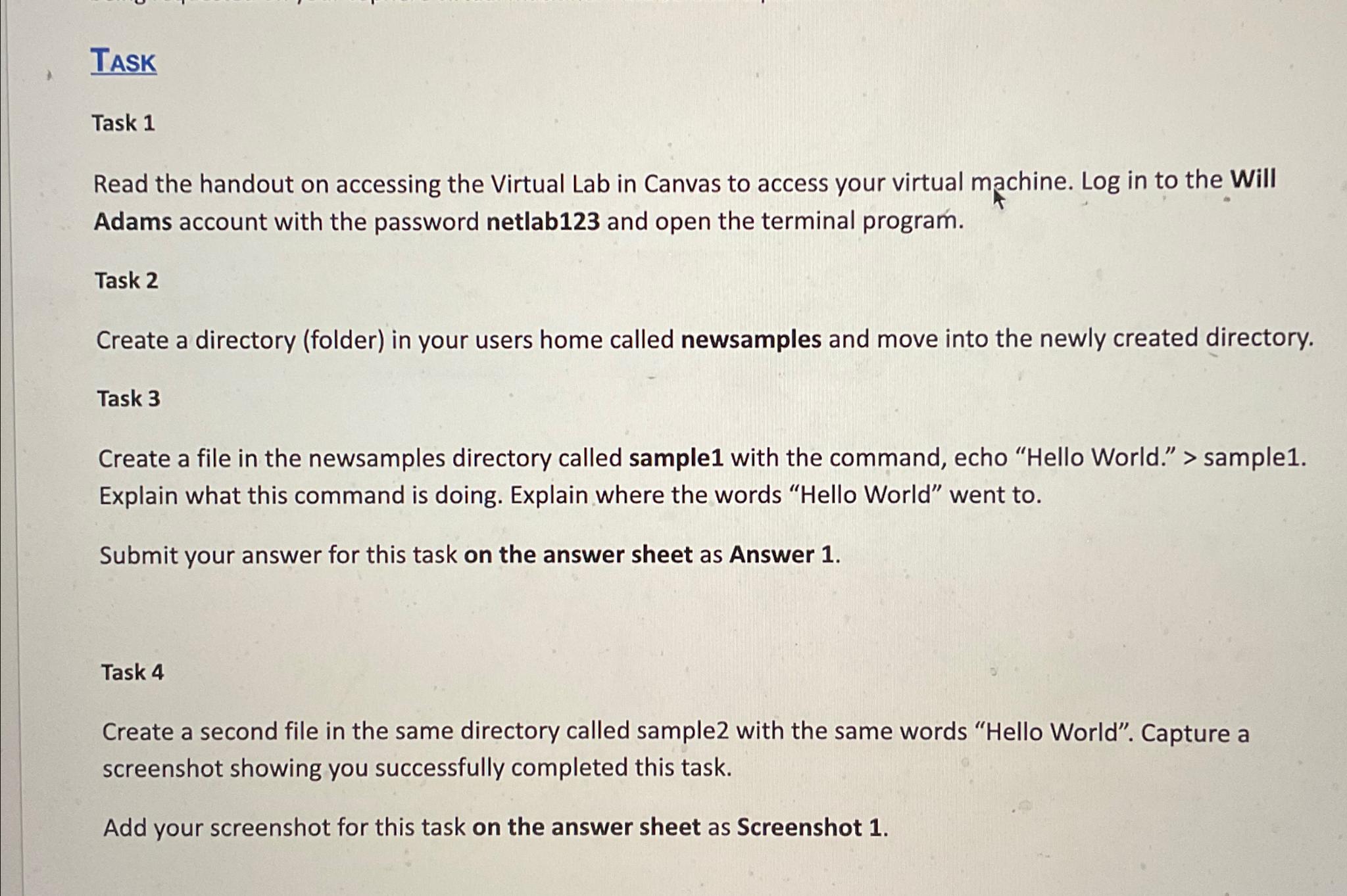
Read the handout on accessing the Virtual Lab in Canvas to access your virtual machine. Log in to the Will Adams account with the password netlab and open the terminal program.
Task
Create a directory folder in your users home called newsamples and move into the newly created directory.
Task
Create a file in the newsamples directory called sample with the command, echo "Hello World." sample
Explain what this command is doing. Explain where the words "Hello World" went to
Submit your answer for this task on the answer sheet as Answer
Task
Create a second file in the same directory called sample with the same words "Hello World". Capture a screenshot showing you successfully completed this task.
Add your screenshot for this task on the answer sheet as Screenshot
Step by Step Solution
There are 3 Steps involved in it
1 Expert Approved Answer
Step: 1 Unlock

Question Has Been Solved by an Expert!
Get step-by-step solutions from verified subject matter experts
Step: 2 Unlock
Step: 3 Unlock
 Study Help