







Question: Task: Using TinkerCad, design a control system for an automatic cooling fan with the following specification. 1. Temperature should be sampled by an Arduino Uno
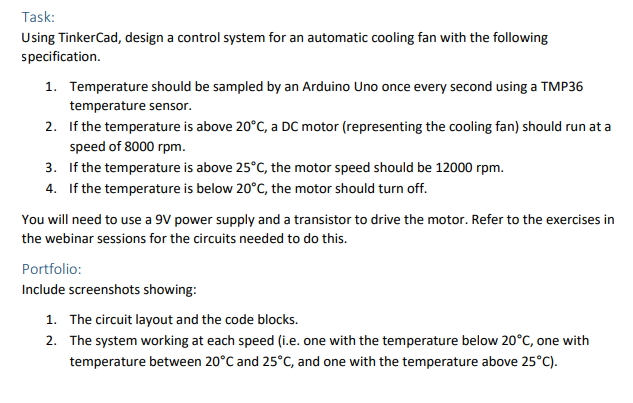
Task: Using TinkerCad, design a control system for an automatic cooling fan with the following specification. 1. Temperature should be sampled by an Arduino Uno once every second using a TMP36 temperature sensor. 2. If the temperature is above 20C, a DC motor (representing the cooling fan) should run at a speed of 8000 rpm. 3. If the temperature is above 25C, the motor speed should be 12000 rpm. 4. If the temperature is below 20C, the motor should turn off. You will need to use a 9V power supply and a transistor to drive the motor. Refer to the exercises in the webinar sessions for the circuits needed to do this. Portfolio: Include screenshots showing: 1. The circuit layout and the code blocks. 2. The system working at each speed (i.e. one with the temperature below 20C, one with temperature between 20C and 25C, and one with the temperature above 25C). Task: Using TinkerCad, design a control system for an automatic cooling fan with the following specification. 1. Temperature should be sampled by an Arduino Uno once every second using a TMP36 temperature sensor. 2. If the temperature is above 20C, a DC motor (representing the cooling fan) should run at a speed of 8000 rpm. 3. If the temperature is above 25C, the motor speed should be 12000 rpm. 4. If the temperature is below 20C, the motor should turn off. You will need to use a 9V power supply and a transistor to drive the motor. Refer to the exercises in the webinar sessions for the circuits needed to do this. Portfolio: Include screenshots showing: 1. The circuit layout and the code blocks. 2. The system working at each speed (i.e. one with the temperature below 20C, one with temperature between 20C and 25C, and one with the temperature above 25C)
Step by Step Solution
There are 3 Steps involved in it

Get step-by-step solutions from verified subject matter experts
 Study Help