







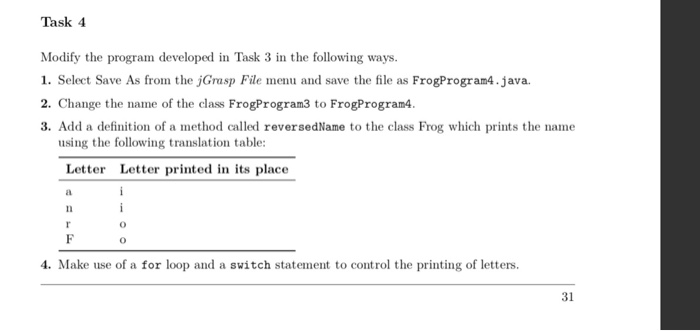
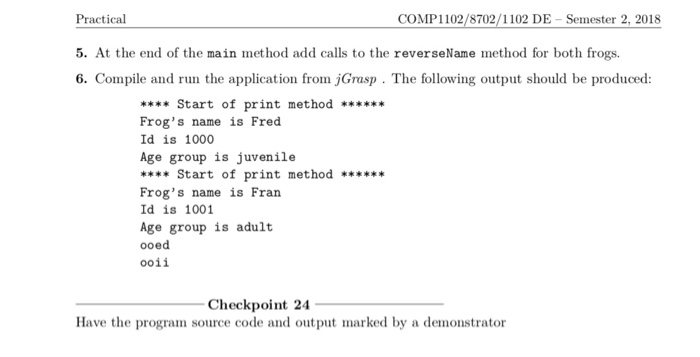
Question: (Task4 )please add some comments of the code Getting Started Create a directory called prac0 (in your cpl directory) and make t your current working
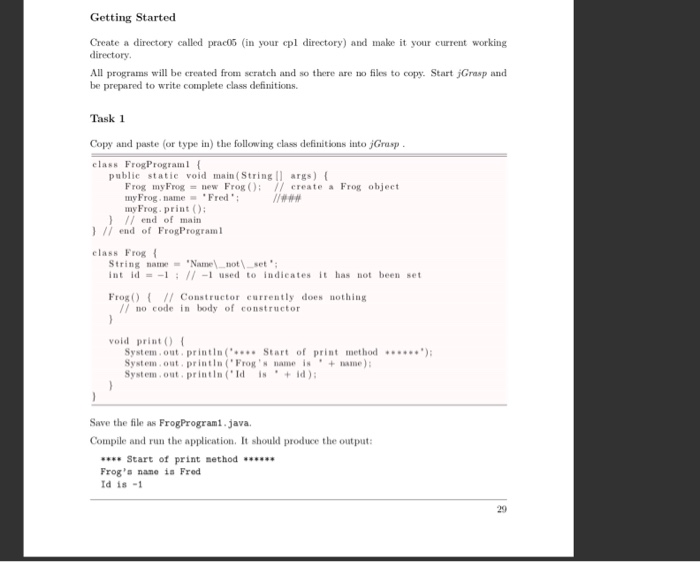
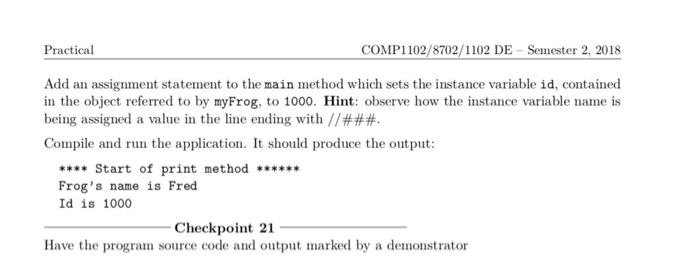
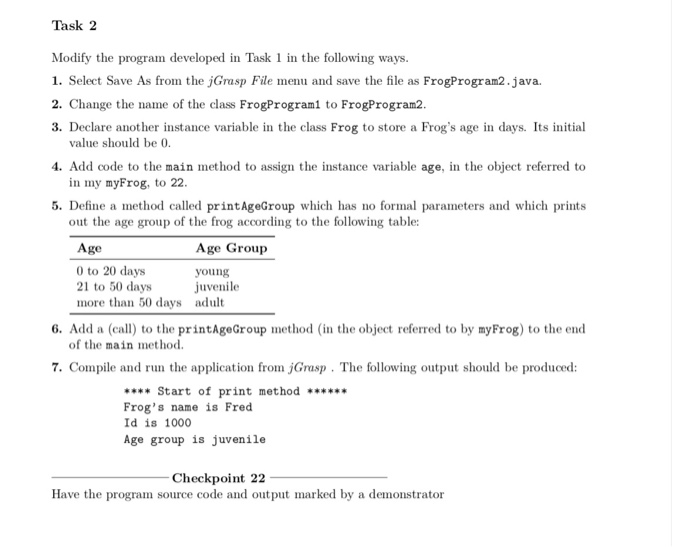
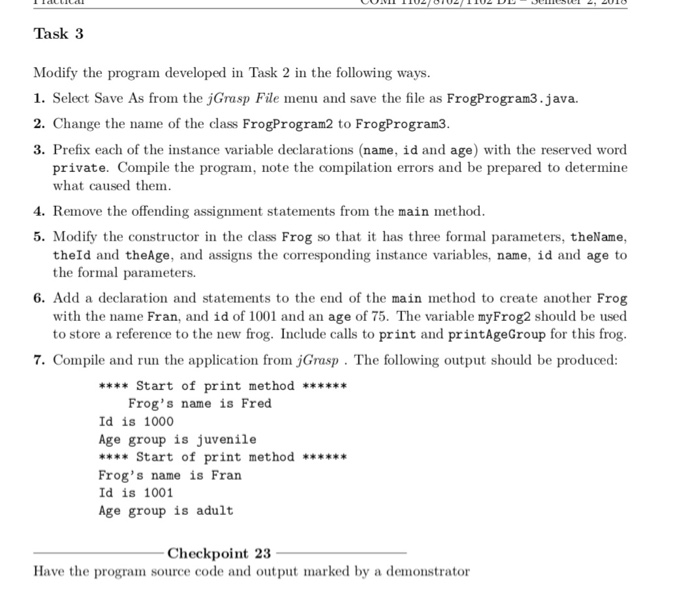
Getting Started Create a directory called prac0 (in your cpl directory) and make t your current working directory All programs will be created from seratch and so there are no files to copy. Start jGrasp and be prepared to write complete class definitions. Task 1 Copy and paste (or type in) the following class definitons into jGrasp elass FrogPrograml ( public statie void main (String args) ( Frog myFrog new Frog O; /create a Frog objeet my Frog name Fred my Frog. print ) ) I end of main l II end of FrogPrograml elass Frog String naneNamenotset int id-111 -1 used to indieates it has not been set Frog 1 Constructor currently does nothing // no code in body of constructor void print) System,out printin(Start of print method System out,printin (Frog'sname is+ name) System.out printin(Id isid): Save the file as FrogProgram1.java Compile and run the a pplication. It should produce the outpu Start of print method Frog' nane 1a Fred Id is -1 29
Step by Step Solution
There are 3 Steps involved in it

Get step-by-step solutions from verified subject matter experts
 Study Help