







Question: Template: #include #include using namespace std; int countChar(string line, char c); string removeLeadingSpaces(string line); int main(){ } string removeLeadingSpaces(string line){ } int countChar(string line, char
Template:
#include#include using namespace std; int countChar(string line, char c); string removeLeadingSpaces(string line);
int main(){
}
string removeLeadingSpaces(string line){}
int countChar(string line, char c){ int count=0; line =line; c=c; return count; }
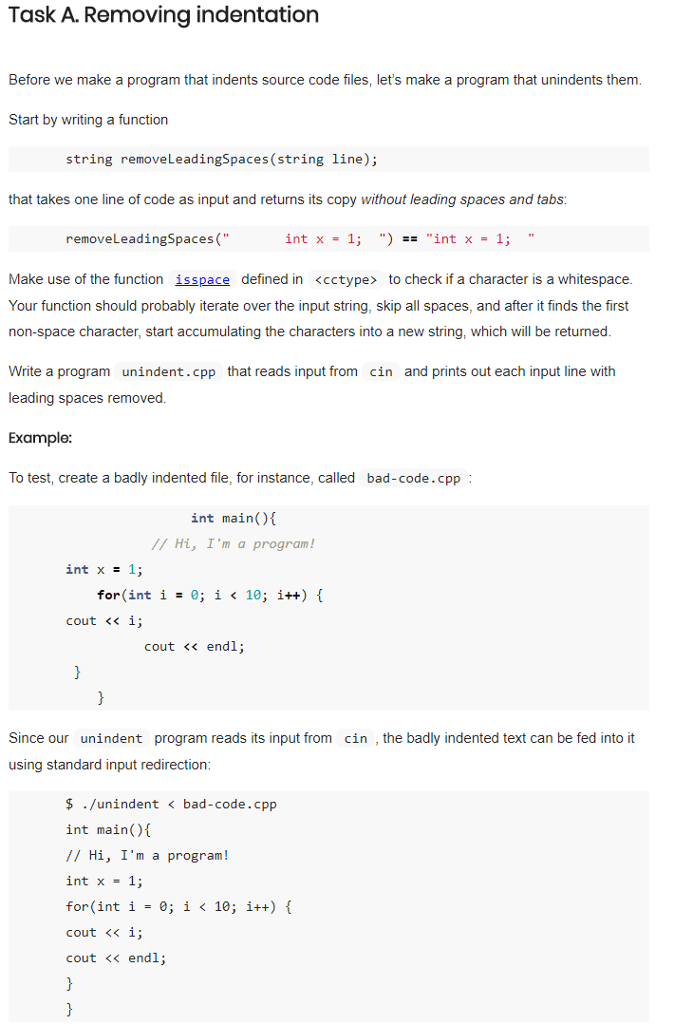
Task A. Removing indentation Before we make a program that indents source code files, let's make a program that unindents them Start by writing a function string removeLeadingSpaces (string line): that takes one line of code as input and returns its copy without leading spaces and tabs: removeLeadingSpaces(" int x - 1; ") .. int x- 1; Make use of the function isspace defined in
Step by Step Solution
There are 3 Steps involved in it

Get step-by-step solutions from verified subject matter experts
 Study Help