







Question: Test file Code Q3 Encryption [10 marks For this question, we will implement a shift cypher, as discussed in Dr. Kapron's guest lecture, also called
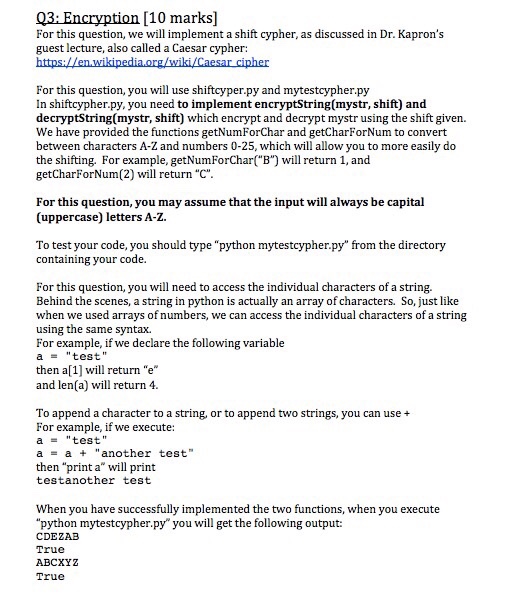
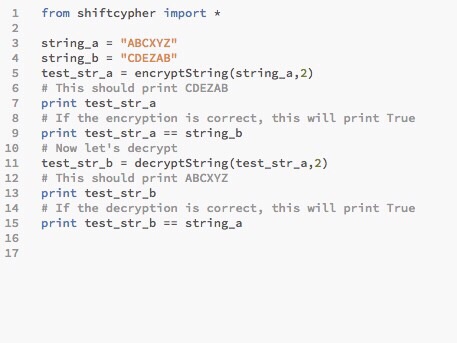
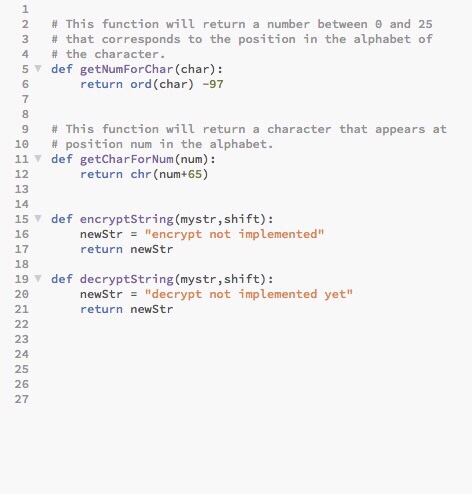
Q3 Encryption [10 marks For this question, we will implement a shift cypher, as discussed in Dr. Kapron's guest lecture, also called a Caesar cypher: https:ALen.wikipedia.org/wikiACaesar cipher For this question, you will use shiftcyper.py and mytestcypher.py In shiftcypher.py, you need to implement encryptString(mystr, shift) and decryptString(mystr, shift) which encrypt and decrypt mystr using the shift given. We have provided the functions getNumForChar and getCharForNum to convert between characters A-Z and numbers 0-25, which will allow you to more easily do the shifting. For example, getNumForCharl will return 1, and ("B") getCharForNum(2) will return "C". For this question, you may assume that the input will always be capital (uppercase) letters A-Z To test your code, you should type on mytestcypher.py" from the directory containing your code. For this question, you will need to access the individual characters of astring. Behind the scenes, a string in pyth is actually an array of characters. So, just like on when we used arrays of numbers, we can access the individual characters of a string using the same syntax. For example, if we declare the following variable test then a[1] will return "e" and len(a) will return 4. To append a character to a string, or to append two strings, you can use a For example, if we execute: a test a a another test then "print a" will print testanother test When you have successfully implemented the two functions, when you execute "python mytestcypher.py you will get the following output: CDEZAB True ABCXYZ True
Step by Step Solution
There are 3 Steps involved in it

Get step-by-step solutions from verified subject matter experts
 Study Help