







Question: TestEquals.java code here: public class TestEquals { public static void main(String[] args) { int[] arr1 = { 1, 2, 3 }; int[] arr2 = {
![TestEquals.java code here: public class TestEquals { public static void main(String[]](https://dsd5zvtm8ll6.cloudfront.net/si.experts.images/questions/2024/09/66efa6bfc7d84_82366efa6bf22a64.jpg)
![args) { int[] arr1 = { 1, 2, 3 }; int[] arr2](https://dsd5zvtm8ll6.cloudfront.net/si.experts.images/questions/2024/09/66efa6c0a4ebd_82466efa6c01079b.jpg)
![= { 3, 2, 1 }; int[] arr3 = { 1, 2,](https://dsd5zvtm8ll6.cloudfront.net/si.experts.images/questions/2024/09/66efa6c166f5d_82466efa6c0ed26e.jpg)
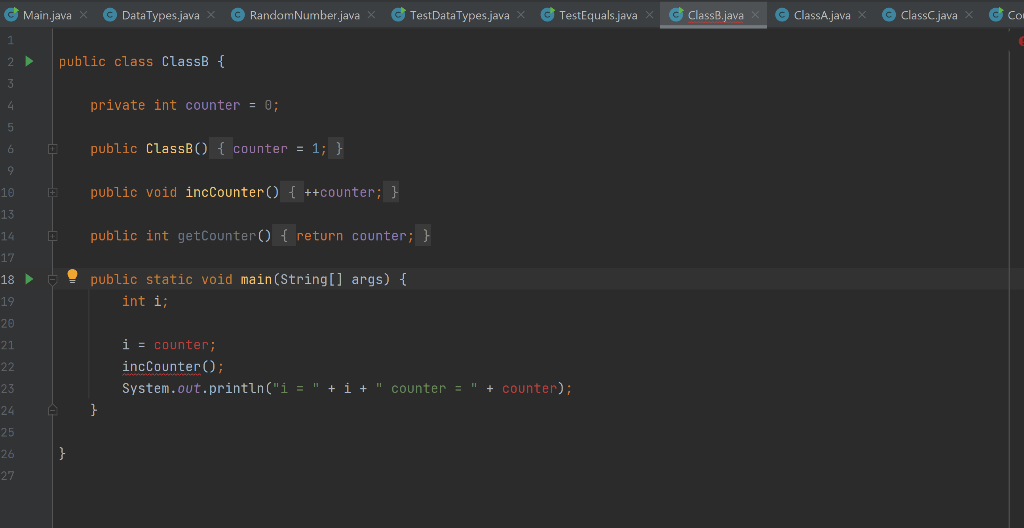
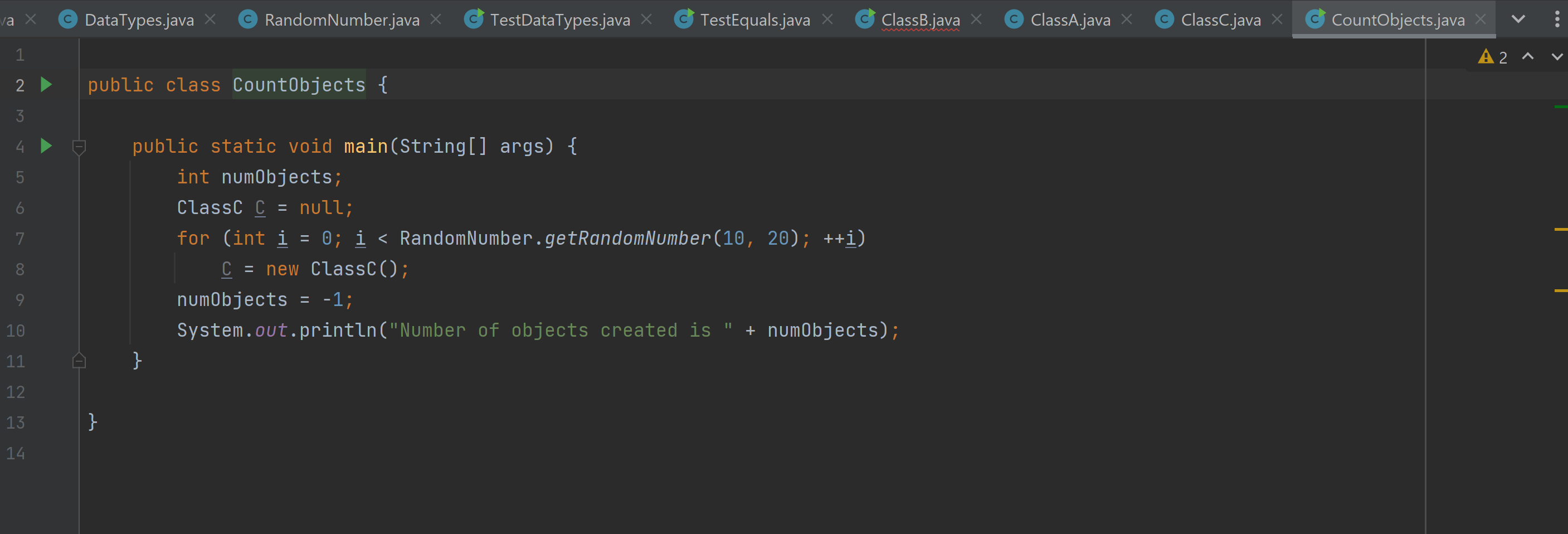
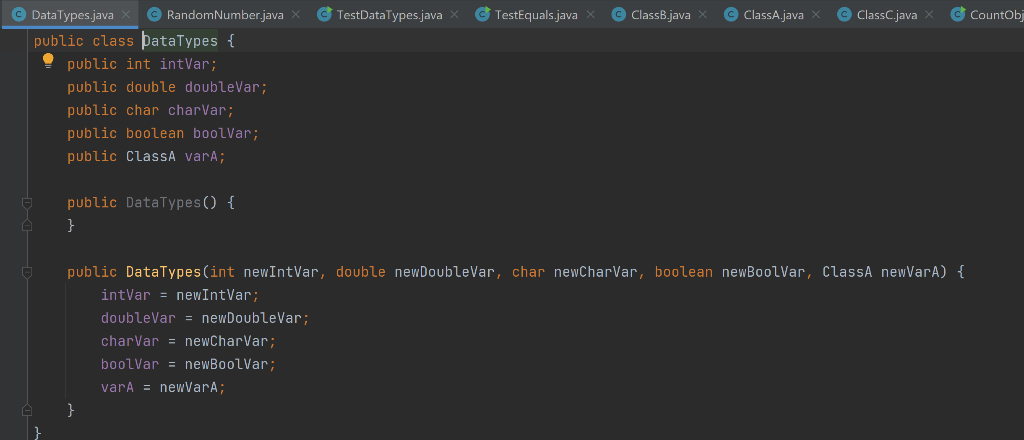
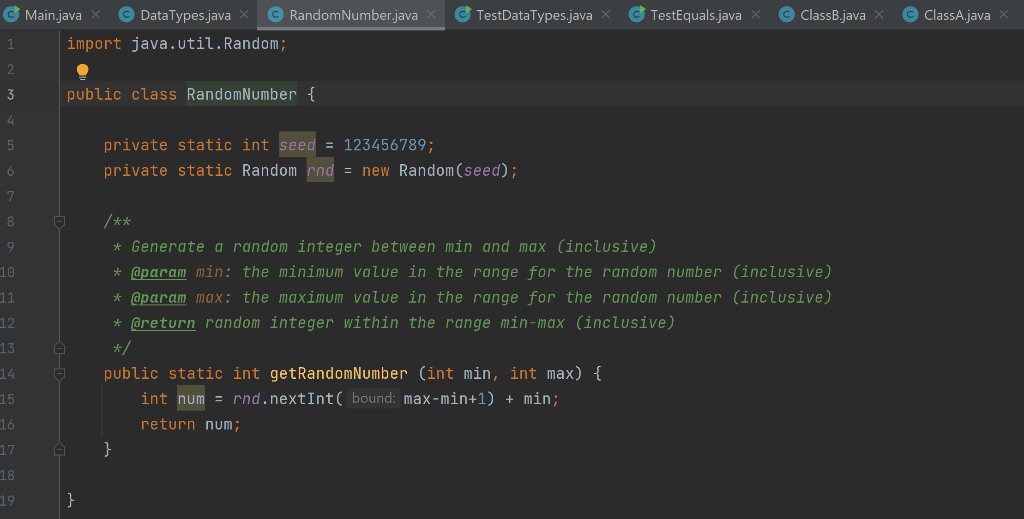
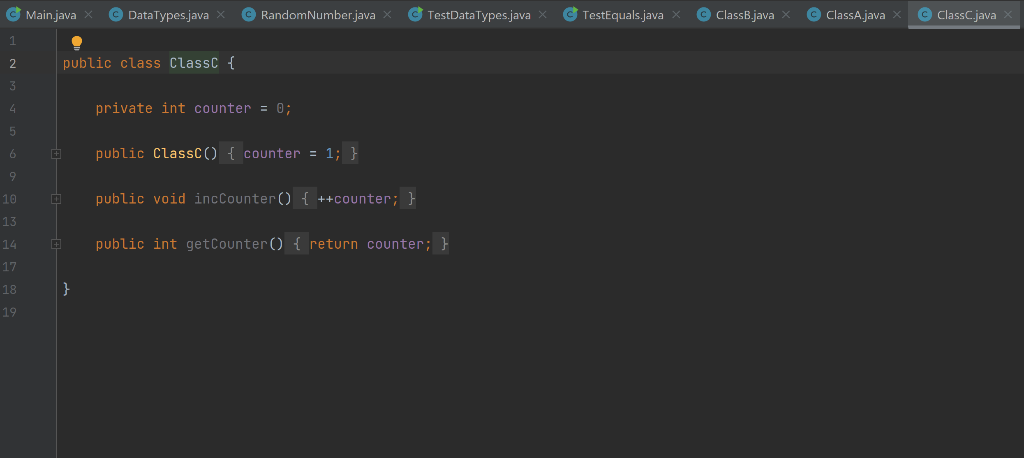
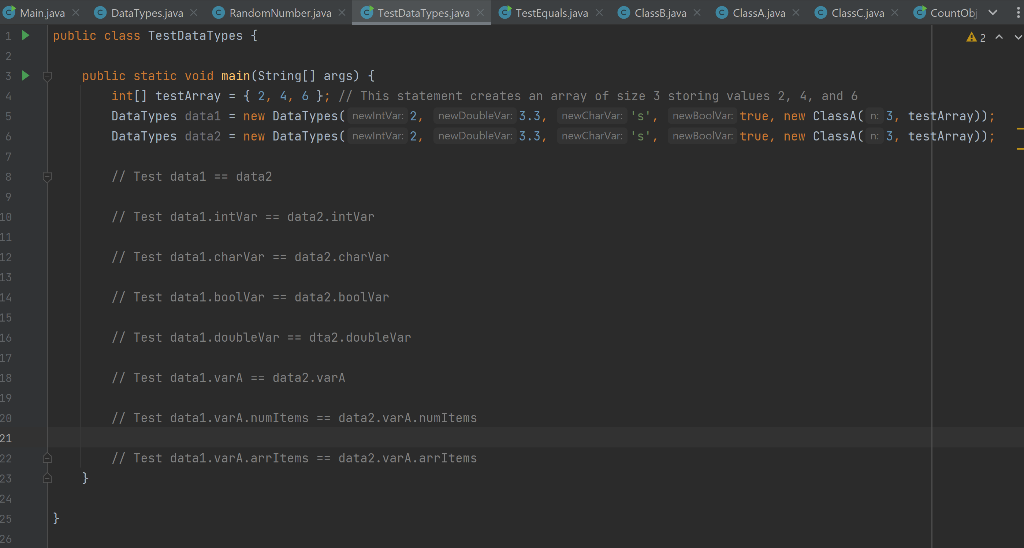
TestEquals.java code here: public class TestEquals { public static void main(String[] args) { int[] arr1 = { 1, 2, 3 }; int[] arr2 = { 3, 2, 1 }; int[] arr3 = { 1, 2, 3 }; DataTypes data1 = new DataTypes(2, 2.3, 'a', false, new ClassA()); DataTypes data2 = new DataTypes(2, 2.3, 'a', false, new ClassA()); DataTypes data3 = new DataTypes(2, 2.3, 'a', false, new ClassA(3, arr1)); DataTypes data4 = new DataTypes(2, 2.3, 'a', false, new ClassA(3, arr2)); DataTypes data5 = new DataTypes(2, 2.3, 'f', true, new ClassA(3, arr2)); DataTypes data6 = new DataTypes(2, 2.3, 'a', false, new ClassA(3, arr3)); if (data1.equals(data2)) System.out.println("Test 1 passed"); else System.out.println("Test 1 failed"); if (data3.equals(data6)) System.out.println("Test 2 passed"); else System.out.println("Test 2 failed"); if (!data3.equals(data4)) System.out.println("Test 3 passed"); else System.out.println("Test 3 failed"); if (!data4.equals(data5)) System.out.println("Test 4 passed"); else System.out.println("Test 4 failed"); } } Pre-Lab Download the files: AnswersLab2.txt, DataTypes.java, ClassA.java, TestDataTypes.java, TestEquals.java, ClassB.java, ClassC.java, CountObjects.java, RandomNumber.java. O Important Note . Some of the provided classes have public instance variables to make it easier to demonstrate the concepts that we want to practice in this lab. But, remember that you should not declare your instance variables as public, unless there is a very good reason to do that. Exercise 1 - Comparing Primitive and Non-Primitive Data Types 1. Create a new Project (select File > New > Java Project) and name it: Lab2 2. Add to this project all provided classes. 3. Note. Eclipse might indicate that there are compilation errors in some of these classes. We will deal with these errors later. For the time being ignore any warnings that Eclipse gives about compilation errors (if any popup windows appear when you try to compile and run the code, just close them and continue with the exercises). 4. Open and read the provided java classes DataTypes.java, ClassA.java, and TestDataTypes.java. Do not modify TestDataTypes.java yet! 5. Answer question 1 in AnswersLab2.txt 6. Add code to TestDataTypes.java to perform all comparisons in question 1 of AnswersLab2.txt. If a comparison is true the code must print "true", otherwise it must print false. For example, to compare data1 and data2 you can add this code if (data1 == data2) System.out.println("data1 == data2 is true"); else System.out.println("data1 == data2 is false); 7. Indicate in AnswersLab2.txt how many of your answers for question 1 were incorrect. Also, answer question 3. Exercise 2 - Comparing Content of Objects 1. Add a public method equals(ClassA otherClass) to class classA that returns the value true if (i) this object and otherClass have the same value in variable numitems and (ii) both arritems arrays are null or both store the same values and in the same order in the first numitems entries; the method returns the value false otherwise. Do not try to access values from variable arritems if arritems is null. 2. Add a public method equals(DataTypes otherType) to class DataTypes that returns the value true if (i) all primitive instance variables in this object and other Type have the same values and (ii) variables varA in this object and other Type are equal according to method equals of class ClassA. 3. Run the java class TestEquals. Fix your code if it fails any of the 4 tests. Exercise 3 Understanding Static and non-Static Objects 1. Open and study ClassB.java. This class has 3 compilation errors. Hover the mouse over the little red circles with a white cross in them to the left of the incorrect statements to read the compilation error. 2. Fix the compilation error without making counter or incCounter static. At the end the code must print the values of i and counter. Run the code to make sure it works. 'gsselo jo pelqo ue jean Jou ayt xiy ol 'nok ssnjuoo si41 !! YM SE JOJ Snbl Oep!A YT MAINOY 'poylaw urew ones ay wolf way JUJOJOJ Jouueo nok beseje jojunoyour puer UIS JUIH Exercise 4 - Using Static Objects 1. Open and study class CountObjects.java. The main method in this class creates a random number of objects of the class ClassC. However, variable numObjects has value -1, which you must change so that when this program is executed it prints the number of Class objects created. 2. You can make changes to ClassC.java and to CountObjects.java. However, the only changes that you can make to ClasC.java are to the declaration of counter and changing the statement in the constructor of ClassC. Do not add more code to the constructor of ClassC. The only change that you can make in class CountObjects is the statement in line 9: numObjects = -1; you can assign to num Objects the number of objects that have been created. 3. Run your code and make sure that the value that it prints is the number of objects created and not -1 (the number of these objects should be 16. Note that you cannot simply write numObjects = 16 in class CountObjects). zg Jo Kdoo Ju u u geu unoo yy sseour jeo s lqo K nu (ilojn jeis abueyo nok pinoys moy 'os) pinbx s joionysuco yi jeyi wn Kjn qeuen jeyi jo nj i seJour pje sp[qo Jo Jq 01 sseID T]unoo 0 jqoid ios o] Moy nq un S ou o TestDataTypes.java X C TestEquals.java X C ClassB.java X C ClassA.java X 1 2 Main.java x C DataTypes.java X RandomNumber.java X public class ClassA { private final int SIZE_ARRAY public int numItems; public int[] arrItems; = 5; 3. 4 5 6. O 7. public classA(int n, int[] arr) { numItems = n; arrItems = arr; } 8 9. D 10 11 -D 12 13 public ClassA() { numItems = 0; arrItems = new int[SIZE_ARRAY]; 1 } } 14 15 Main.java DataTypes.java RandomNumber.java X TestDataTypes.java X TestEquals.java ClassB.java ClassA.java ClassC.java 2 public class Class { 3 4 private int counter = 0; 5 6 public Class() { counter = 1; } 9 public void incCounter() { ++counter; } 10 13 public int getCounter() { return counter; } 14 17 18 > public static void main(String[] args) { int i; 19 20 i = counter; incCounter(); System.out.println("i = " + i + counter = + counter); 21 22 23 24 25 26 } } 27 va x C DataTypes.java C RandomNumber.java C TestDataTypes.java X C TestEquals.java ClassB.java C ClassA.java C ClassC.java X CountObjects.java public class TestDataTypes { A2V 2 public static void main(String[] args) { int[] testArray = { 2, 4, 6 }; // This statement creates an array of size 3 storing values 2, 4, and 6 5 DataTypes datal = new DataTypes( newlntWar: 2, newDoublevar: 3.3, newDoubleWar: 3.3, newcharWar: 's', newboolvar true, new ClassAn: 3, testArray)); 6 DataTypes data2 = new DataTypes( newIntVar: 2, newDoublevar: 3.3, newCharvar: 's', newBoolvar true, new ClassAn: 3, testArray)); 3 7 // Test datal == data2 9 10 // Test data1.intvar == data2.intvar 11 12 // Test data1.charvar == data2.charvar 8 9 13 1.4 // Test data1.boolVar == data2.boolvar 15 16 // Test datal.doublevar == dta2.doublevar 17 18 // Test data1.vara == data2.varA 19 // Test data1.vara.numItems == data2.vara.numItems 20 21 22 // Test data1.vara.arrItems == data2.vara.arrItems 23 a } 24 25 } 26
Step by Step Solution
There are 3 Steps involved in it

Get step-by-step solutions from verified subject matter experts
 Study Help