







Question: testSearch.sh: #!/bin/bash # a simple script to count the number of items (files and subdirectories) in any given directory. # The script takes one command
testSearch.sh:
#!/bin/bash
# a simple script to count the number of items (files and subdirectories) in any given directory.
# The script takes one command line arugment.
#input: a directory name on the command line, which should be either an absolute path (eg. /home/student) or relative path (eg. ../music)
#output: the number of items (both files and subdirectories) in the specified directory
if [ -z $1 ]; then
echo "usage: " $0 "
exit
fi
num_items=0
for entry in "$search_dir"$1/* #if $1 is a directory name, we can also write this line as: for entry in $1/*
do
#echo "$entry"
((num_items = num_items + 1)) #entry will iterate through all the items in the specified directory; all we need to do is increment our counter variable num_items for each iteration
#num_items=$[$num_items+1] #this works
#let num_items=$num_items+1 #this works
#let num_items=num_items+1 #this works
done
echo "total number of items in directory $1:" $num_items
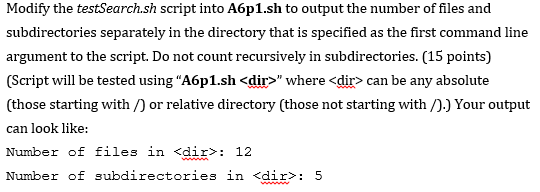
Modify the testSearch.sh script into A6p1.sh to output the number of files and subdirectories separately in the directory that is specifiled as the first commandline argument to the script. Do not count recursively in subdirectories. (15 points) (Script will be tested using "A6p1.sh
Step by Step Solution
There are 3 Steps involved in it

Get step-by-step solutions from verified subject matter experts
 Study Help