







Question: THAT IS PROGRAM 4.3 import turtle wn = turtle.Screen() # Set up the window and its attributes wn.bgcolor(lightgreen) tess = turtle.Turtle() # create tess and
THAT IS PROGRAM 4.3
import turtle wn = turtle.Screen() # Set up the window and its attributes wn.bgcolor("lightgreen")
tess = turtle.Turtle() # create tess and set some attributes tess.color("hotpink") tess.pensize(5)
alex = turtle.Turtle() # create alex
tess.forward(80) # Let tess draw an equilateral triangle tess.left(120) tess.forward(80) tess.left(120) tess.forward(80) tess.left(120) # complete the triangle
tess.right(180) # turn tess around tess.forward(80) # move her away from the origin
alex.forward(50) # make alex draw a square alex.left(90) alex.forward(50) alex.left(90) alex.forward(50) alex.left(90) alex.forward(50) alex.left(90)
wn.exitonclick()
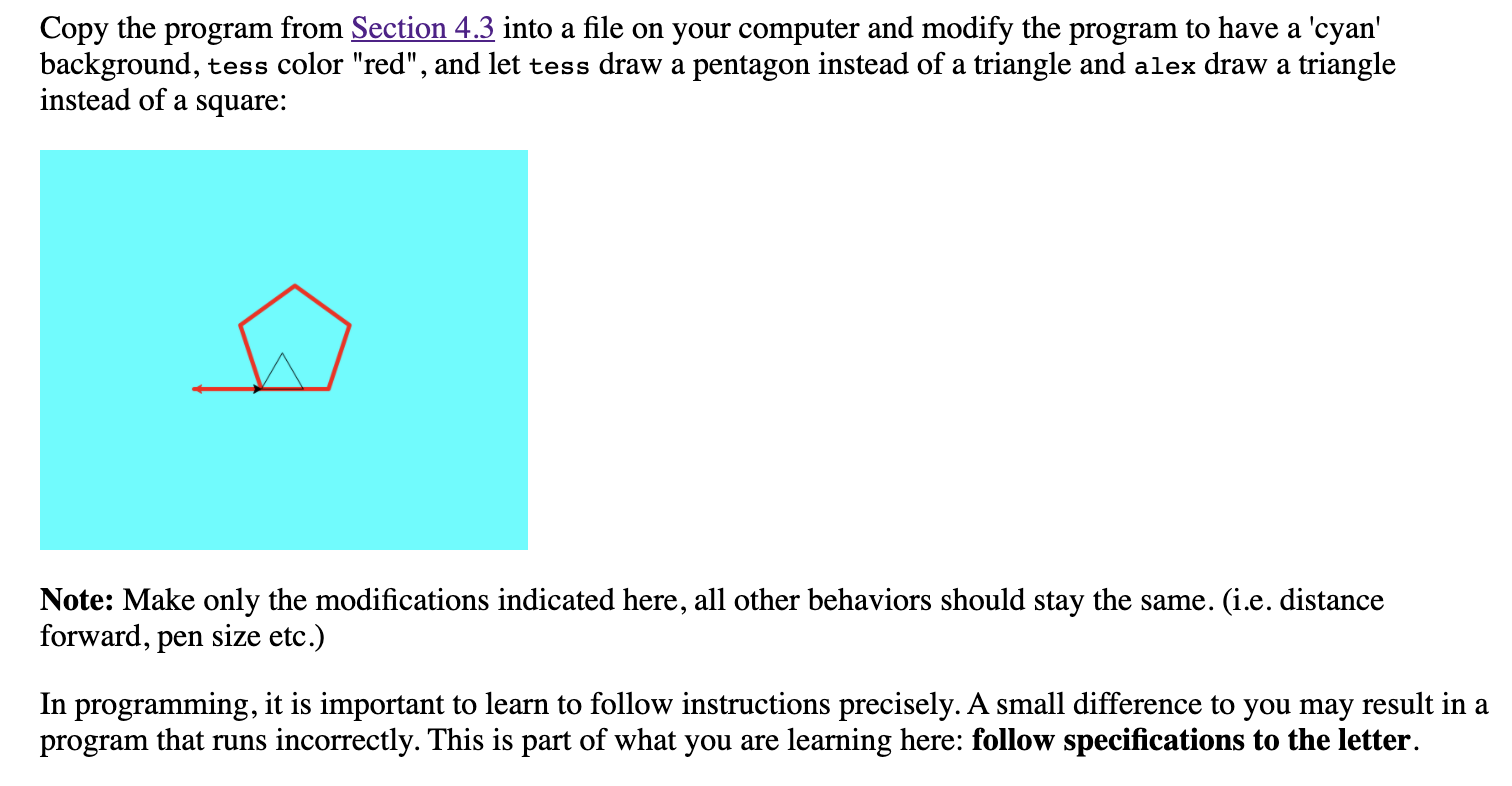
Copy the program from Section 4.3 into a file on your computer and modify the program to have a 'cyan' background, tess color "red", and let tess draw a pentagon instead of a triangle and alex draw a triangle instead of a square: Note: Make only the modifications indicated here, all other behaviors should stay the same. (i.e. distance forward, pen size etc.) In programming, it is important to learn to follow instructions precisely. A small difference to you may result in a program that runs incorrectly. This is part of what you are learning here: follow specifications to the letter
Step by Step Solution
There are 3 Steps involved in it

Get step-by-step solutions from verified subject matter experts
 Study Help