







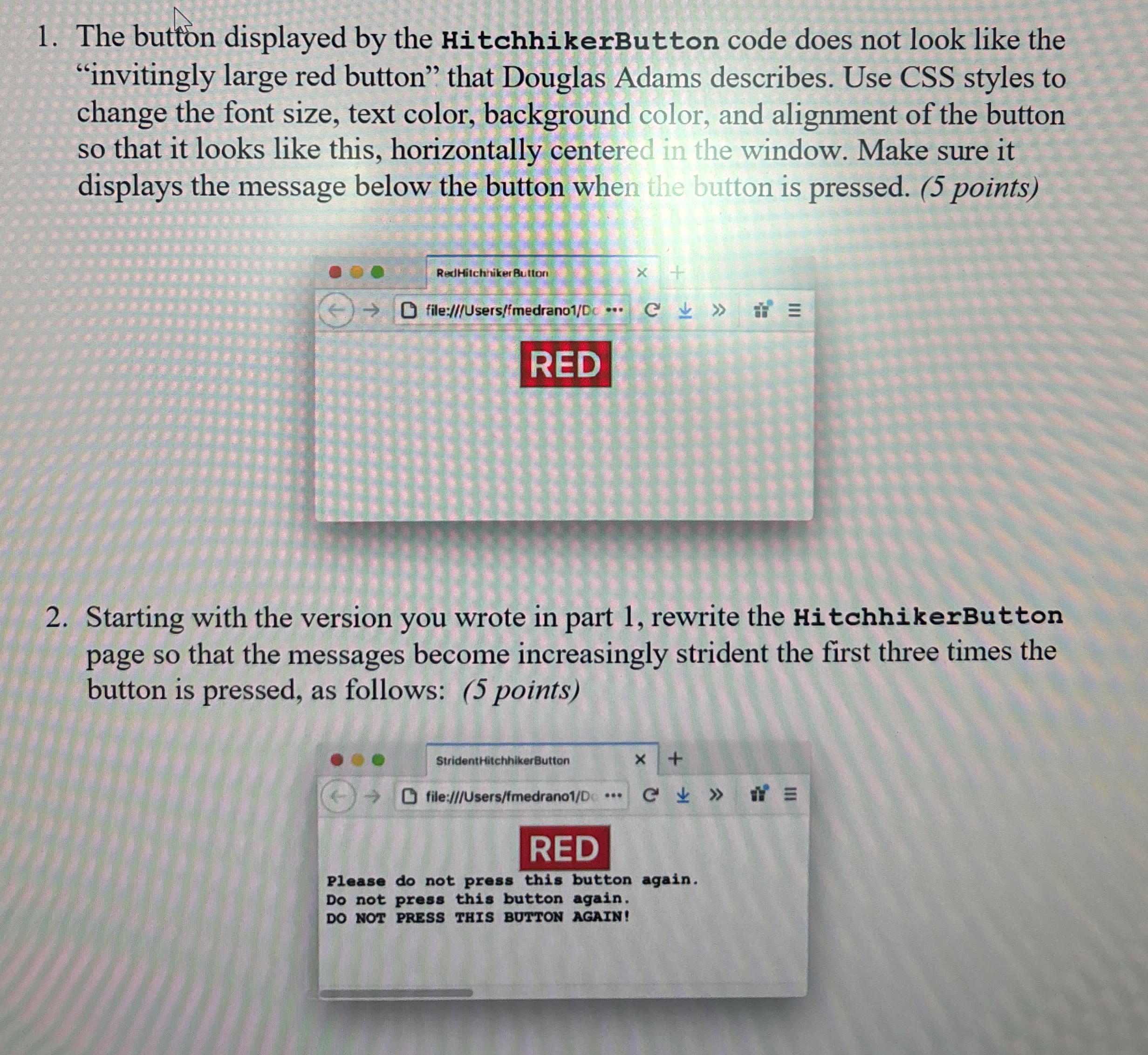
Question: The button displayed by the HitchhikerButton code does not look like the invitingly large red button that Douglas Adams describes. Use CSS styles to change
The button displayed by the HitchhikerButton code does not look like the
"invitingly large red button" that Douglas Adams describes. Use CSS styles to
change the font size, text color, background color, and alignment of the button
so that it looks like this, horizontally centered in the window. Make sure it
displays the message below the button when the button is pressed. points
Starting with the version you wrote in part rewrite the HitchhikerButton
page so that the messages become increasingly strident the first three times the
button is pressed, as follows: points
Step by Step Solution
There are 3 Steps involved in it
1 Expert Approved Answer
Step: 1 Unlock

Question Has Been Solved by an Expert!
Get step-by-step solutions from verified subject matter experts
Step: 2 Unlock
Step: 3 Unlock
 Study Help