







Question: THE CODE SHOULD BE WRITTEN BY USING TURTLE CODES! 20 2 import turtle 3 4 scr = turtle. Screen() 5 6 t = turtle. Turtle
THE CODE SHOULD BE WRITTEN BY USING TURTLE CODES!
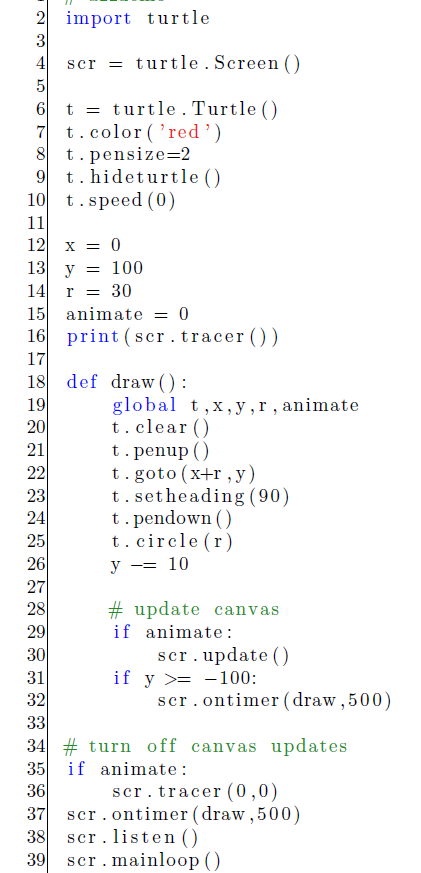
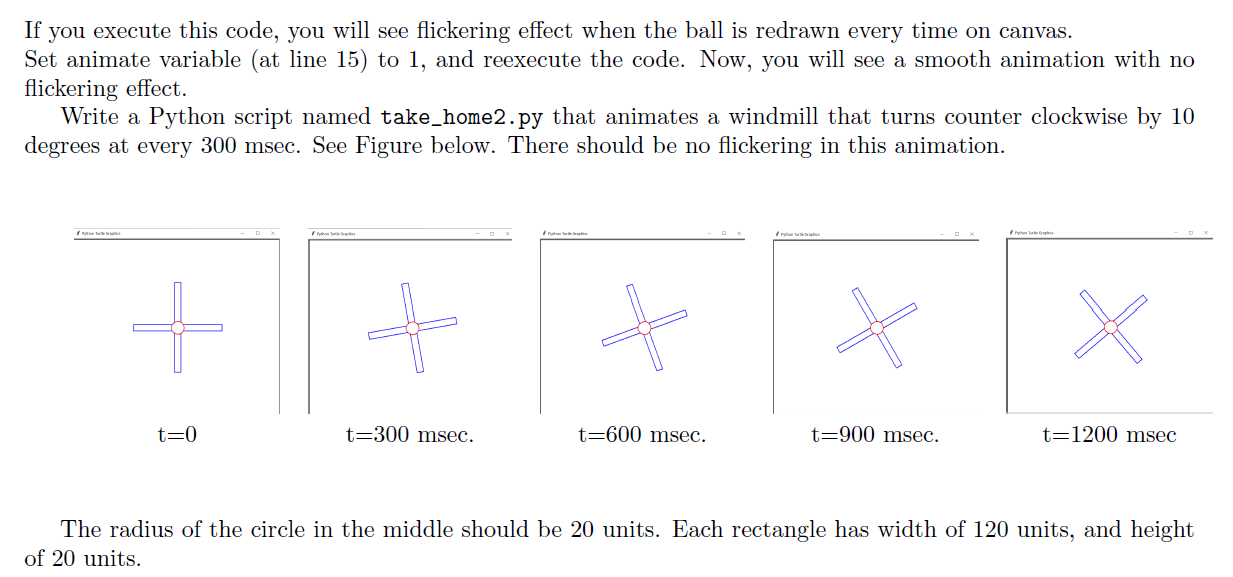
20 2 import turtle 3 4 scr = turtle. Screen() 5 6 t = turtle. Turtle ( 7 t.color ( 'red') 8 t. pensize=2 9 t.hideturtle ( 10 t.speed (0) 11 12 x = 0 13 y = 100 14 r = 30 15 animate = 0 16 print (scr.tracer ()) 17 18 def draw (: 19 global t,x,y,r, animate t.clear() 21 t. penup) 22 t.goto (x+r ,y) 23 t.set heading (90) 24 t. pendown() t.circle(r) 26 y = 10 27 28 # update canvas 29 if animate: 30 scr. update() 31 if y >= -100: 32 scr.ontimer (draw ,500) 33 34 # turn off canvas updates 35 if animate: 36 scr. tracer (0,0) 37 scr.ontimer (draw ,500) 38 scr.listen() 39 scr.mainloop ( 25 If you execute this code, you will see flickering effect when the ball is redrawn every time on canvas. Set animate variable (at line 15) to 1, and reexecute the code. Now, you will see a smooth animation with no flickering effect. Write a Python script named take_home2.py that animates a windmill that turns counter clockwise by 10 degrees at every 300 msec. See Figure below. There should be no flickering in this animation. + & X X t=0 t=300 msec. t=600 msec. t=900 msec. t=1200 msec The radius of the circle in the middle should be 20 units. Each rectangle has width of 120 units, and height of 20 units
Step by Step Solution
There are 3 Steps involved in it

Get step-by-step solutions from verified subject matter experts
 Study Help