







Question: The code shown below works properly. * To the myPipe class definition add functions for working with a console and with a file. * Namely
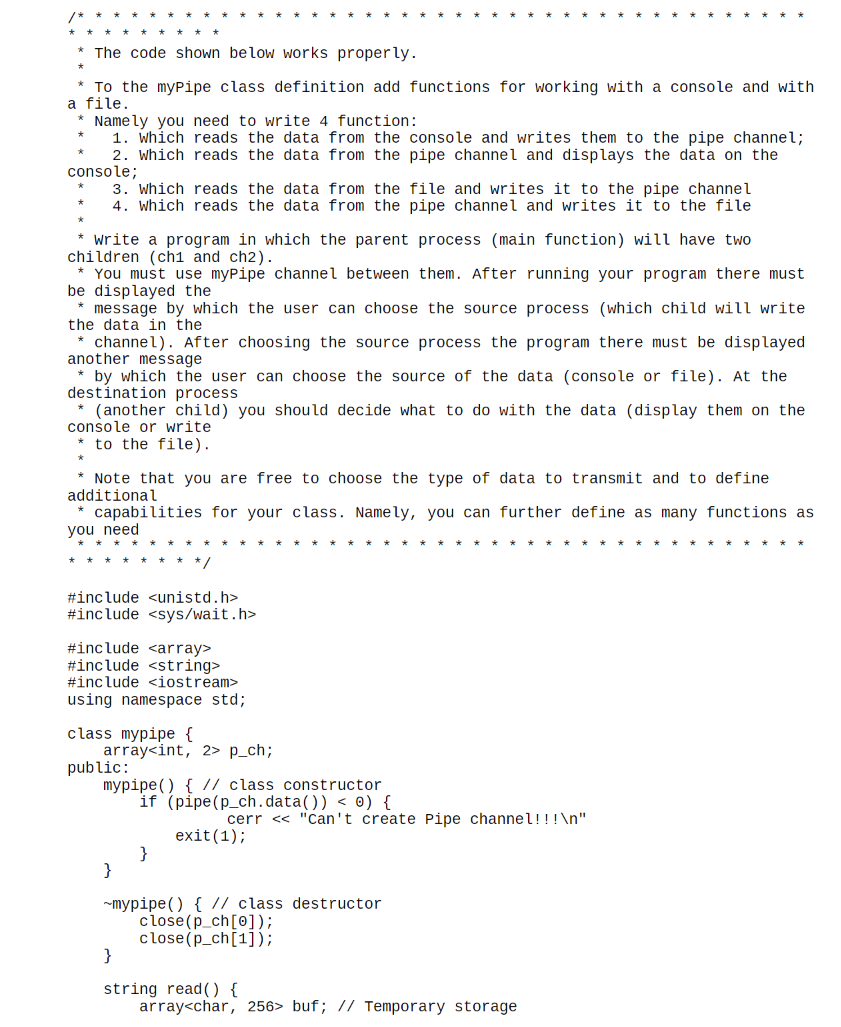
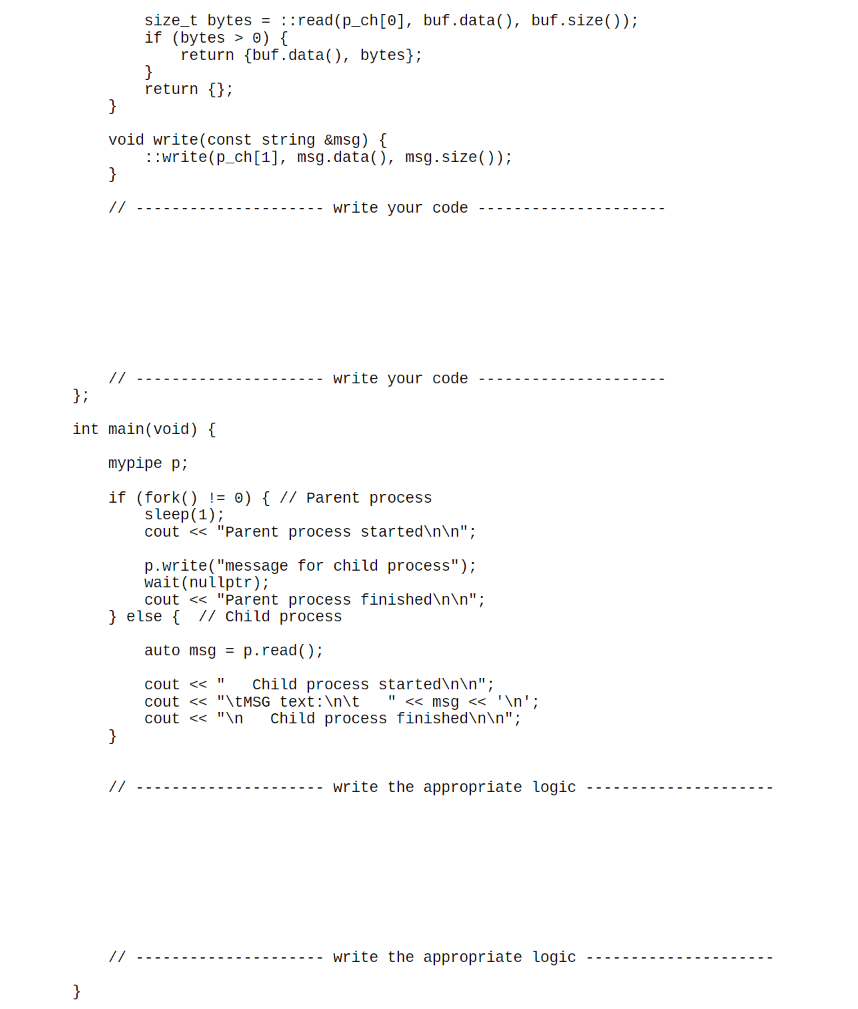
The code shown below works properly. * To the myPipe class definition add functions for working with a console and with a file. * Namely you need to write 4 function: 1. Which reads the data from the console and writes them to the pipe channel; 2. Which reads the data from the pipe channel and displays the data on the console; 3. Which reads the data from the file and writes it to the pipe channel 4. Which reads the data from the pipe channel and writes it to the file * Write a program in which the parent process (main function) will have two children (chi and ch2). * You must use myPipe channel between them. After running your program there must be displayed the message by which the user can choose the source process (which child will write the data in the channel). After choosing the source process the program there must be displayed another message by which the user can choose the source of the data (console or file). At the destination process * (another child) you should decide what to do with the data (display them on the console or write * to the file). Note that you are free to choose the type of data to transmit and to define additional capabilities for your class. Namely, you can further define as many functions as you need #include
Step by Step Solution
There are 3 Steps involved in it

Get step-by-step solutions from verified subject matter experts
 Study Help