







Question: the course is Microprocessor Systems and Interfacing can you please do this program code Laboratory 2.2.3: Write a program that reserves an uninitialized byte variable
the course is Microprocessor Systems and Interfacing
can you please do this program code
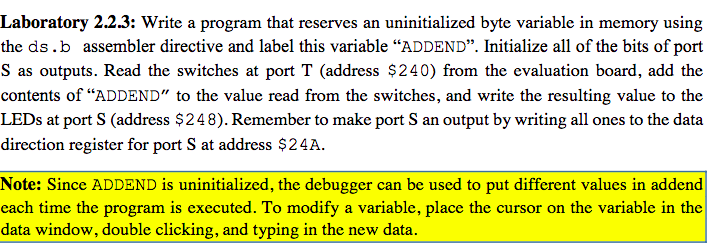
Laboratory 2.2.3: Write a program that reserves an uninitialized byte variable in memory using the ds.b assembler directive and label this variable ADDEND. Initialize all of the bits of port S as outputs. Read the switches at port T (address $240) from the evaluation board, add the contents of ADDEND" to the value read from the switches, and write the resulting value to the LEDs at port S (address $248). Remember to make port S an output by writing all ones to the data direction register for port S at address $24A. Note: Since ADDEND is uninitialized, the debugger can be used to put different values in addend each time the program is executed. To modify a variable, place the cursor on the variable in the data window, double clicking, and typing in the new data. Laboratory 2.2.3: Write a program that reserves an uninitialized byte variable in memory using the ds.b assembler directive and label this variable ADDEND. Initialize all of the bits of port S as outputs. Read the switches at port T (address $240) from the evaluation board, add the contents of ADDEND" to the value read from the switches, and write the resulting value to the LEDs at port S (address $248). Remember to make port S an output by writing all ones to the data direction register for port S at address $24A. Note: Since ADDEND is uninitialized, the debugger can be used to put different values in addend each time the program is executed. To modify a variable, place the cursor on the variable in the data window, double clicking, and typing in the new data
Step by Step Solution
There are 3 Steps involved in it

Get step-by-step solutions from verified subject matter experts
 Study Help