







Question: The data has been collected in the Microsoft Excel Online file below. Open the spreadsheet and perform the required analysis to answer the questions below.
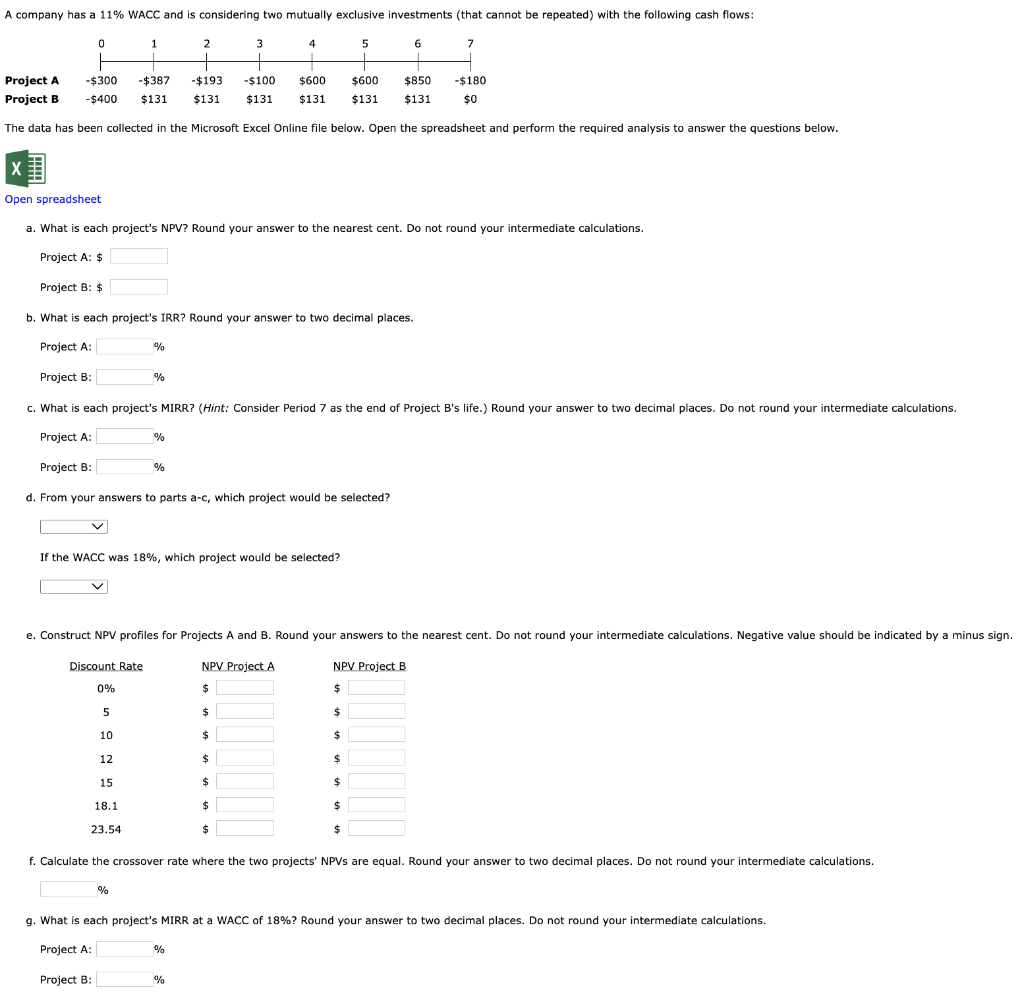
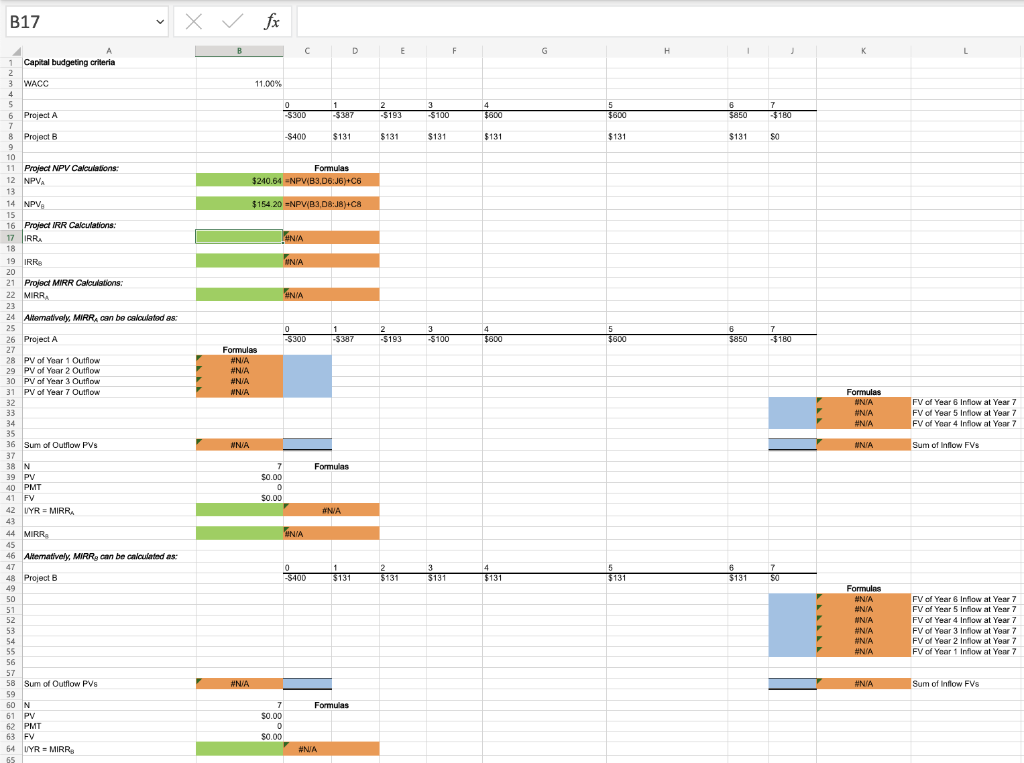
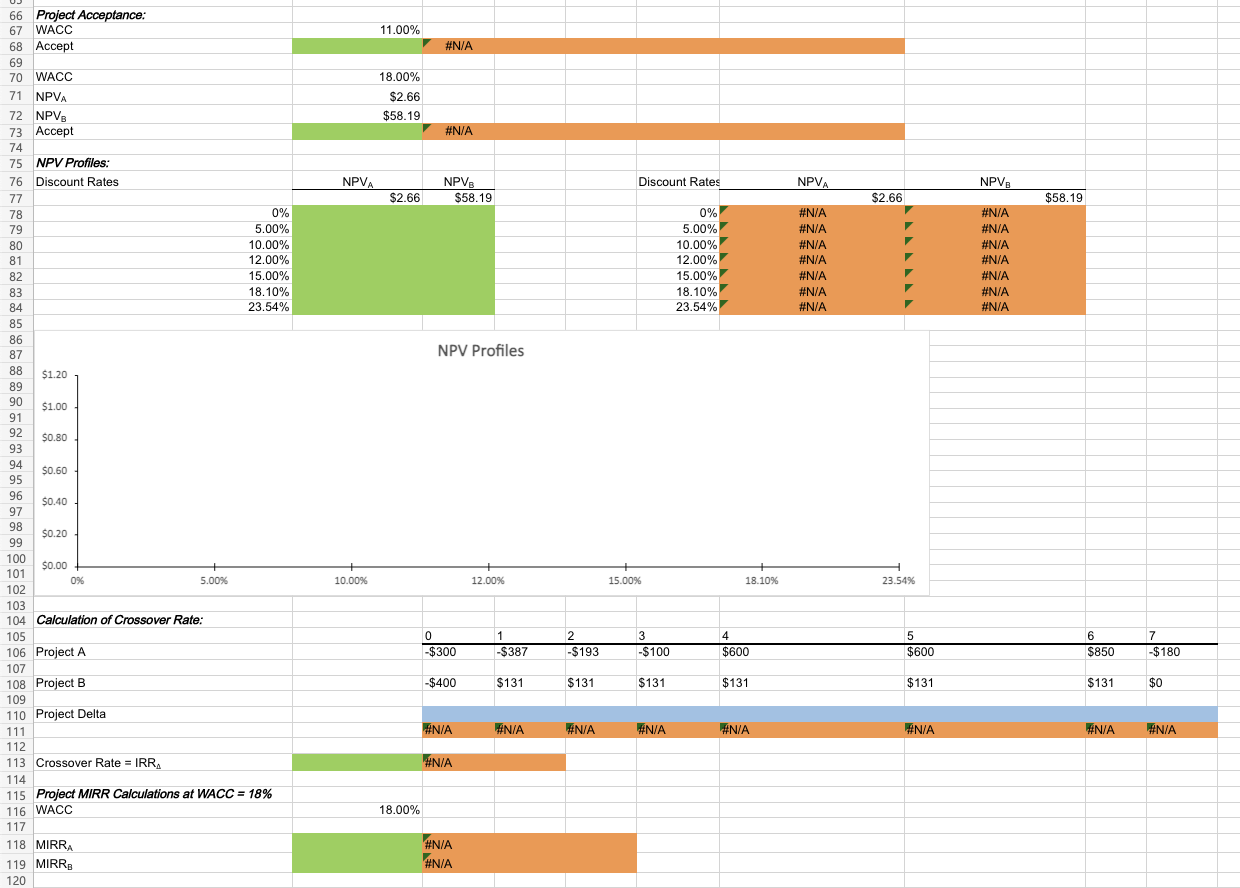
The data has been collected in the Microsoft Excel Online file below. Open the spreadsheet and perform the required analysis to answer the questions below. Dpen spreadsheet a. What is each project's NPV? Round your answer to the nearest cent. Do not round your intermediate calculations. Project A: $ Project B: $ b. What is each project's IRR? Round your answer to two decimal places. Project A: % Project B: % c. What is each project's MIRR? (Hint: Consider Period 7 as the end of Project B's life.) Round your answer to two decimal places. Do not round your intermediate calculations. Project A: % Project B: % d. From your answers to parts a-c, which project would be selected? If the WACC was 18%, which project would be selected? e. Construct NPV profiles for Projects A and B. Round your answers to the nearest cent. Do not round your intermediate calculations. Negative value should be indicated by a minus f. Calculate the crossover rate where the two projects' NPVs are equal. Round your answer to two decimal places. Do not round your intermediate calculations. % g. What is each project's MIRR at a WACC of 18% ? Round your answer to two decimal places. Do not round your intermediate calculations. Project A: % Project B: % 66 Project Acceptance: 67 WACC 11.00% 68 Accept 79 WACC 71NPVA 72NPVB Accept NPV Profiles: Discount Rates NPV Profiles 104 Calculation of Crossover Rate: Project A 106 107 Project B 109 110 Project Delta 111 113 Crossover Rate =IRR 114 115 Project MIRR Calculations at WACC =18% 116 WACC 117 118MIRRA 119MIRRB 120 The data has been collected in the Microsoft Excel Online file below. Open the spreadsheet and perform the required analysis to answer the questions below. Dpen spreadsheet a. What is each project's NPV? Round your answer to the nearest cent. Do not round your intermediate calculations. Project A: $ Project B: $ b. What is each project's IRR? Round your answer to two decimal places. Project A: % Project B: % c. What is each project's MIRR? (Hint: Consider Period 7 as the end of Project B's life.) Round your answer to two decimal places. Do not round your intermediate calculations. Project A: % Project B: % d. From your answers to parts a-c, which project would be selected? If the WACC was 18%, which project would be selected? e. Construct NPV profiles for Projects A and B. Round your answers to the nearest cent. Do not round your intermediate calculations. Negative value should be indicated by a minus f. Calculate the crossover rate where the two projects' NPVs are equal. Round your answer to two decimal places. Do not round your intermediate calculations. % g. What is each project's MIRR at a WACC of 18% ? Round your answer to two decimal places. Do not round your intermediate calculations. Project A: % Project B: % 66 Project Acceptance: 67 WACC 11.00% 68 Accept 79 WACC 71NPVA 72NPVB Accept NPV Profiles: Discount Rates NPV Profiles 104 Calculation of Crossover Rate: Project A 106 107 Project B 109 110 Project Delta 111 113 Crossover Rate =IRR 114 115 Project MIRR Calculations at WACC =18% 116 WACC 117 118MIRRA 119MIRRB 120
Step by Step Solution
There are 3 Steps involved in it

Get step-by-step solutions from verified subject matter experts
 Study Help