







Question: The data in the files downloaded for problem 1 contains temperature and velocity data over a grid that does not include the channel walls. The
 The data in the files downloaded for problem 1 contains temperature and velocity data over a grid that does not include the channel walls. The velocity of the flow at the channel walls is zero due to a property called the no-slip condition. Write an m-file to once again load the velocity data from CenterLengthVGridGrid.xlsx. Now, augment the velocity matrix to include zero velocity values along the walls. Youll need to augment the x and y vectors as well. In doing so, you may assume that the walls lie on the same grid as the rest of the data. That is, you may now assume that the channel dimensions are 525 nm in both the x and y directions. Replot the temperature data, as you did in problem 1, but now including the zero velocity data points along the channel walls. Once again, make your plot match that generated by the p-file
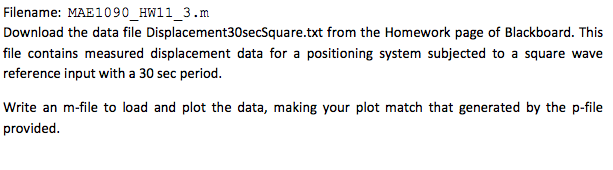
1) Filename: MAE1090 HW11 1.m Download the data files CenterLengthTempGridGrid.xlsx and CenterLengthVGridGrid.xlsx from the Homework page of Blackboard. These files contain data exported from a COMSOL Multiphysics simulation of flow in a single channel of a micro-channel heat exchanger. The data in the first file represents a cross-sectional temperature distribution at the mid-point along the length of the channel. The second file contains velocity magnitude data for the flow through the same cross- section. The channel cross-section is square, with dimensions of 1mm 1mm. The x and y vectors over which the temperature and velocity are sampled are given in the file under the label %grid. You'll notice that data is not provided at the wall of the channel; the range of the x-y data grid is t475pum in both directions Write an m-file to load and plot the temperature distribution in figure 1. Use a surface plot (surf.m) and set the shading to interp. Also, set the view angle so that this is a two-dimensional color-graded plot. That is, set the view angle to view only the cross-sectional x-y plane. Add a colorbar legend as shown in the plot generated by the p-file. Plot the velocity magnitude distribution in figure 2. Configure your plot to match that generated by the p-file. To get a units label on the colorbar: h = colorbar ( ); ylabel (h, '[m/s]'); 1) Filename: MAE1090 HW11 1.m Download the data files CenterLengthTempGridGrid.xlsx and CenterLengthVGridGrid.xlsx from the Homework page of Blackboard. These files contain data exported from a COMSOL Multiphysics simulation of flow in a single channel of a micro-channel heat exchanger. The data in the first file represents a cross-sectional temperature distribution at the mid-point along the length of the channel. The second file contains velocity magnitude data for the flow through the same cross- section. The channel cross-section is square, with dimensions of 1mm 1mm. The x and y vectors over which the temperature and velocity are sampled are given in the file under the label %grid. You'll notice that data is not provided at the wall of the channel; the range of the x-y data grid is t475pum in both directions Write an m-file to load and plot the temperature distribution in figure 1. Use a surface plot (surf.m) and set the shading to interp. Also, set the view angle so that this is a two-dimensional color-graded plot. That is, set the view angle to view only the cross-sectional x-y plane. Add a colorbar legend as shown in the plot generated by the p-file. Plot the velocity magnitude distribution in figure 2. Configure your plot to match that generated by the p-file. To get a units label on the colorbar: h = colorbar ( ); ylabel (h, '[m/s]')
Step by Step Solution
There are 3 Steps involved in it

Get step-by-step solutions from verified subject matter experts
 Study Help