







Question: ( The example table has a column called Country / Region which our dataset does not have ) . table [ [ Task #
The example table has a column called CountryRegion which our dataset does not have
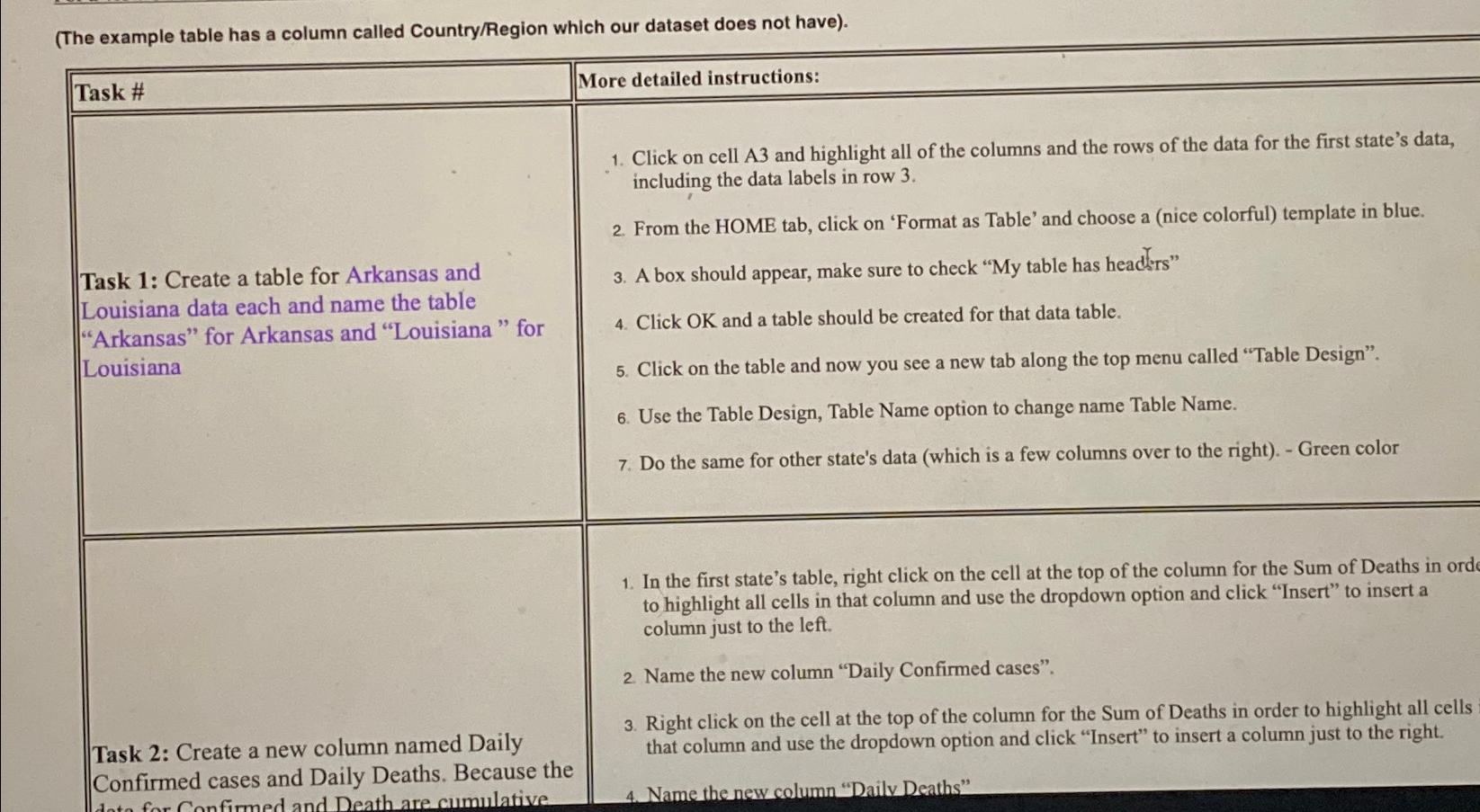
tableTask #More detailed instructions:tableTask : Create a table for Arkansas andLouisiana data each and name the tableArkansas for Arkansas and "Louisiana" forLouisianatable Click on cell A and highlight all of the columns and the rows of the data for the first state's data,including the data labels in row From the HOME tab, click on 'Format as Table' and choose a nice colorful template in blue. A box should appear, make sure to check My table has headirs" Click OK and a table should be created for that data table. Click on the table and now you see a new tab along the top menu called "Table Design". Use the Table Design, Table Name option to change name Table Name. Do the same for other state's data which is a few columns over to the right Green color
Task : Create a new column named Daily
In the first state's table, right click on the cell at the top of the column for the Sum of Deaths in ord to highlight all cells in that column and use the dropdown option and click "Insert" to insert a column just to the left.
Name the new column "Daily Confirmed cases".
Right click on the cell at the top of the column for the Sum of Deaths in order to highlight all cells that column and use the dropdown option and click "Insert" to insert a column just to the right. Confirmed cases and Daily Deaths. Because the
Name the new column "Daily Deaths"
Step by Step Solution
There are 3 Steps involved in it
1 Expert Approved Answer
Step: 1 Unlock

Question Has Been Solved by an Expert!
Get step-by-step solutions from verified subject matter experts
Step: 2 Unlock
Step: 3 Unlock
 Study Help